
e-Invoice and e-Archive
e-Invoice and e-Archive documents are prepared, checked and sent through the integrator add-on. Each document's status and history are tracked, and incoming e-invoices become purchase invoices from the same inbox.
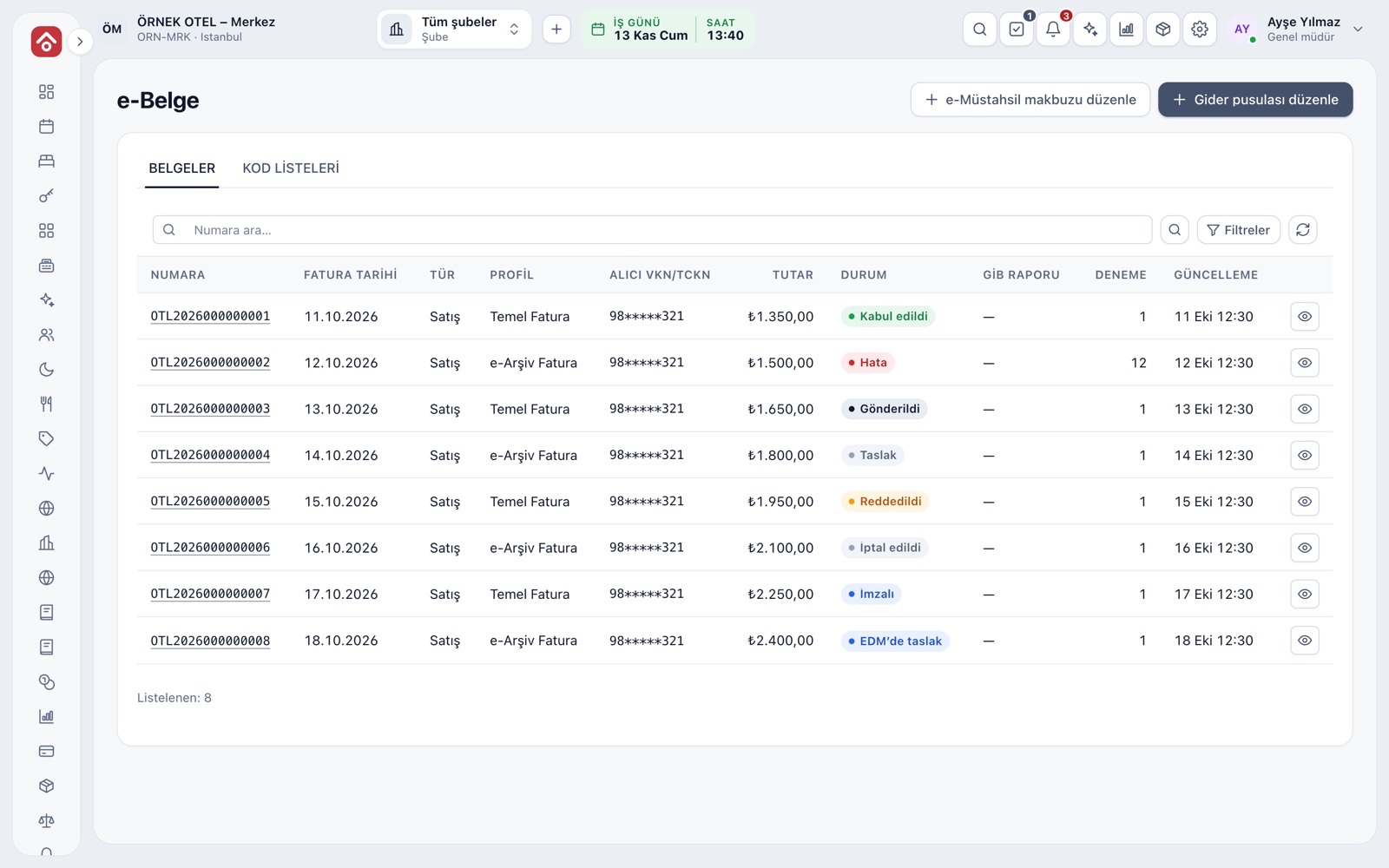
All Documents in One List
The e-Document page lists documents by number, date, type, recipient, amount and status. Statuses run Draft, Signed, Sent, Accepted, Rejected, Error and Cancelled. Clicking a row shows its summary, history, attempts and archive, and the PDF opens from the invoice details.
- Filter the list by number, status and date range.
- The status history records each change and who made it.
- A document can be saved as a draft or sent straight away.
Integrator Add-On
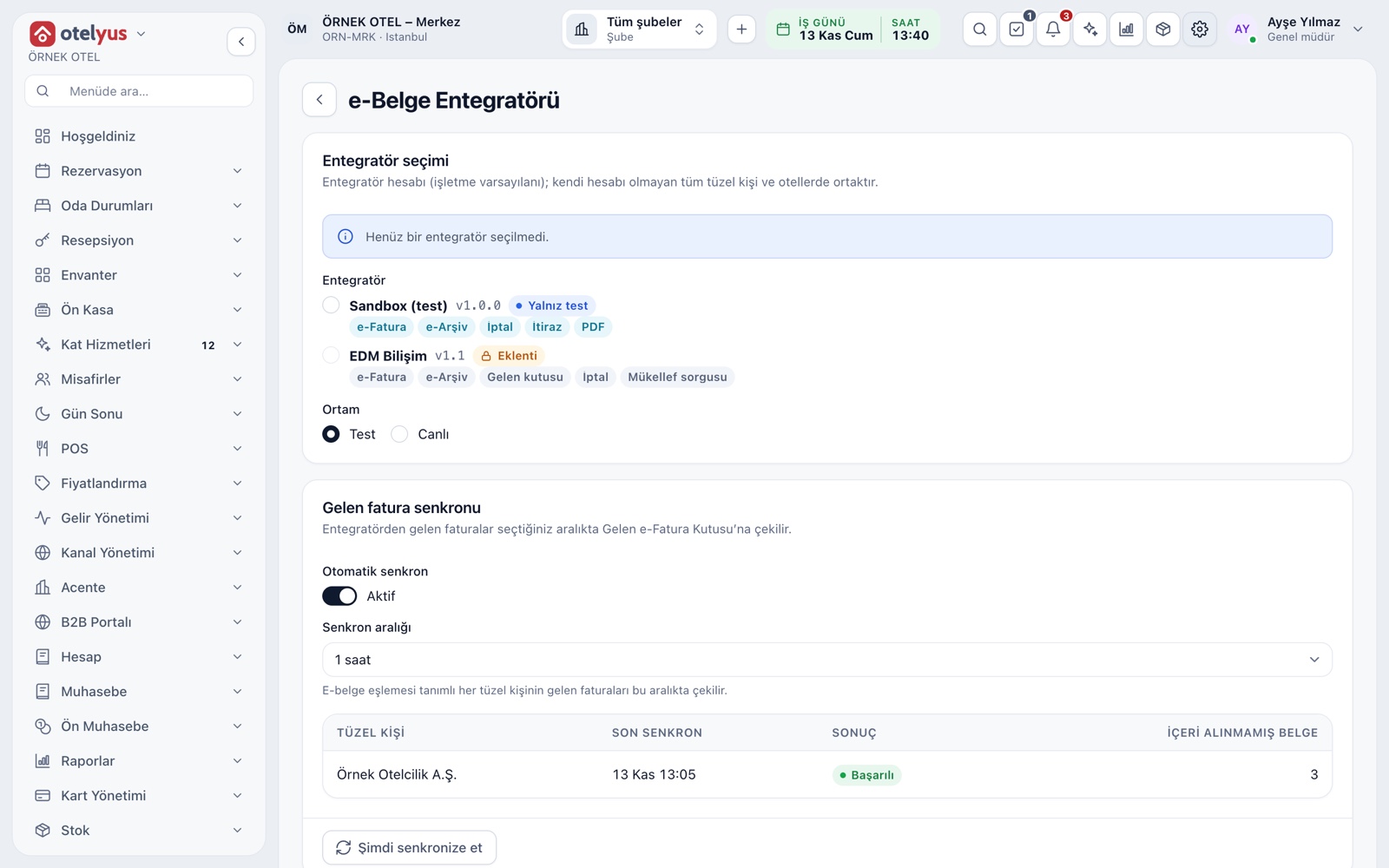
e-Invoice and e-archive documents are sent through a private integrator. The integrator is enabled as an add-on in the business plan; EDM is used, and the structure is open to more providers. You set up the connection once at account level, and each legal entity is matched only by its tax number and series prefixes.
- The environment is set to Test or Live.
- A connection test checks your settings.
- Credentials are stored securely and never shown again.
The Right Document Type, Errors Caught Early
The document type depends on the recipient: a taxpayer lookup asks whether the buyer is an e-invoice taxpayer; if so an e-invoice is issued, if not an e-archive invoice. Before sending, the document is checked against the rules; if there is an error, it is not sent and the screen says what to fix.
- The lookup sets the document type automatically.
- Tax code, amount and tax number consistency are checked.
- A zero-rated line requires an exemption code.
- Please confirm e-invoice taxpayer status with your accountant.
Queue, Retries and Credits
Documents are queued and sent to the integrator. If a temporary error occurs, the system retries at longer intervals and records every attempt with its result. The same document is never sent twice. Each document sent successfully uses one credit; if credits run short, the document is created and sending continues once credits are loaded.
- A rejected or failed document is shown with its reason.
- When retries run out, use the Resend button.
- The integrator's series are shown next to the app's series.
Cancellation and Objection
An e-document delivered to the recipient can be cancelled within eight days of delivery; the request goes to the integrator and the outcome is confirmed by a status check. The accounting entry of a cancelled document is reversed. A recipient's objection is recorded separately. After the period, corrections are made with a credit note.
- Cancellation and objection require a reason and are audited.
- The cancellation deadline is shown in the document details.
- Please confirm current rules with your accountant.
Incoming e-Invoice Inbox
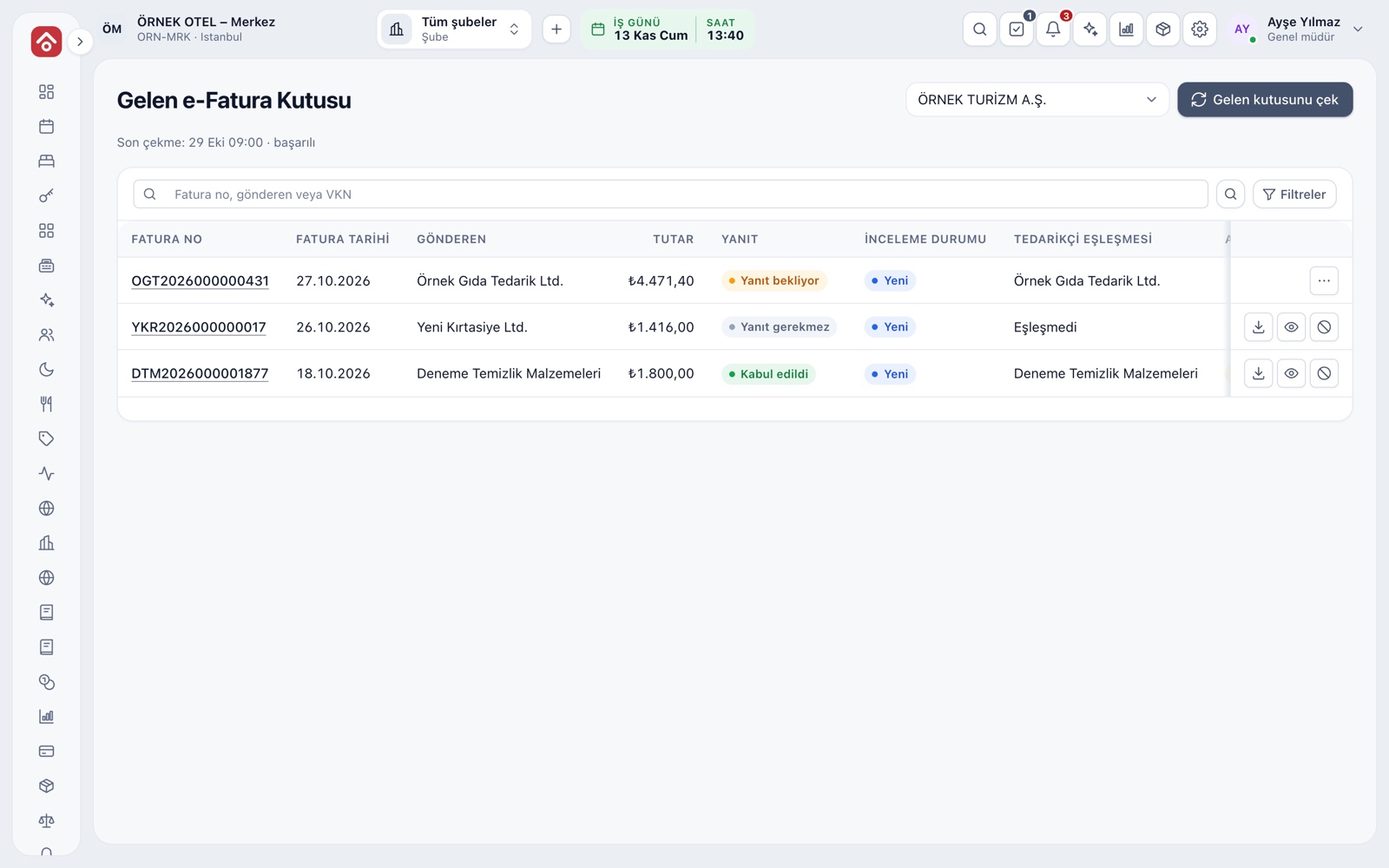
The inbox pulls the invoices your suppliers issue to you from the integrator. Each document shows the sender, amount, reply deadline and supplier match. A purchase invoice draft is created from the document, so the invoice is posted once, to the right supplier account.
- A document can be downloaded as PDF, previewed or emailed.
- Accept or reject a commercial invoice within eight days.
- If the sender matches no supplier card, match or create the account first.
Modules used together
Sales and Purchase Invoices
Issue invoices, purchase invoices, cancellations and returns
Learn moreAccount (Ledger) Management
Customer, supplier and agency accounts, opening entries
Learn moreTax, Withholding and Exemption Codes
VAT and accommodation tax rates are kept with their effective dates, and every line stores the rate of its transaction date. Withholding and exemption codes are checked on the invoice before it is issued. Confirm rates and dates with your accountant.
Learn moreSupplier Payables
Supplier balances and payment plans
Learn moree-Ledger Preparation
Journal and general ledger outputs
Learn moreFrequently Asked Questions
Which integrator is used for e-invoice and e-archive?
The EDM integrator is used, and the structure is open to more providers. The integrator add-on must be active in your plan.
How long can I cancel an invoice that has been sent?
Within eight days of delivery to the recipient. After that, corrections are made with a credit note; please confirm current rules with your accountant.
If I run out of credits, is the document lost?
No. The document is created, and sending continues once credits are loaded.
Who keeps the sent documents for legal purposes?
The system keeps an operational copy and the status of each document. Please confirm with your accountant how your legal retention duty is met under your integrator contract.
Meet e-Invoice and e-Archive
Let us call you for a live walkthrough, or try it free for 1 month.