
Restaurant POS
Floor plan, checks, kitchen, cashier and end of day come together in one cloud POS for restaurants, cafes and bars. It works without a hotel, or together with hotel management.
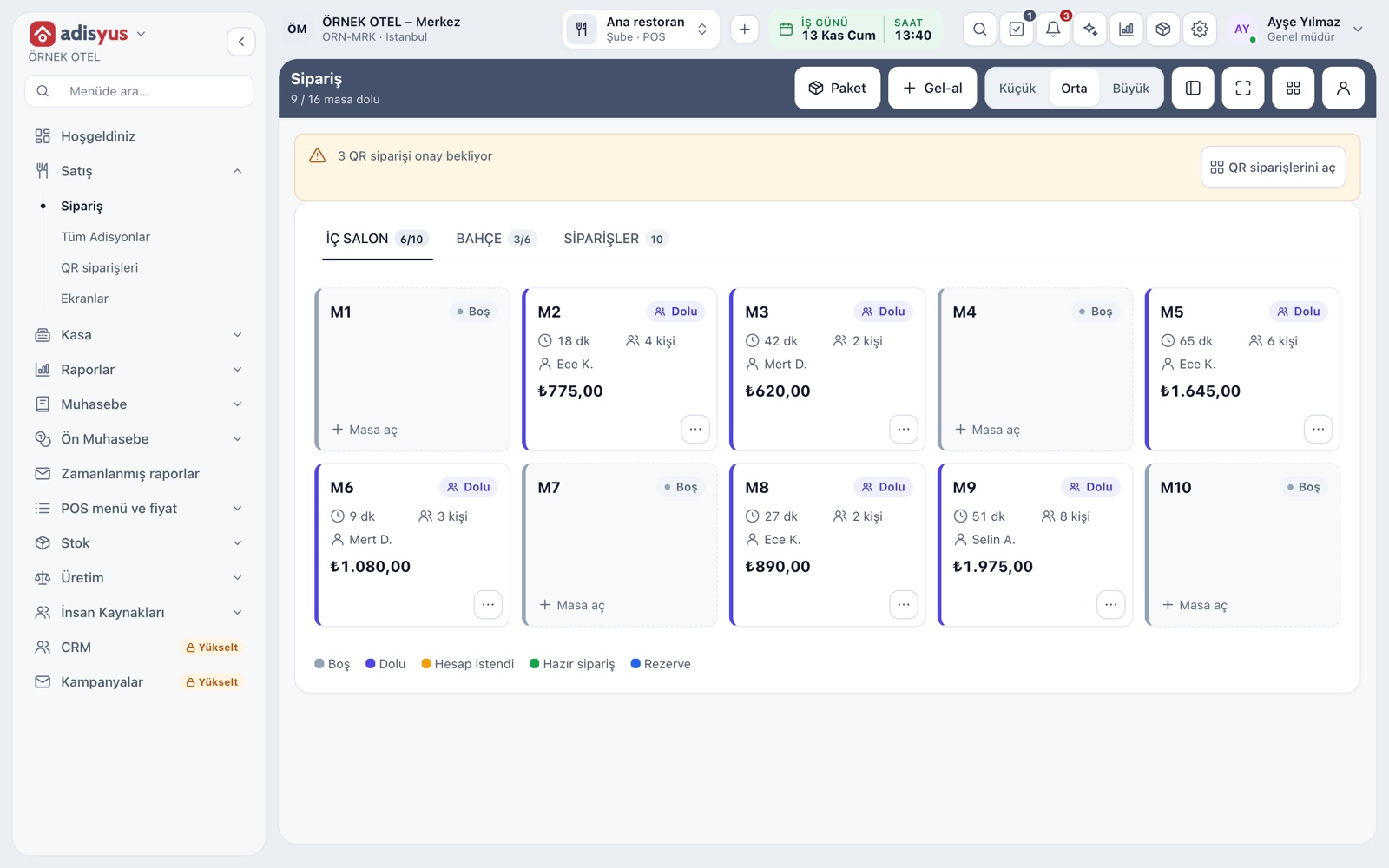
Floor plan and service
The service screen is a live view of your dining room. Each table shows its status, elapsed time, party size, server and amount at a glance. From the same screen you open takeaway and pickup orders and see QR orders waiting for approval.
- Tapping an empty table opens a check; a busy table opens its check
- An order ready from the kitchen is marked on the table card
- Move, merge and split tables from the card menu
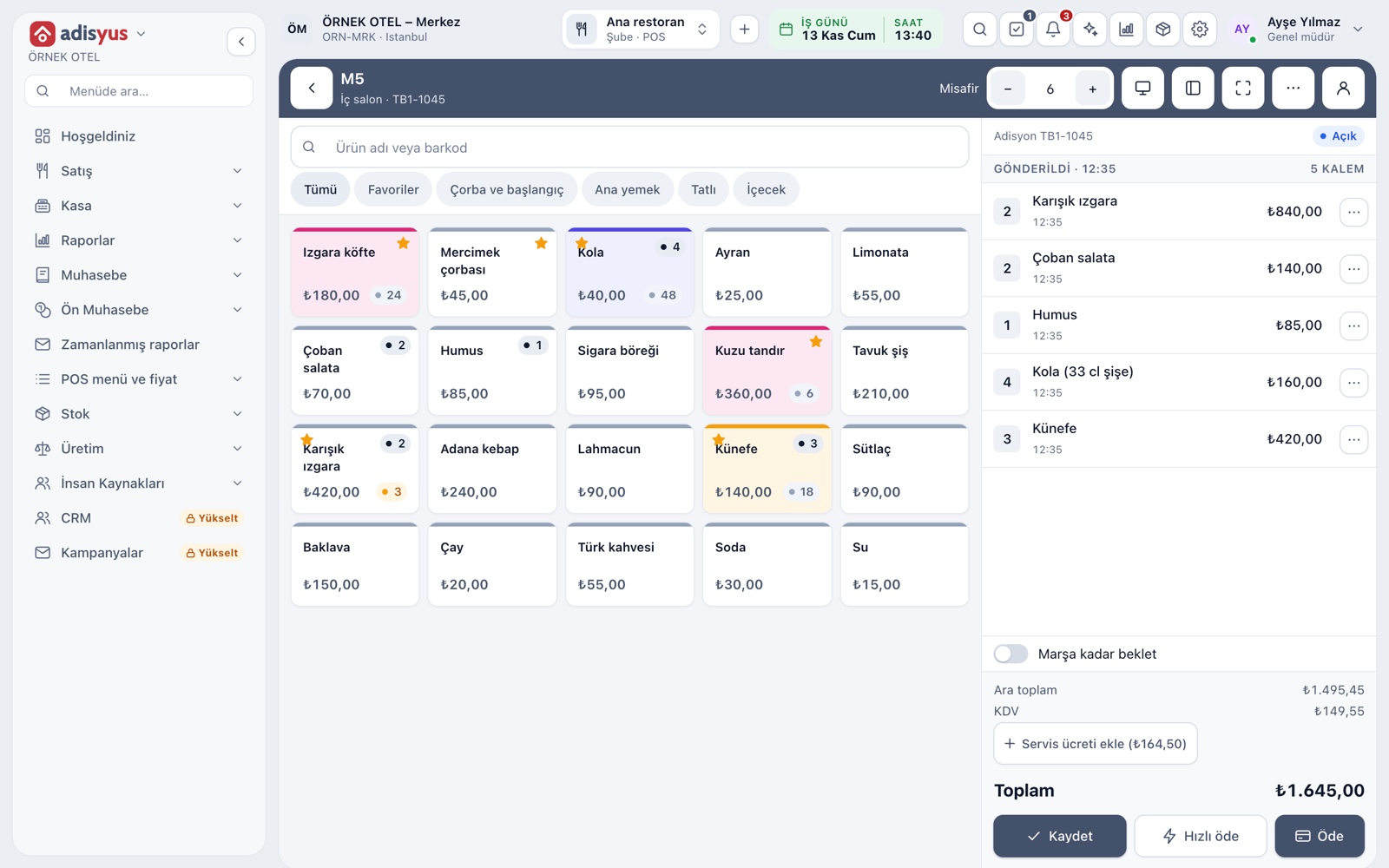
Checks and order entry
On the order screen the menu is on the left and the check on the right. Find an item by name or barcode, tap portions and options, and Save sends new items to the right station. Voids, comps and discounts depend on permissions and are logged with a reason.
- A main course can be fired to the kitchen when its turn comes
- Split a check by item or equally per guest
- Every check keeps a readable event history
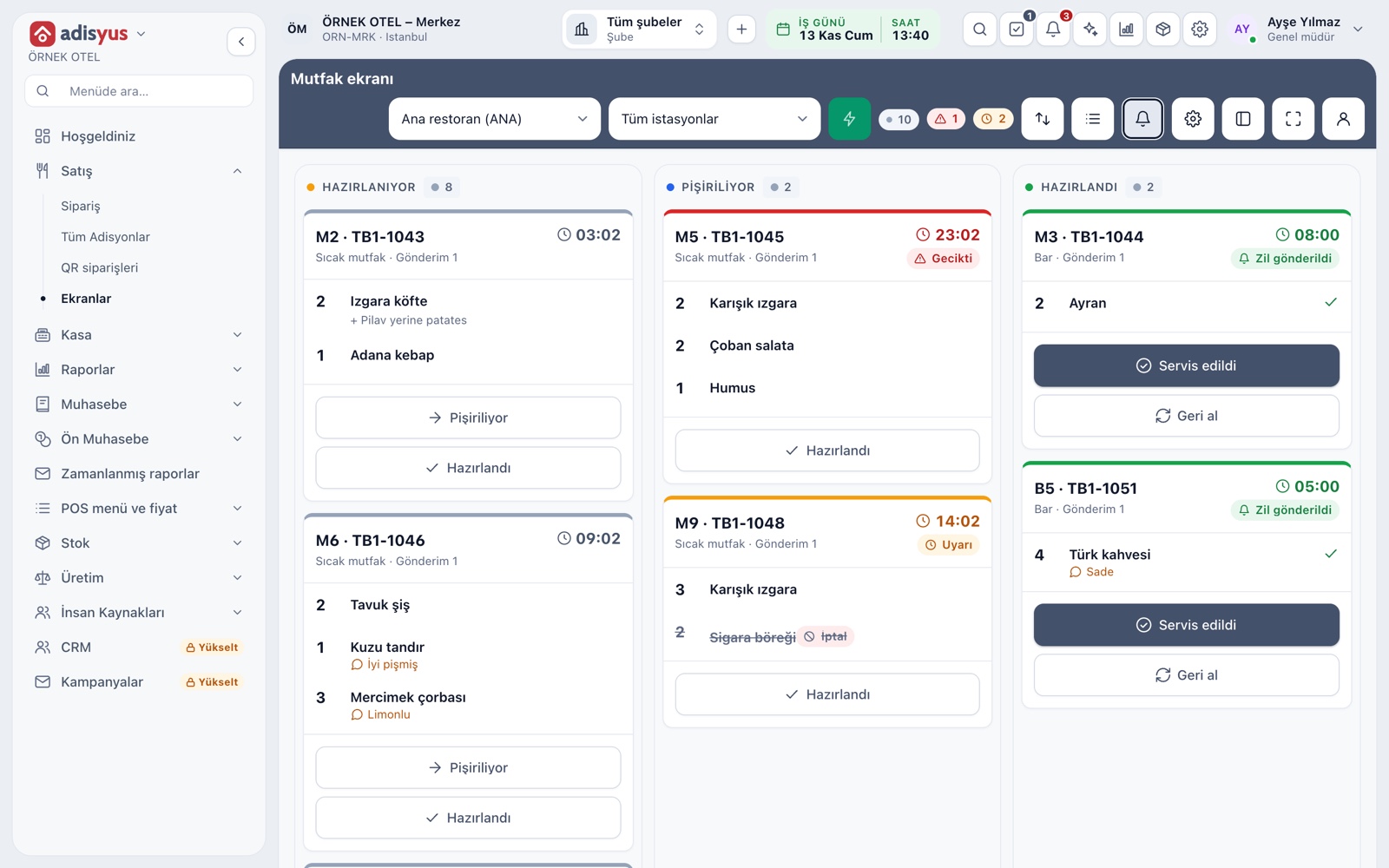
Kitchen display and printer routing
An item's prep station decides where an order lands: hot kitchen, cold kitchen or bar. A station can use a screen, a printer or both. On the kitchen display, orders run with a timer; late ones change color and a chime sounds when they are ready.
- A ready alert rings on servers' and the cashier's screens
- New order and ready sounds are set per device
- Served orders drop off every kitchen display
Payment and cashier
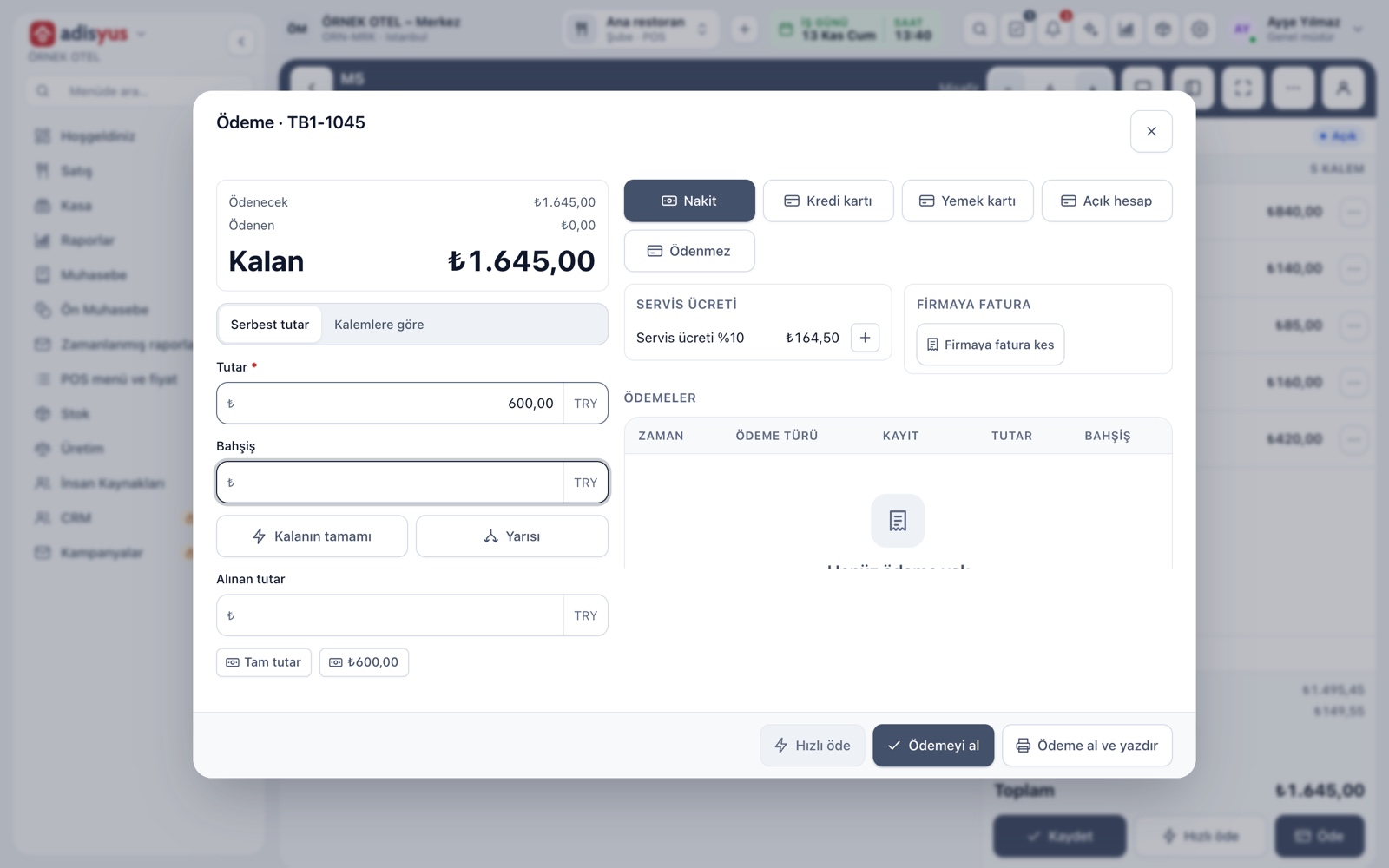
The payment window shows the remaining amount, payments taken and payment type together. Cash, card, meal vouchers and house accounts are collected by free amount, by item or by guest group. Tips and change are calculated, and cash needs an open cashier session.
- A session starts with an opening balance and records any count difference
- Refunds are posted as reversals; the check is not reopened
- A cashier sees only their own shift report
End of day and accounting entry
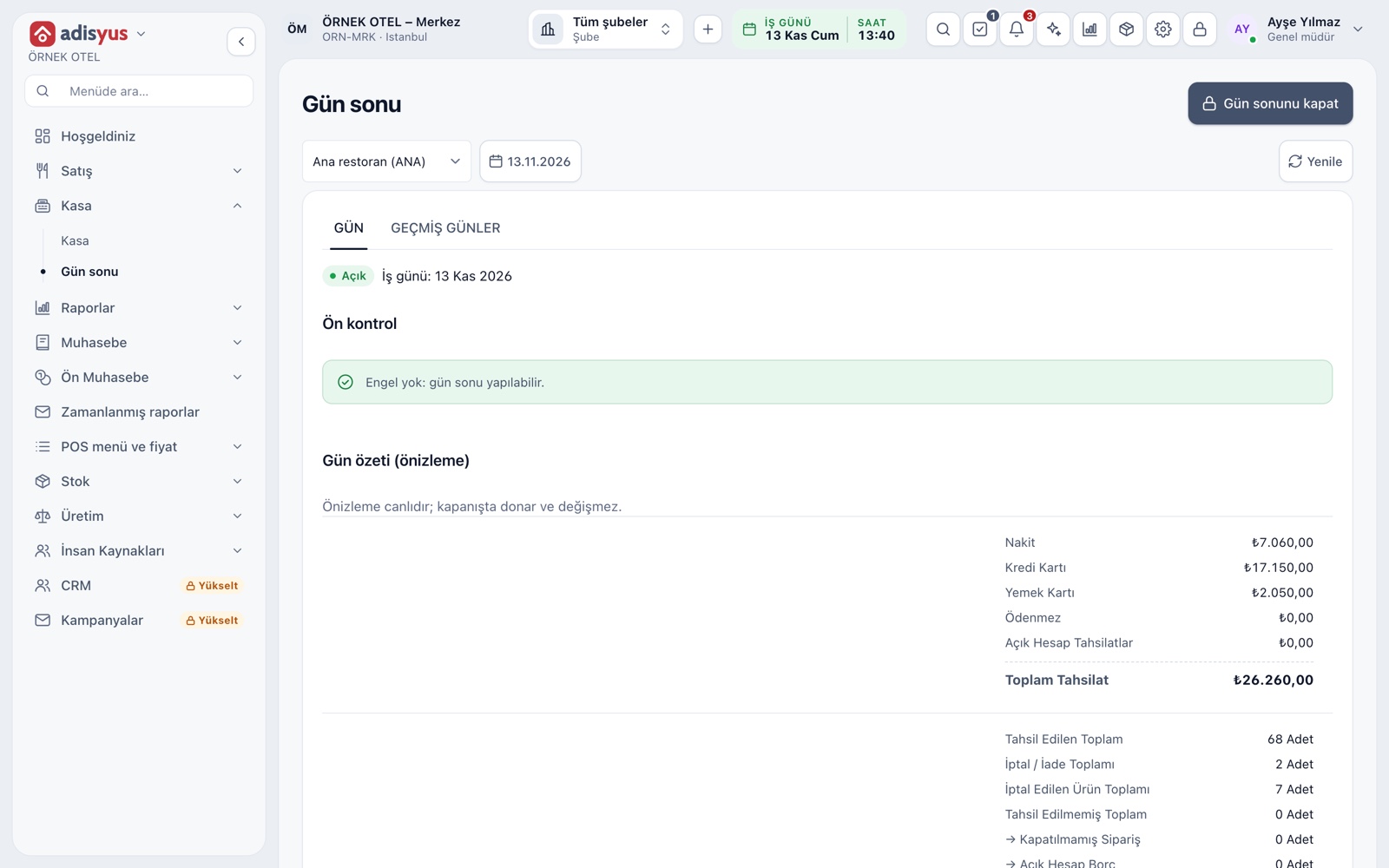
The end-of-day screen runs a checklist before closing: open checks, an open cashier session or an unmatched cash register report show up as blockers. Once closed, the day's summary is final and an accounting entry is created.
- Summary: gross sales, refunds, service charge, net collection
- Breakdown by VAT rate and payment type
- With no open checks, end of day can run by itself
- Past days lists every closing record
POS reports
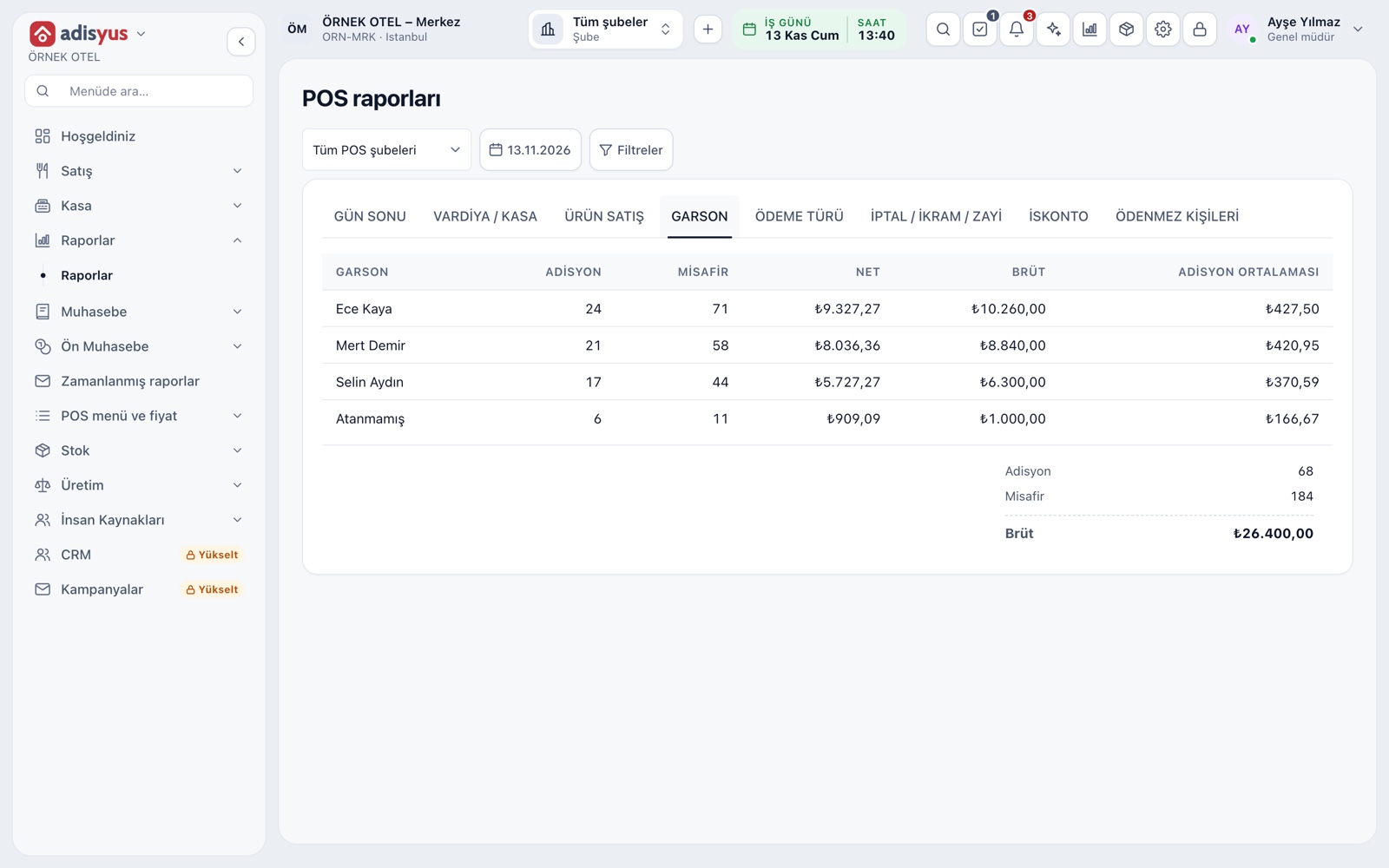
End of day, shift, product sales, server, payment type, void-comp-waste and discount reports sit in tabs. A time range can be added to the dates, and service running past midnight counts as one period. Pick a branch or follow all branches together.
- The server report shows checks, guests, revenue and average
- Void and comp reports list who approved and why
- Product report keeps comp and waste quantities in separate columns
Menu, price lists and stock
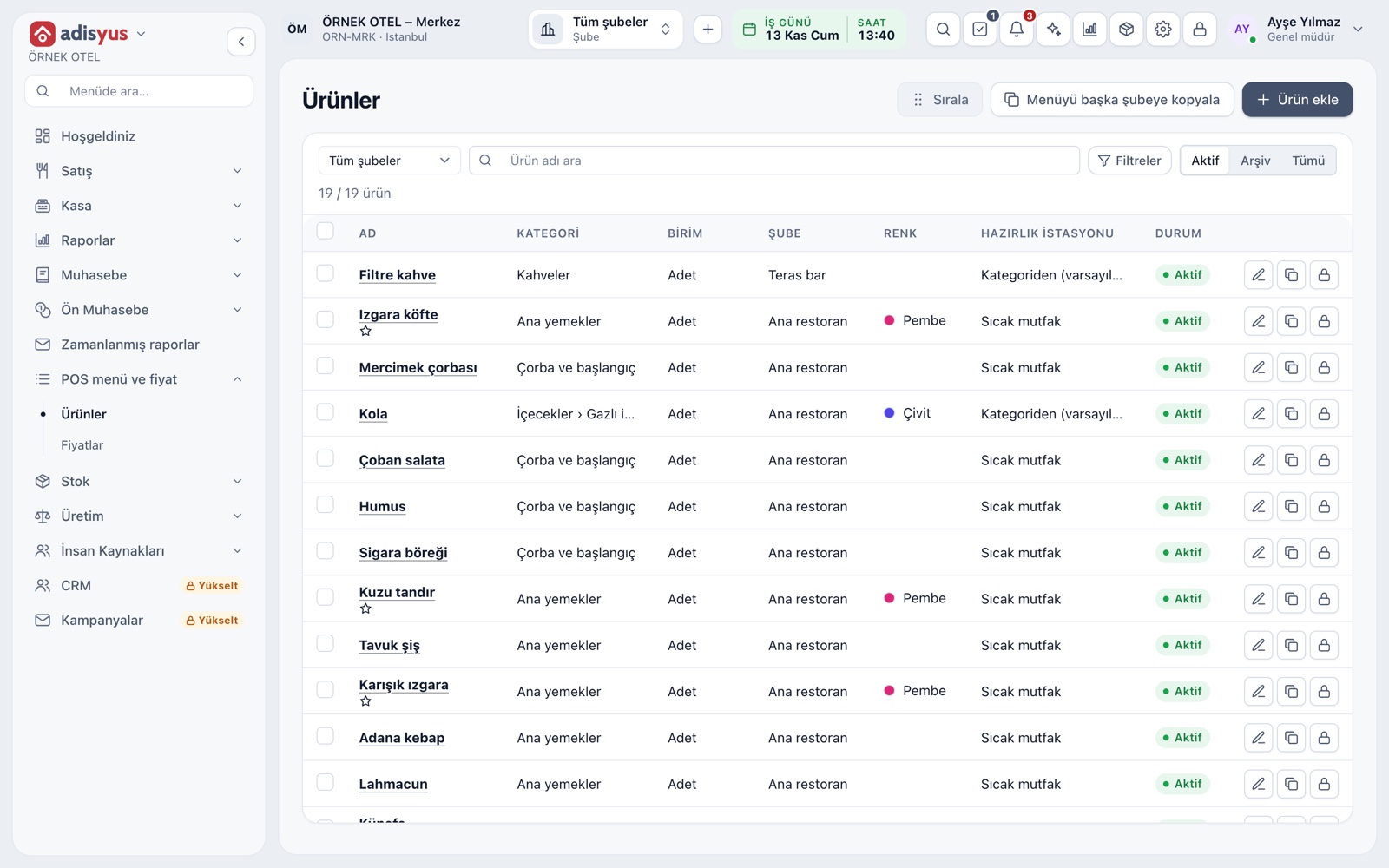
You add an item once; category, VAT, prep station, picture and barcode live on the item card. Prices come from price lists, so you can set different prices by day, time and order channel (dining, takeaway, online). A recipe item deducts its ingredients from stock when sold.
- Bulk price updates by percentage or amount, with a preview
- Option groups, combos and portions are supported
- A menu can be copied to another branch
- Menu order is the same on POS and QR menu
Branches, permissions and use with hotel management
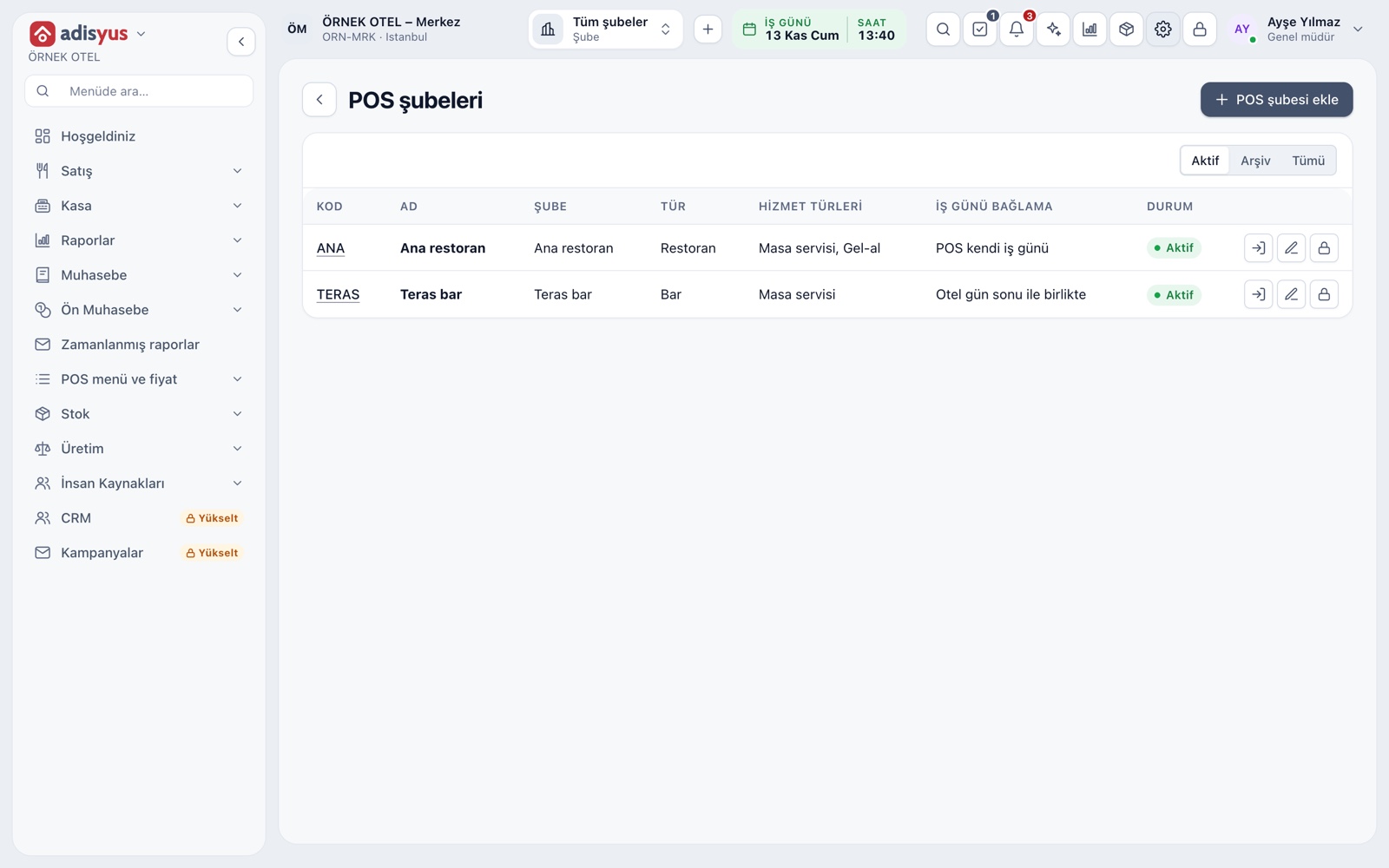
A POS branch can be a restaurant, bar, cafe, pastry shop, quick service, takeaway kitchen or room service. Users get permissions per action, and voids, comps, discounts and end of day are logged. adisyus works alone; used with hotel management, a bill can be posted to a room.
- Quick user switch uses a PIN; actions are logged under that person
- Posting to a room account appears only when used with hotel management
- Accounting, stock and invoicing run on shared modules
Modules used together
Table Plan and Zones
Freely editable floor plan, zone tabs, table statuses
Learn moreChecks and Order Entry
Item entry, options, comps, split and merge bills
Learn moreKitchen Display and Kitchen Groups
Station-based kitchen display (KDS) and preparation times
Learn morePayments and Collections
Cash, card and split payments; fiscal cash register (ÖKC) integration
Learn morePOS Reports
Product sales, end of day, shift, statistics, stock status and waste reports
Learn moreFrequently Asked Questions
Can I use it for a restaurant without a hotel?
Yes. adisyus is a standalone product. The hotel link is optional and hotel items appear only when used with hotel management.
Can I follow several branches from one place?
Yes. In reports you pick a branch or follow all branches together. A menu can also be copied to another branch.
How is the accounting entry created at end of day?
With the accounting module, a single entry is posted from the day's summary. If an account mapping is missing, the entry waits and is retried once it is complete.
Does it work with a cash register?
Cash register receipts and e-Archive and e-Invoice document options are an optional add-on. Confirm which document to issue with your accountant.
Meet Restaurant POS
Let us call you for a live walkthrough, or try it free for 1 month.