
Restaurant Online Reservations
Restaurant Online Reservations lets guests book a table from your own website. Availability is calculated from your floor plan, so you stop losing tables when the phone is busy.
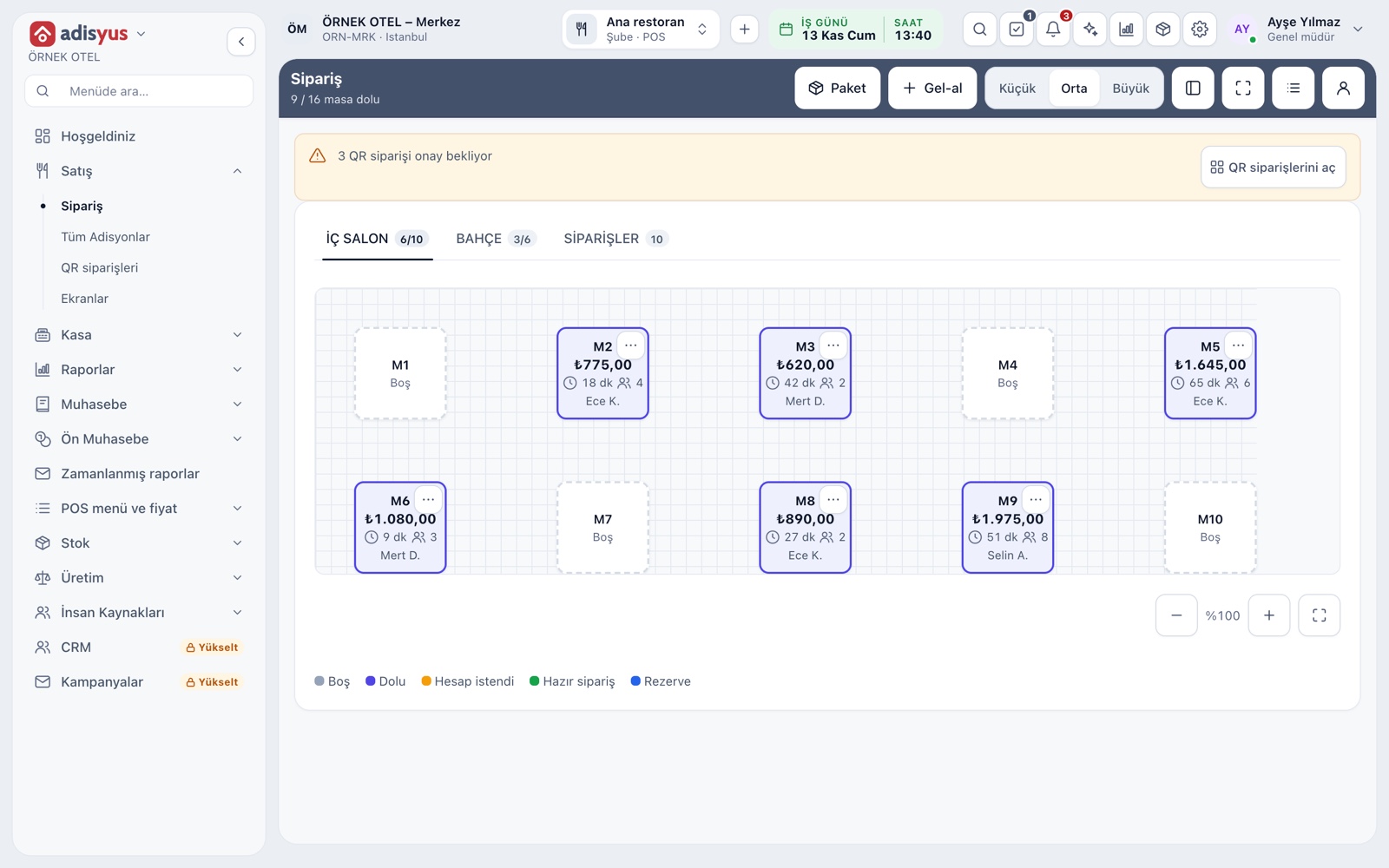
Guests book their own table
A restaurant that cannot answer the phone at peak hours loses tables. With online booking, a guest picks the date, time and party size on your website and leaves contact details. Availability is calculated from your floor plan and opening hours, so full or unsuitable options are never offered.
- Date, time, party size and contact details are collected
- Availability comes from the floor plan and capacity
- A booking link is added to your own website
- Works for a restaurant that uses adisyus alone
Seatings, capacity and table assignment
A restaurant holds a table for a set length of time, called a seating. You define the seating length, the party size limit and opening hours. The system picks the table, or a manager assigns it by hand.
- Seating length and party limit are set per restaurant
- The same table is never given to two overlapping bookings
- A manager can move a booking to another table
Confirmation and reminders
You choose whether a booking is confirmed automatically or after a manager approves it. Once confirmed, the guest receives a confirmation message and a reminder as the day approaches, by email or SMS.
- Choose automatic or manager approval
- Confirmation and reminder go out by email or SMS
- SMS uses the business's existing SMS connection
Bookings on the floor
A booked table shows as reserved on the service screen, with the guest's name, time and party size on the card. When the guest arrives, the server turns the booking into a check with one tap. Guests who do not show up are marked and reported.
- The reserved card shows name, time and party size
- One tap opens a check from the booking
- Guest count and notes carry over to the check
- No-shows are recorded
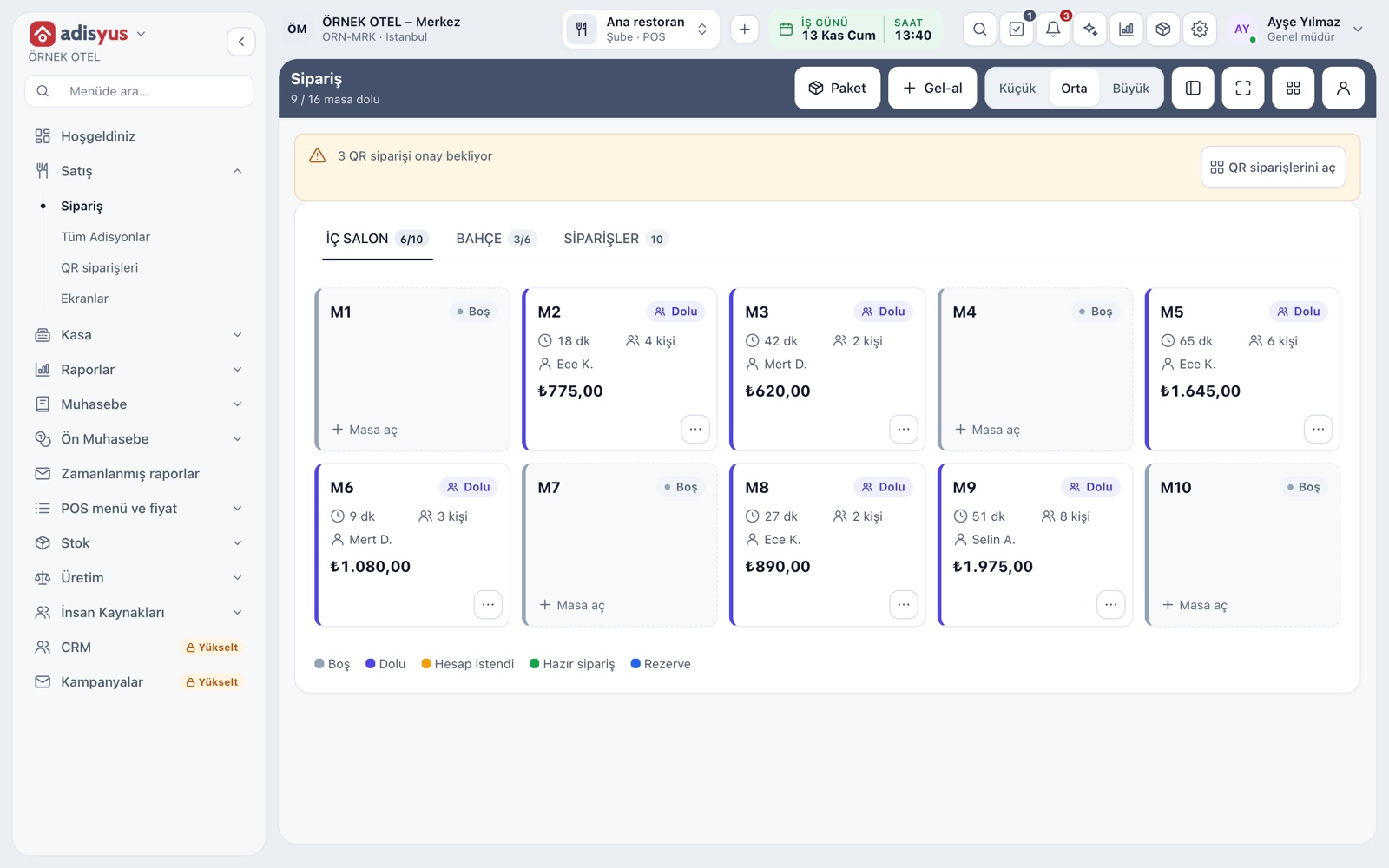
Optional prepayment
On busy days a no-show costs you a table. If you wish, take a prepayment at booking: it is charged through your payment provider and deducted from the guest's check on arrival. You can still accept bookings without prepayment.
- Prepayment is optional
- A guest's prepayment is deducted from the check
- Refund and retention rules follow your own policy
- Confirm accounting and VAT treatment with your accountant
Guest notes and personal data
An allergy or special-request note taken at booking is shared with the kitchen. Only the details needed for the booking are requested, and the form includes a privacy notice and explicit consent step.
- Allergy and special-request notes reach the kitchen
- Only booking-related fields are asked for
- Retention is managed through data protection settings
Modules used together
Table Plan and Zones
Freely editable floor plan, zone tabs, table statuses
Learn moreSmart Digital Menu
Order from the table with a QR menu
Learn moreRestaurant POS
Check, table plan, cashier and end of day
Learn moreCustomers and House Accounts
Account customers, balances and open account tracking
Learn moreRestaurant Settings
Business day start/end, notifications, display and general settings
Learn moreFrequently Asked Questions
How does a guest book a table?
They choose date, time and party size in the form on your website. Only available options are shown.
Is prepayment mandatory?
No. Prepayment is optional; the restaurant can take bookings without it.
What happens when a guest does not show up?
The guest is marked as a no-show and reported. Refund or retention rules follow your own policy.
I only run a restaurant. Do I need the hotel module?
No. The feature is part of the POS product and works without the hotel module.
Meet Restaurant Online Reservations
Let us call you for a live walkthrough, or try it free for 1 month.