
Cover Charge and Service Fee
Cover and service charges are set by rule, calculated as a fixed amount, a percentage or per guest, and added to the check automatically if you wish. Tips are separate; reversing a charge asks for a reason and leaves a record.
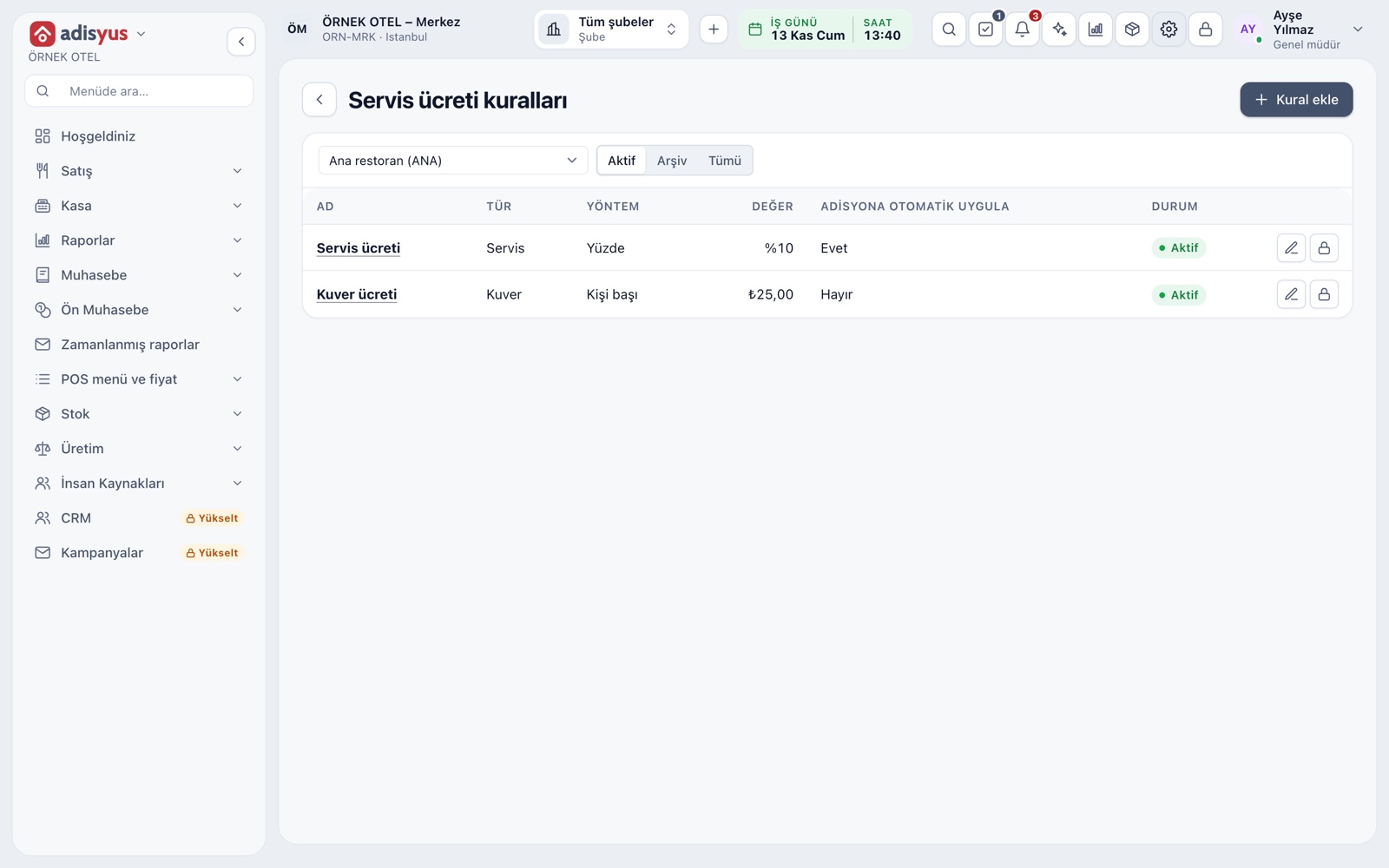
Service charge rules
Service charge rules are defined per sales point, so a restaurant, a bar and a terrace can use different ones. Each rule has a name, a type, a calculation method, a value and a setting for whether it applies to the check automatically. A service charge is entered as the Service type and a per-table cover as the Cover type.
- A rule is archived, not deleted, and can be restored.
- A percentage value can be 100 at most.
- Managing rules needs the POS setup permission.
Three calculation methods
A fixed amount adds the same charge to every check. A percentage is a set rate of the amount due on the check. Per guest multiplies the amount by the number of guests on the check. Because the cashier types no amount, there is no risk of a calculation error.
- Per-guest cover uses the guest count in the check screen's top bar.
- The charge is calculated on the guest count at the moment it is applied.
- A rule that comes to zero is not applied.
Applied to the check automatically
When a rule has automatic application on, the charge is added at the first payment or at closing; the cashier does nothing extra. A rule applies at most once on a check. Manual rules, such as an optional cover, are added with a button and do not hold up closing.
- A rule the cashier reversed is not added again.
- Each business sets its own policy in the rule itself.
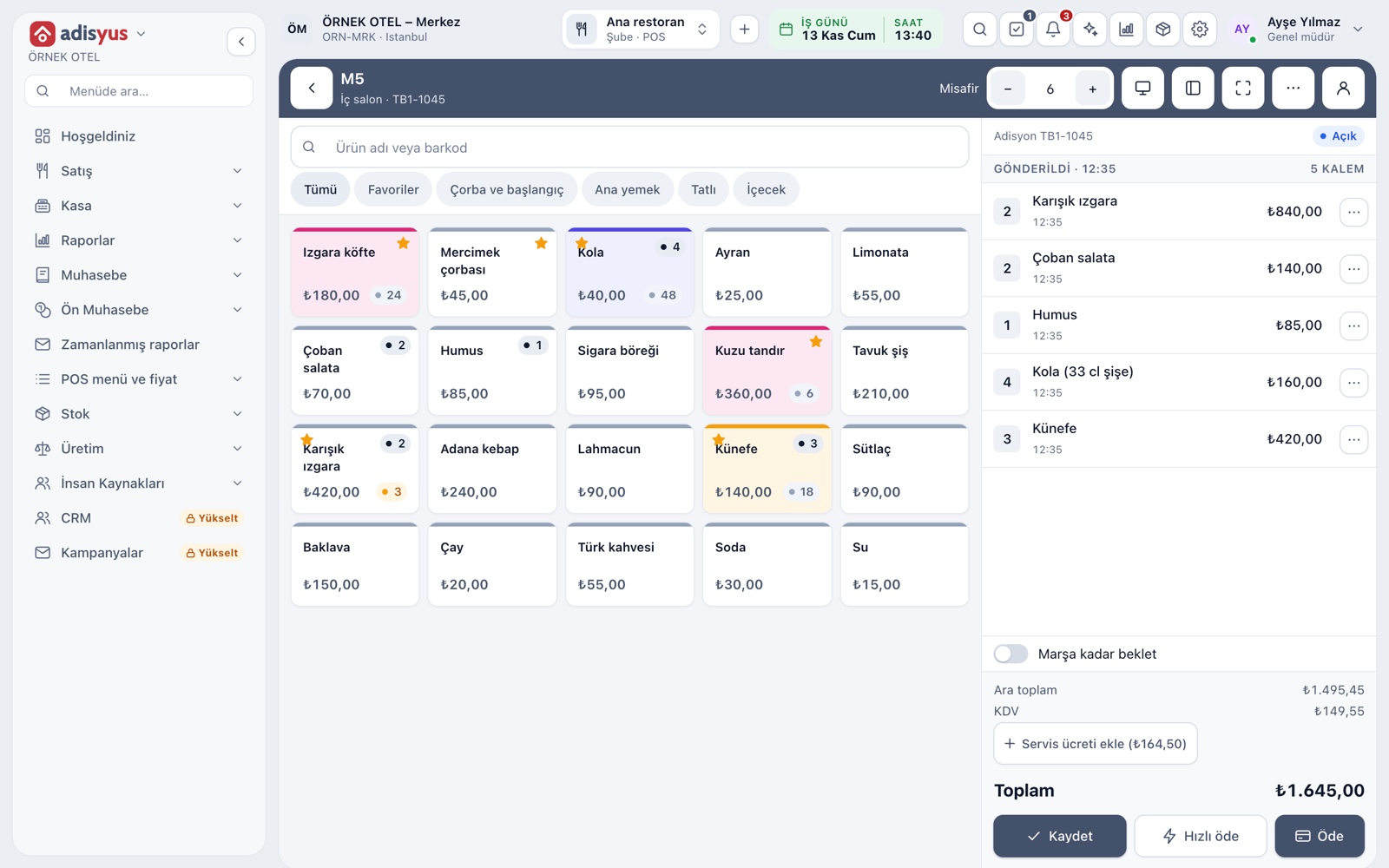
Service charge on the check screen
In the check totals, below the subtotal and VAT rows, an Add service charge button appears; the amount comes from the rule's calculation. The added charge shows in the total and can be undone with the Remove service charge button.
- With several manual rules, each is listed under its own name.
- Roles without the service charge permission cannot act.
Apply and reverse in the payment window
The Service charge panel in the payment window shows the rule and the calculated amount. An applied charge is added to the amount due. If the guest does not want it, an authorized user reverses it; reversing asks for a reason, and the charge is not deleted but stays on record as reversed.
- Applying and reversing need their own permission.
- A reversed charge is not added again on the same check.
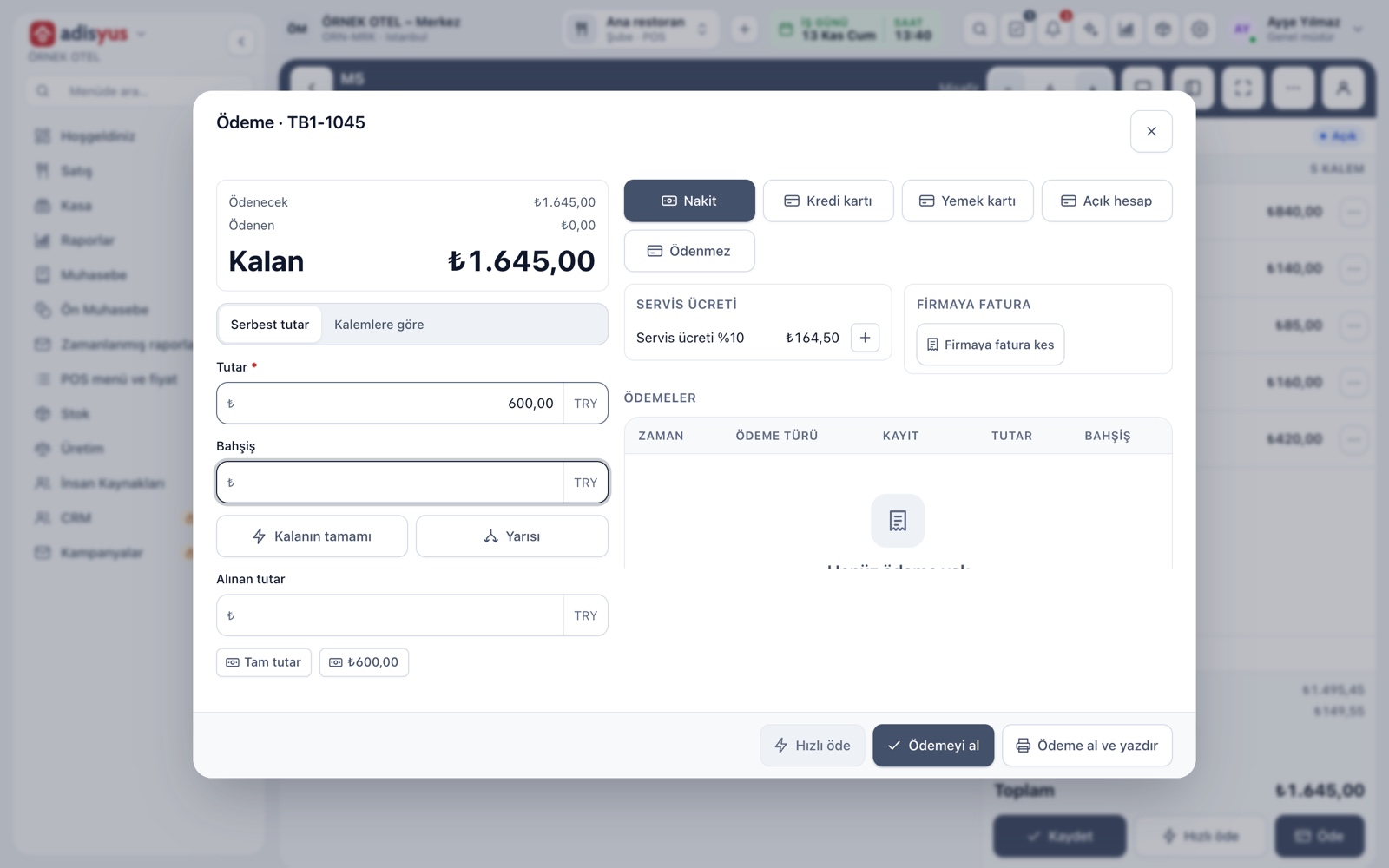
Tips are separate from the service charge
The service charge is the business's rule and is added to the bill, while a tip is an amount entered in a separate field at payment. At day-end, Tips (held) is its own line. In a refund, the payment amount and the tip are refunded separately.
- A tip paid out from the drawer is recorded as a cash payout.
- The till report tracks tips apart from collections and refunds.
- In the All Checks list, service charge is a separate column.
Modules used together
Payments and Collections
Cash, card and split payments; fiscal cash register (ÖKC) integration
Learn moreChecks and Order Entry
Item entry, options, comps, split and merge bills
Learn moreRestaurant Settings
Business day start/end, notifications, display and general settings
Learn morePOS Reports
Product sales, end of day, shift, statistics, stock status and waste reports
Learn moreRestaurant POS
Check, table plan, cashier and end of day
Learn moreFrequently Asked Questions
What is the difference between cover and service charge, and can I use both?
A cover is usually a fee per table or guest, while a service charge is calculated on the bill. In adisyus they are separate rules and can be used together at the same sales point.
What if a guest does not want the service charge?
An authorized user reverses it in the payment window. Reversing asks for a reason, and the charge stays on record as reversed. A reversed rule is not added again on the same check.
Is the tip part of the service charge?
No. The service charge is calculated by rule and added to the bill; the tip is entered in a separate field at payment and shows as its own line at day-end.
Do I have to use the same rule for every sales point?
No. Rules are defined per sales point; you can use a different type, method and value for the restaurant, the bar and the terrace.
Meet Cover Charge and Service Fee
Let us call you for a live walkthrough, or try it free for 1 month.