
Expense Tracking
Every cash payout from the till is recorded with a reason and shows in the X report and in the Expenses section of the day-end slip. Receipt-less expenses go to pre-accounting and purchase invoices to the shared modules.
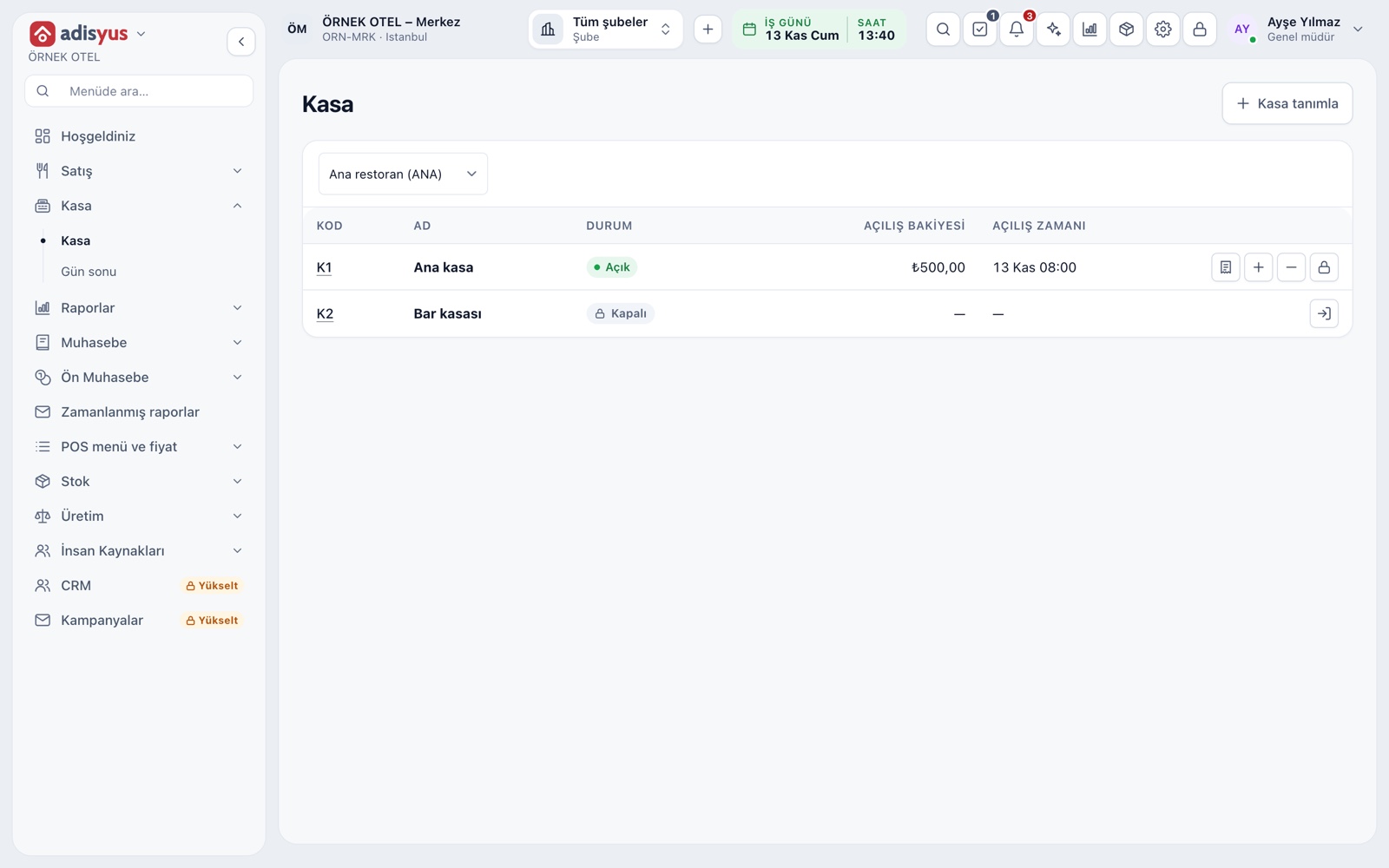
Cash payout from the till
While a till session is open, every amount taken from the drawer is recorded with the Cash out button on the Till screen. The button asks for an amount and a reason; tip payouts and till handovers are tracked this way. Cash in works from the same screen, for example topping up change.
- The reason must be at least three characters.
- A payout cannot exceed the expected cash in the till.
- Every movement is listed with time, type, amount and reason.
- The cash movement permission is separate.
X report and cash movements
While a session is open, the X report gives a live summary of the till: opening balance, cash in and out, net collection and expected cash. The Cash movements list below shows every entry and payout with its reason, so you follow any difference during the shift without waiting for closing.
- Collections and refunds are separate rows per payment type.
- The X report does not close the session; take it any time.
Till close and difference
A cash count is required when the session closes. The difference between counted and expected cash is written to the record and the closing slip prints. Because the day's payouts are already deducted from the expected amount, money taken out does not look like a count difference.
- The session does not close without the counted cash.
- The difference is a separate field on the closing record.
- Opening, closing and cash movement permissions are separate.
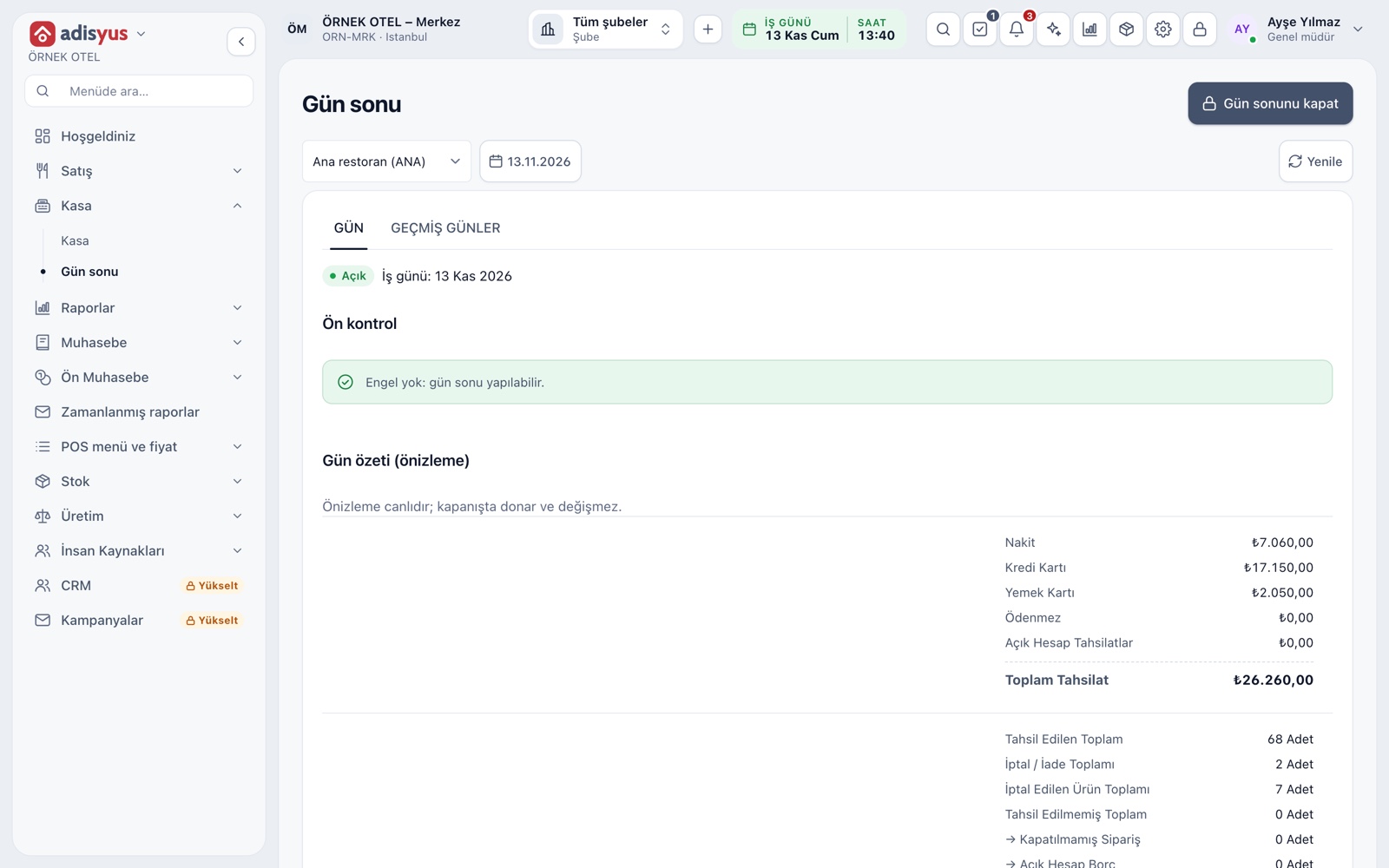
Expenses on the day-end slip
The day's till payouts are gathered in their own section of the day-end report. The day-end slip has four sections: Payments, Order count, Order totals and Expenses. The Today's expenses figure on the POS home screen gives the same total.
- The day-end preview is live; the summary freezes when the day closes.
- The slip carries the same four sections as the screen.
- The Past days tab opens the summary of closed days.
Receipt-less expenses and pre-accounting
In the pre-accounting module, the Income and Expenses screen records a receipt-less expense as a payment out of the cash or bank account you choose. You enter the expense category, amount, VAT rate and optionally an account and department; a PDF or image of the receipt can be attached to the entry.
- Expense categories have two levels: parent and child.
- A category can carry a default VAT rate and department.
- A cancelled entry is not deleted; it stays as cancelled.
Purchase invoices and incoming e-invoices
Goods and services bought from a supplier with an invoice are purchases, not expenses. Incoming e-invoices gather in the Incoming e-Invoice Inbox, where you accept, reject or turn them into a return invoice draft. Confirm which document each purchase needs with your accountant.
- Approving a purchase invoice writes a journal entry and the vendor payable.
- The person who prepares an invoice cannot approve it; the setting can be turned off.
- A purchase invoice cannot be created from a rejected document.
Modules used together
Payments and Collections
Cash, card and split payments; fiscal cash register (ÖKC) integration
Learn moreRestaurant POS
Check, table plan, cashier and end of day
Learn morePOS Reports
Product sales, end of day, shift, statistics, stock status and waste reports
Learn moreStock and Recipe Costing
Recipe-based costing, stock counts and waste tracking
Learn moreCost and Profitability Analysis
Product and menu profitability, report wizard
Learn moreFrequently Asked Questions
Where do I record an expense without a receipt?
With the pre-accounting module, open an Expense entry on the Income and Expenses screen; the money leaves the cash or bank account you choose. Confirm which document is needed with your accountant.
Will a till payout show up as a cash difference?
No. A payout is deducted from expected cash and stays as a movement with its reason. At closing, counted cash is compared with what is expected after those movements.
Can every cashier take cash out?
No. The cash movement permission is separate from opening and closing a session and is given per role. The button does not work for users without it.
If I use only POS, are these features available?
The till, X report and day-end expense total come with POS; the hotel module is not needed. Pre-accounting and purchase invoices are shared modules.
Meet Expense Tracking
Let us call you for a live walkthrough, or try it free for 1 month.