
Delivery Platform Orders
Orders from food delivery platforms are handled in adisyus as delivery orders: they go through the same kitchen, payment and reporting flow, and the platform price is kept apart from the dine-in price.
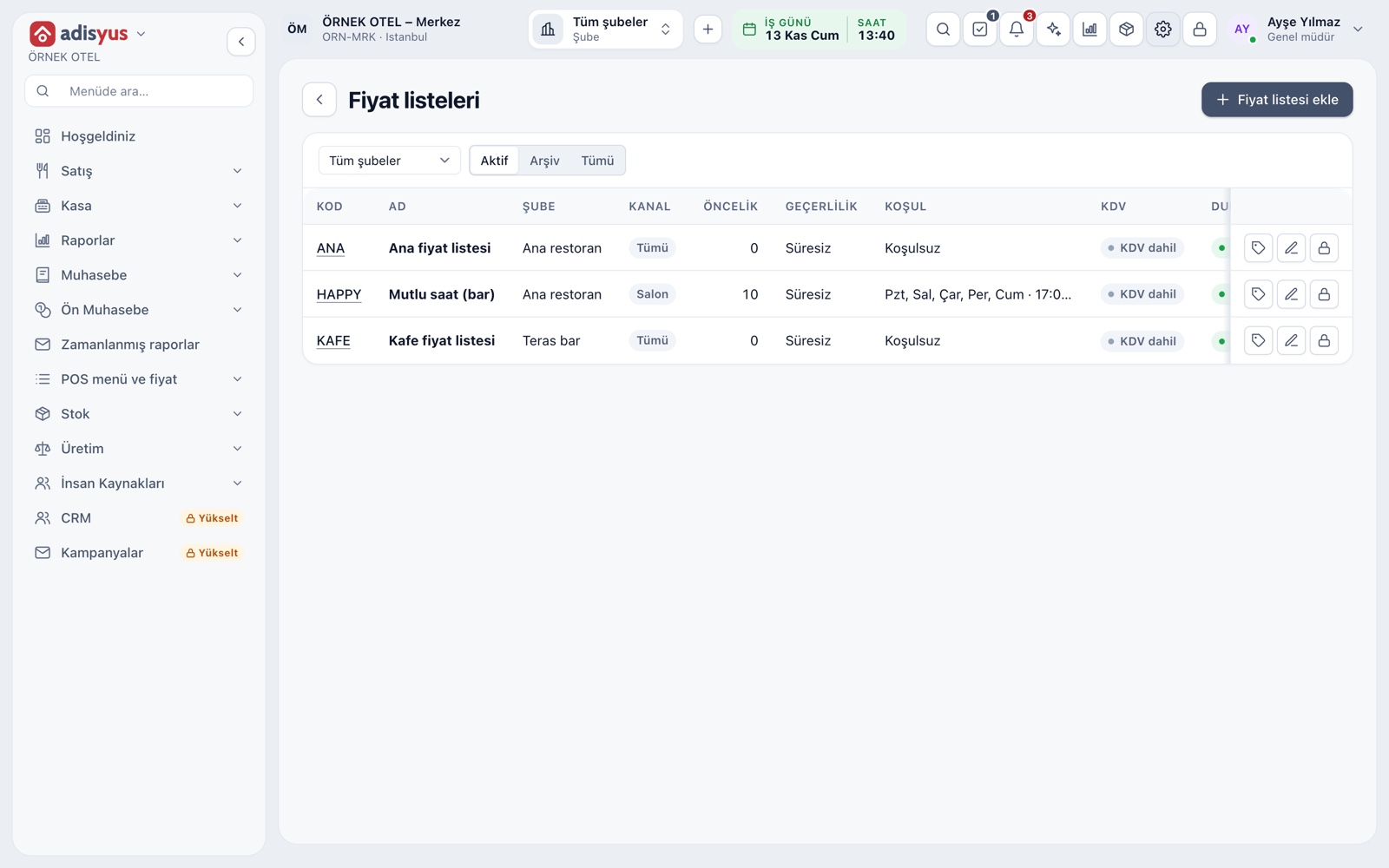
A separate price for the platform
An item sold on a platform can cost differently from the dine-in price. Price lists are limited to a Dine-in, Delivery or Online channel; a list on the Online channel keeps platform prices apart. Lists are managed with priority, validity day and time range conditions.
- Price list channel: Dine-in, Delivery (takeaway and delivery) or Online.
- Option groups can carry an extra price by order type.
- Bulk price update and rounding tools sit on the menu side.
Take a platform order as a delivery order
An order from a platform is entered on a check with the Delivery button on the service screen. To tell the platform apart, you write its name in the check name or the order note. Platform order is also among the order types, and the source of the check is kept on record.
- A delivery check is taken on the same screen as a table check.
- The name given to the check shows on its card on the Orders board.
Kitchen, stock and reports
A platform order is a check, so it goes to the kitchen under the existing station and printer rules. The sale enters the day-end, the item sales report and the VAT breakdown through the normal flow. Stock is deducted through the check, so a platform order follows the same deduction rule.
- It appears on the kitchen display with other orders.
- It is reported as a delivery check.
- When ready, it moves to the Ready column on the Orders board.
Online and cash-on-delivery payment
An order already paid on the platform and one to be paid at the door are told apart by payment type. Online and on-delivery payment are kept as separate types in the payment type catalog. Who issues the fiscal document for a platform order is a regulation matter; confirm the current position with your accountant.
- All collection is gathered in the payment type report at day-end.
- Payment types are defined under Settings > POS.
Modules used together
Delivery and Takeaway Orders
Track the order flow on a kanban board
Learn moreMenu and Product Management
Categories, products, photos, favorites and sales status
Learn morePhone System and Caller ID
Incoming calls appear as notifications, match a guest and are logged
Learn morePayments and Collections
Cash, card and split payments; fiscal cash register (ÖKC) integration
Learn moreKitchen Display and Kitchen Groups
Station-based kitchen display (KDS) and preparation times
Learn moreFrequently Asked Questions
How do I take an order from a platform?
Open a check with the Delivery button on the service screen and enter the items. If you write the platform's name in the check name or order note, you can tell it apart in reports.
Can the platform price differ from the dine-in price?
Yes. You can give a price list the Online channel and keep an item's platform price apart from its dine-in price.
How does a platform order show in reports?
It is reported as a delivery check and enters the day-end, the item sales report and the VAT breakdown.
Do I need the hotel module for platform orders?
No. This flow is part of the POS product and works without the hotel module.
Meet Delivery Platform Orders
Let us call you for a live walkthrough, or try it free for 1 month.