
Journal Entries and Corrections
The journal is the raw record of accounting: every entry is balanced, linked to its source and never deleted once posted. When something is wrong, reversal and approved correction take over, and every step stays on record.
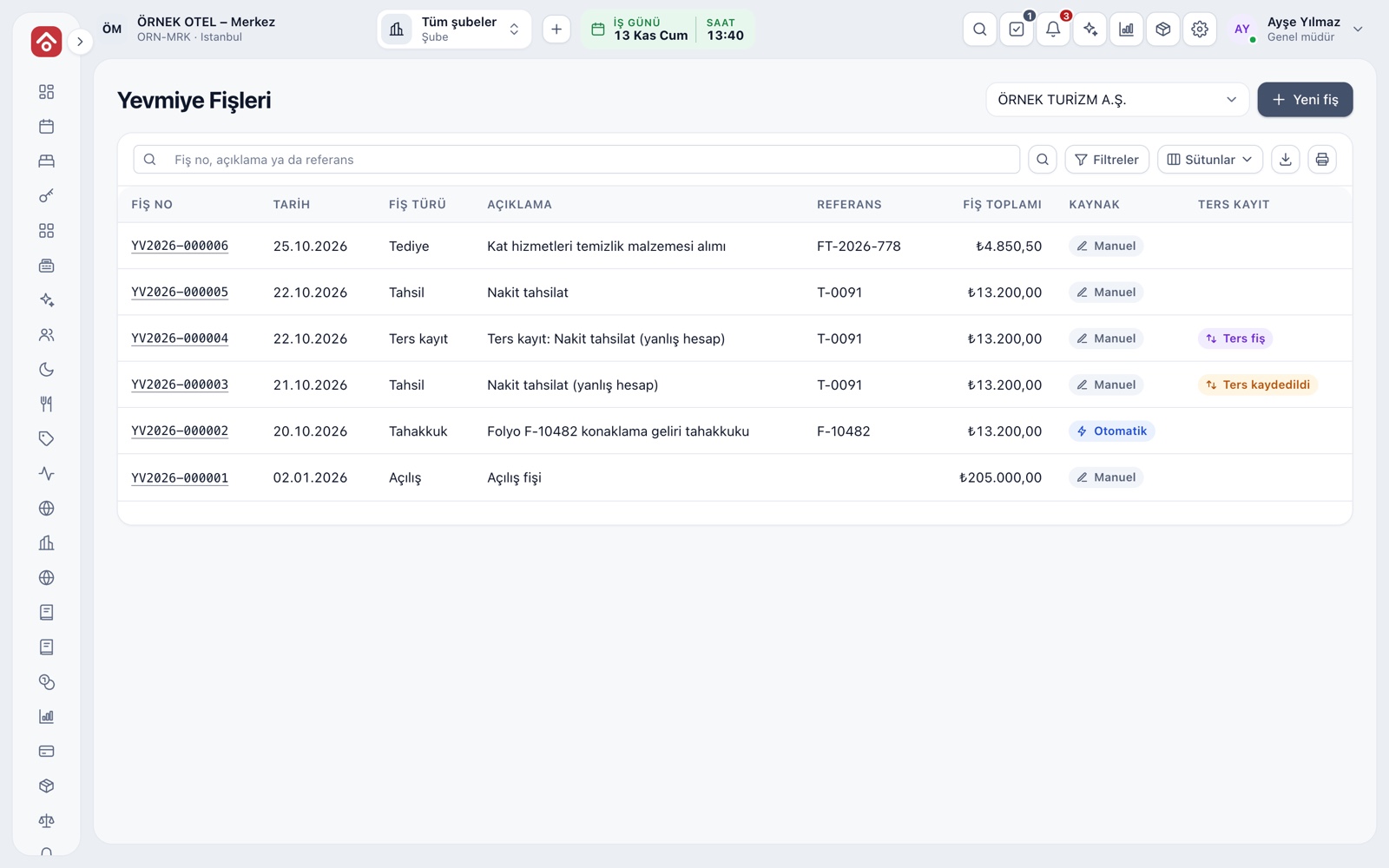
Every entry in one list
The journal entries page lists all entries by date. Search by entry number, description or reference, and filter by source, entry type, amount range and account code. An account code search also covers its sub-accounts.
- The source filter separates automatic entries from manual ones.
- A reversed entry links to its reversing entry.
- The detail view shows the source document, time posted and lines.
Balanced entry input
An entry starts with date, type, reference and description, then you add lines. Total debit, total credit and the difference update live at the bottom, and an entry cannot be saved until the difference is zero. Save recurring entries as templates, or copy an existing one to prepare a new entry.
- The balance shortcut writes the difference to the last line.
- Entries cannot be posted to a closed or locked period.
- Attach a supporting document such as a cheque, invoice or receipt.
- Entry numbers run in sequence by series and year.
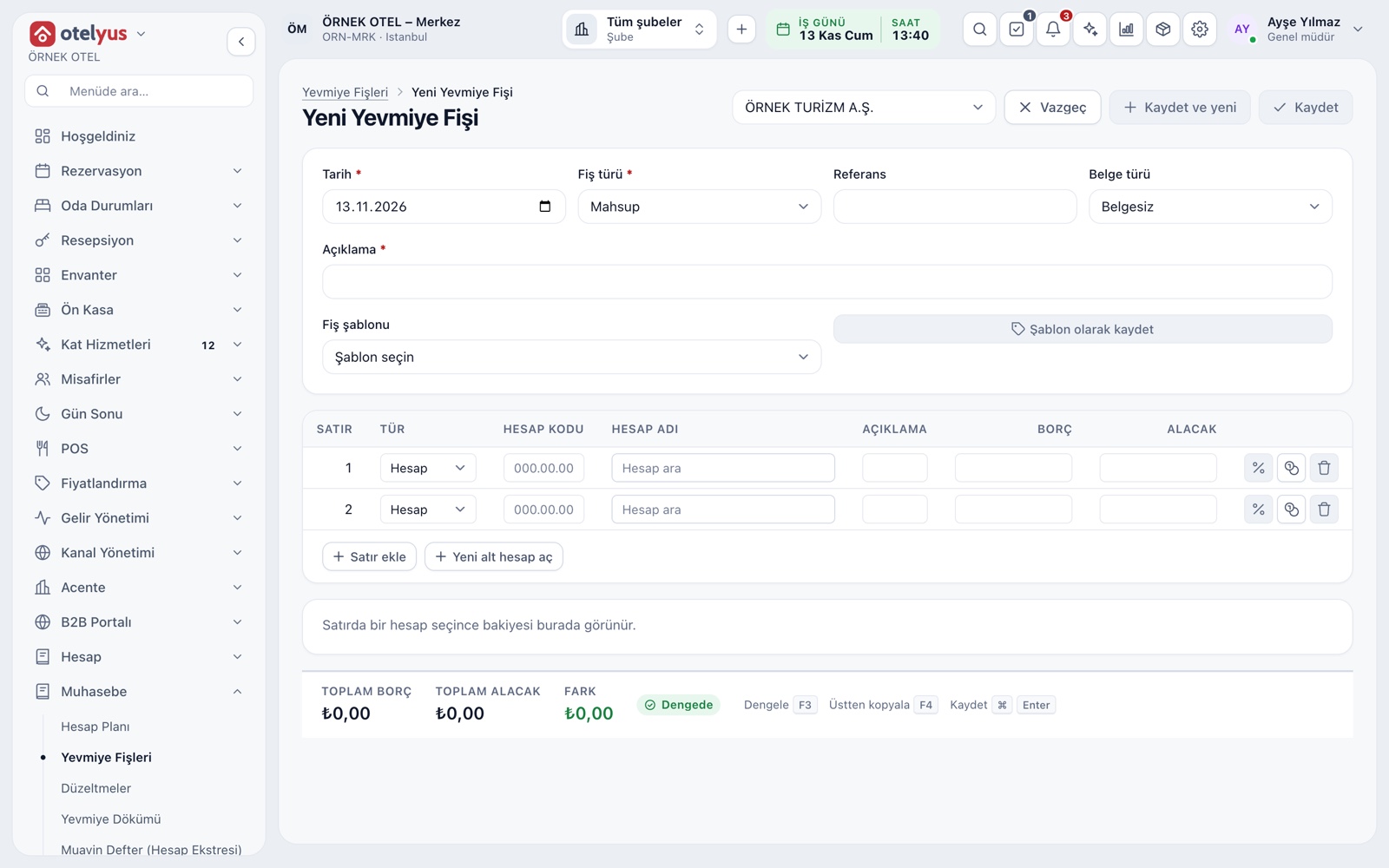
Customer, cash, bank and currency lines
Each line can be a direct account, a customer or supplier account, cash or bank, and you search for the card or account instead of typing sub-account codes from memory. Choosing an account shows its current balance. The VAT helper splits an amount into net and VAT, and on a foreign-currency line you enter the rate and the system works out the TL value.
- Open the subsidiary ledger in one click from the account strip.
- The VAT rate comes from effective-dated classes.
- A foreign-currency line without a rate cannot be saved.
- Period-end revaluation updates foreign-currency balances.
Automatic entries with a known source
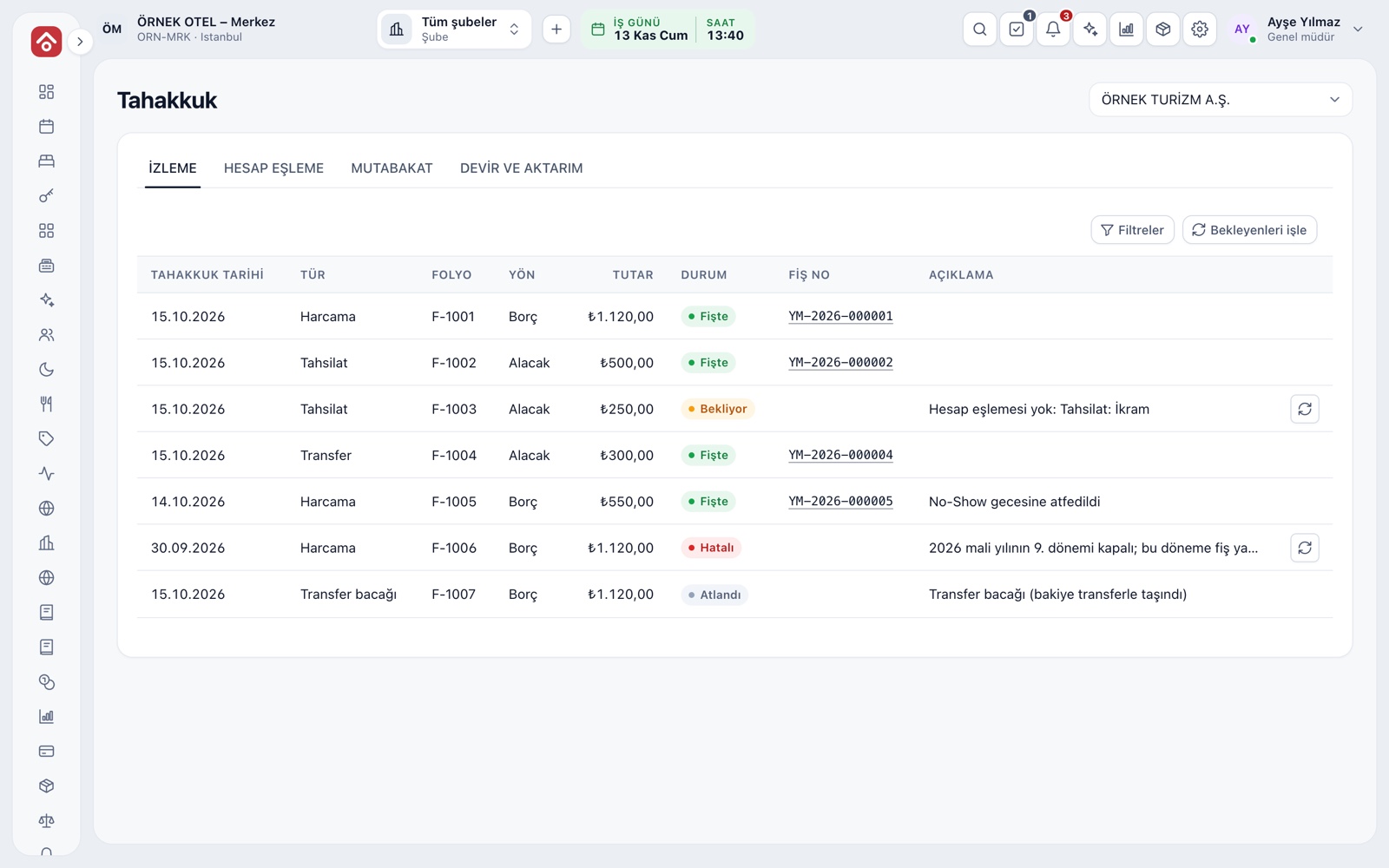
Folio events, collections, purchase invoices, depreciation, revaluation and period-end work each produce their own entries. They show as automatic in the list and stay linked to their source document. The accruals screen tracks whether each folio movement has become an entry.
- Status is Posted, Pending, Failed or Skipped.
- A movement that falls in a closed period waits and can be reprocessed.
- The same movement never creates a duplicate entry.
Never deleted, only reversed
A posted entry is not deleted. A reversing entry with debits and credits swapped is written, and the two entries are linked. The reversal cannot be dated before the original and the period must be open. A reason is required and is recorded.
- The original is marked as reversed.
- A reversing entry cannot itself be reversed.
- For a customer movement matched to a collection, the match is undone first.
Correction requests and four-eyes approval
When the correction workflow is on, reversing and correcting entries are written only from an approved request, and the person who prepares it is never the one who approves it. At final approval, the reversing entry and any new entry are written together.
- A correction is either a reversal or an account transfer.
- The reason for a rejected request is kept.
- Each approval and rejection shows the user and time.
- No correcting entry can be posted in a closed or locked period.
Modules used together
Chart of Accounts and Groups
Chart of accounts, account groups and account types
Learn moreTrial Balance and Financial Reports
Trial balance, balance sheet and income statement
Learn moreFiscal Years and Periods
Open, close and lock periods
Learn moree-Ledger Preparation
Journal and general ledger outputs
Learn moreAccount (Ledger) Management
Customer, supplier and agency accounts, opening entries
Learn moreFrequently Asked Questions
Can an unbalanced entry be saved?
No. If total debit and total credit differ, the entry is not saved. The difference is visible live at the bottom, and the balance shortcut helps you close it.
Can I post to a closed period?
No. An authorised user can reopen the period with a reason, and that action is recorded.
Is the correction approval workflow mandatory?
No, it is a setting per legal entity. When off, the regular reversal flow continues; when on, corrections need a preparer and a different approver.
Can I edit automatic entries by hand?
Automatic entries are posted entries like any other: they are not deleted or overwritten. If needed, use reversal and correction.
Can entry numbers have gaps?
Numbers run in sequence by series and year. The e-Ledger preparation check reports any skipped number as a blocking warning.
Meet Journal Entries and Corrections
Let us call you for a live walkthrough, or try it free for 1 month.