
Stock and Recipe Costing
Every item sold deducts stock according to its recipe, and goods receipt, counts, waste and transfers are tracked in one ledger. Costs use a weighted average, so you can compare recipe cost with your selling price.
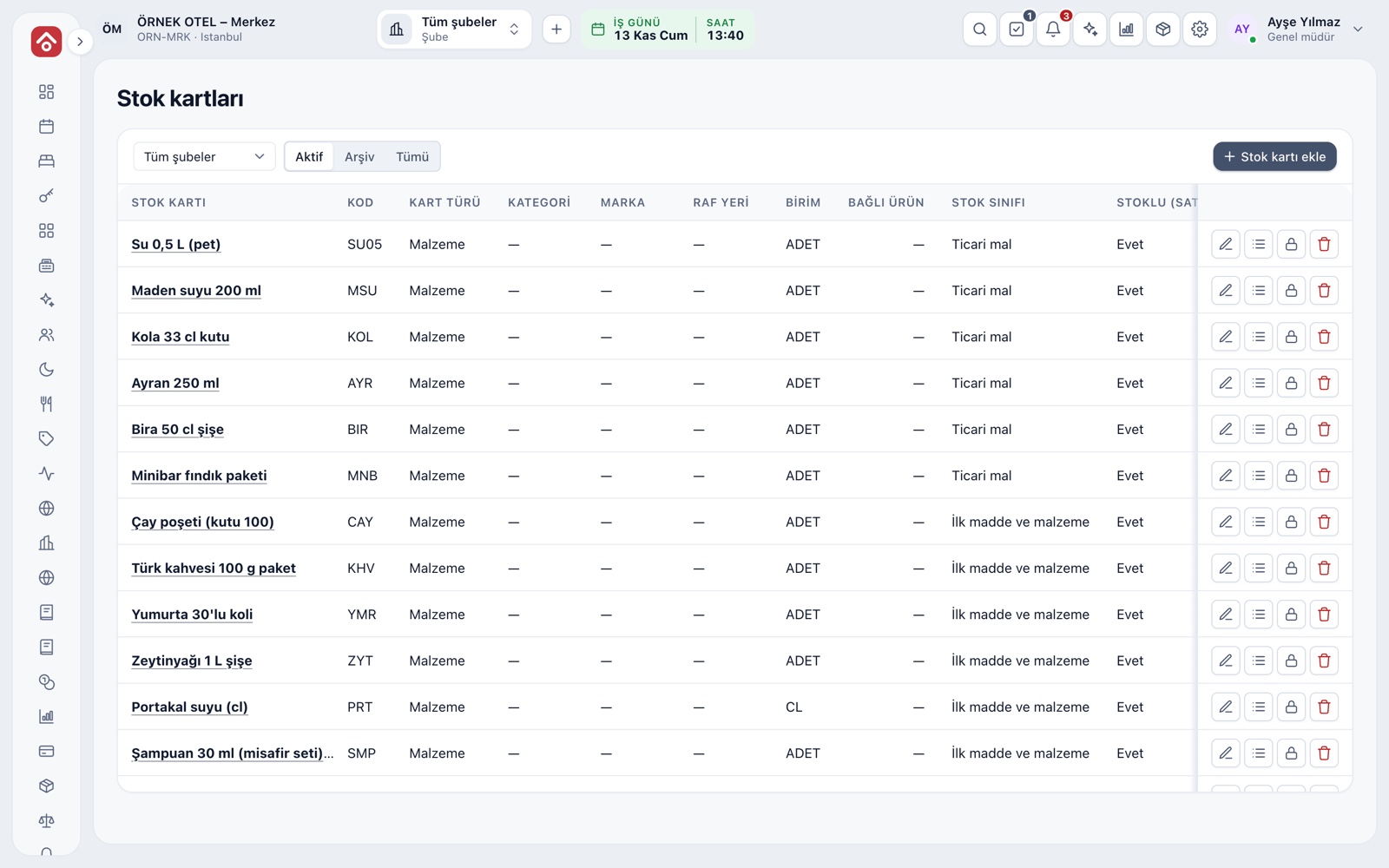
Stock card: every item and ingredient
A stock card is the identity of every item or ingredient you track. You can create a card for a ready-made product you sell (water, cola) or open an ingredient card directly (flour, olive oil). Ingredient cards never appear on the sales menu.
- A card holds code, name, unit, category, purchase VAT and last purchase price
- Set a reorder level and get a warning when stock falls below it
- Last purchase price updates itself at goods receipt
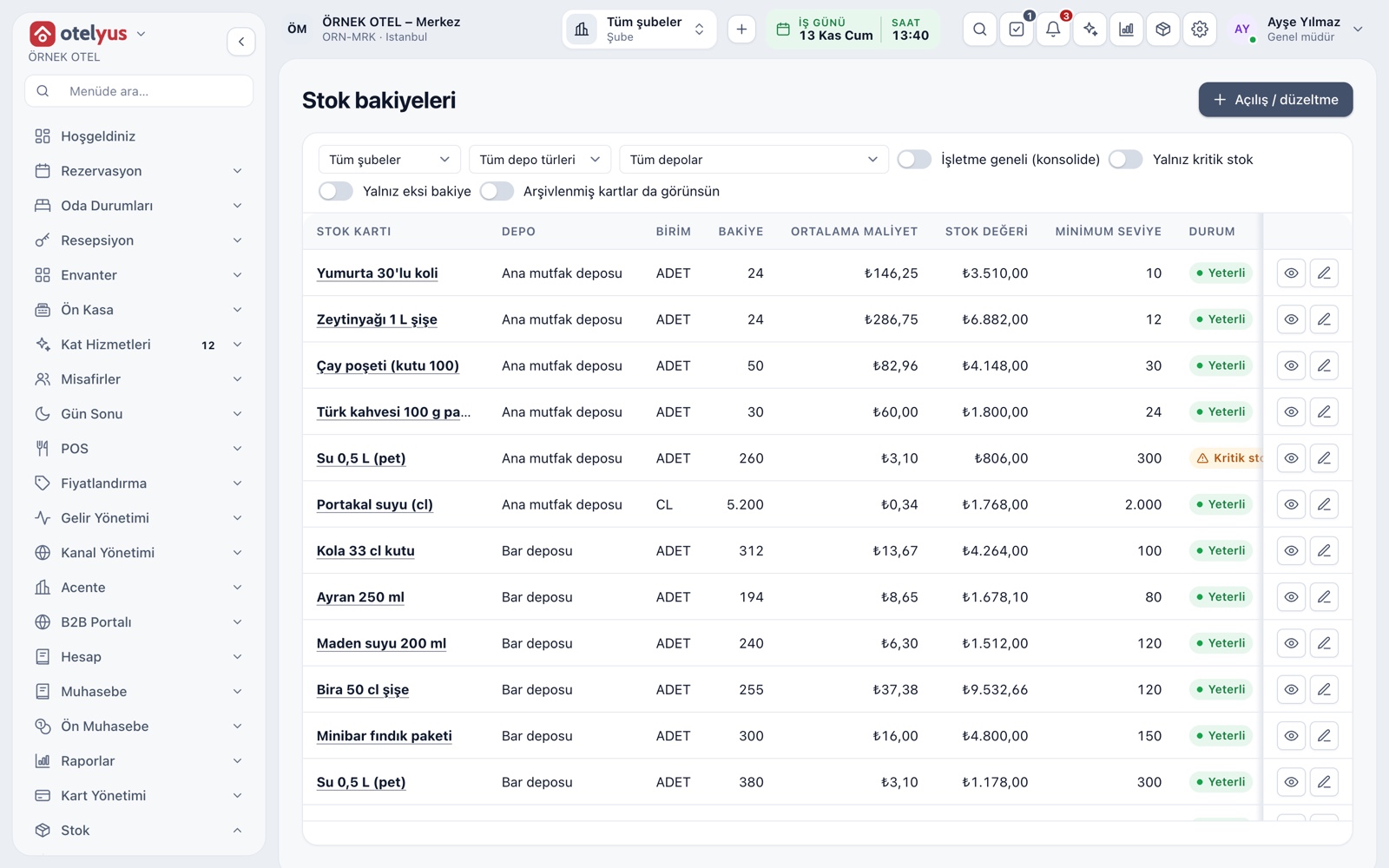
Warehouses, balances and movements
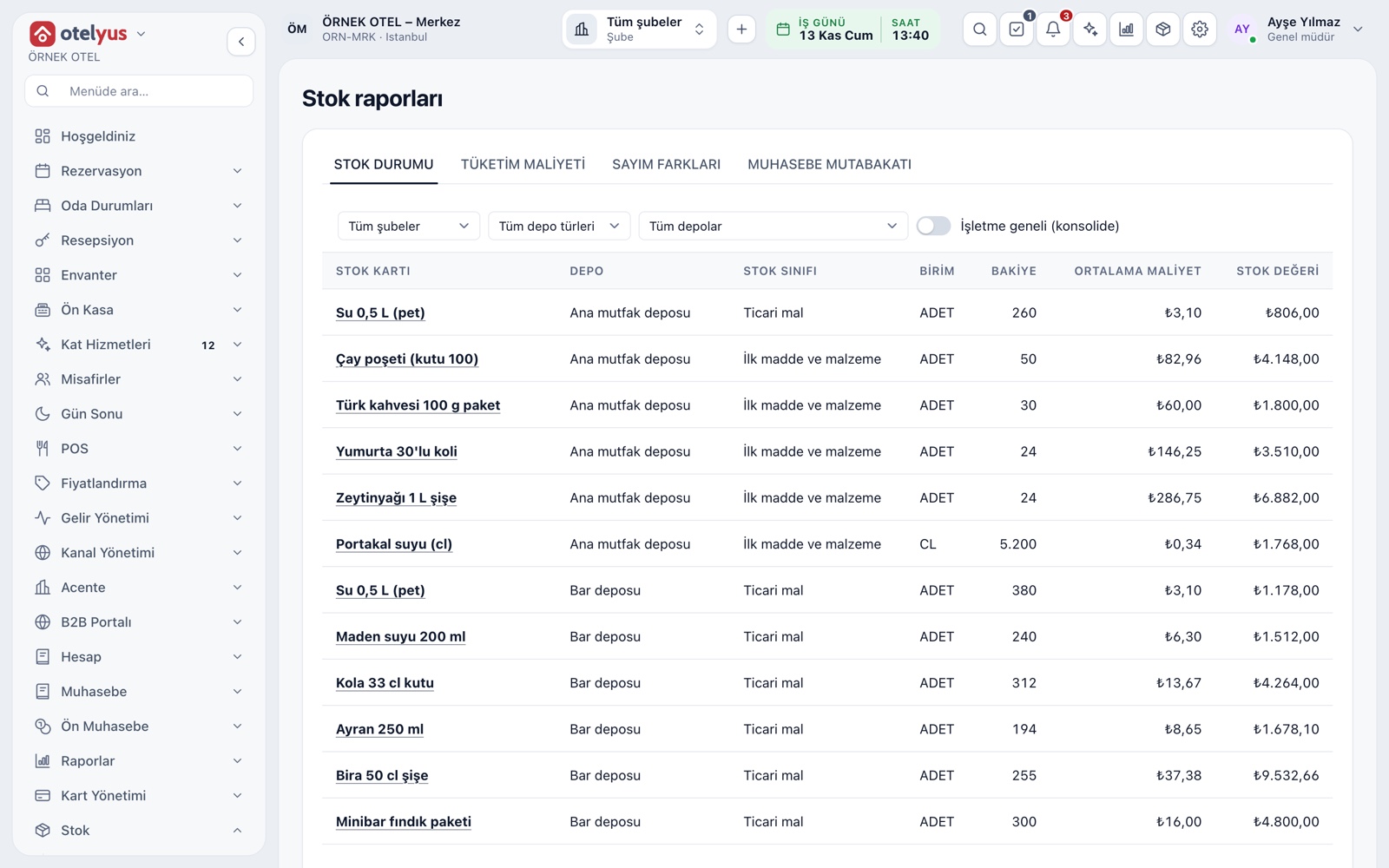
Stock is held in a warehouse: the business's main warehouse, a branch warehouse and, if you wish, a station warehouse such as one for the bar. The balance screen tags each card Sufficient, Low or Negative, and the movement ledger records when and why each change happened.
- A sale deducts from the warehouse it is linked to
- Transfers between warehouses name a source and a destination
- A balance cannot change without a movement; every change leaves a trace
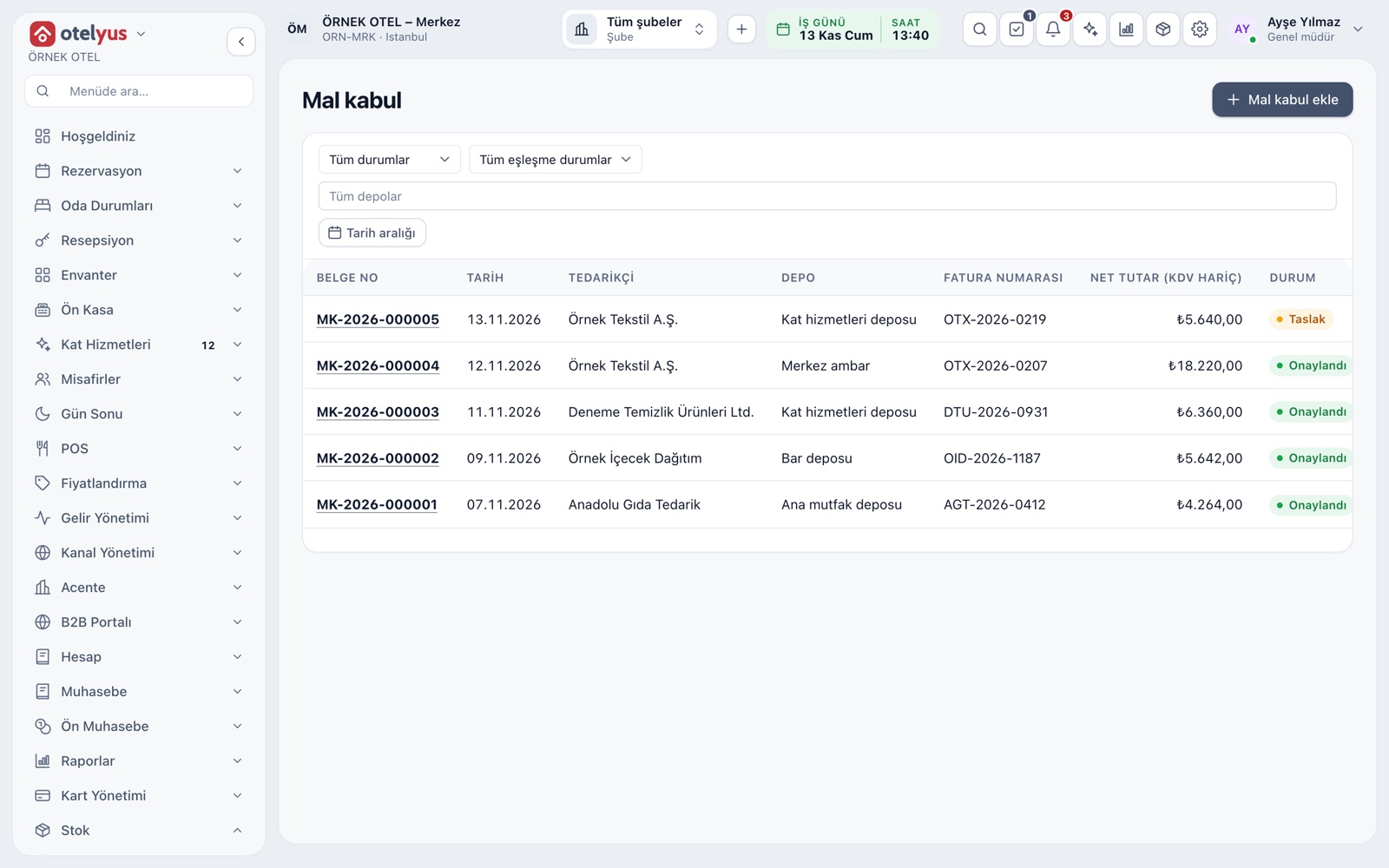
Goods receipt and cost
Goods from a supplier are received against the delivery note. The document starts as a draft and stock does not change; when you approve it, the receipt movement and weighted average cost are recorded. Freight is spread across lines and added to cost.
- Match against the purchase invoice is shown on the document
- An approved document is corrected with a manual adjustment
- A cancelled draft never touches stock
Automatic deduction on sale
You choose when stock is deducted: when the order is sent to the kitchen or when the check closes. In the chosen mode an item is never deducted twice, and a cancelled item reverses its deduction. Item tiles on the order screen show remaining quantity or only a sold-out warning.
- Stock tracking and recipe use are switched on separately per item
- Letting sales run into negative stock is a setting
- Comps and waste move consumption into their own class
Recipes and recipe cost
A recipe defines which ingredients, and how much of each, a sold item consumes. Selling the item deducts the components from stock. Recipe cost is calculated from current ingredient costs, and the screen says so clearly if a component has no cost.
- A recipe item can be a component in another recipe, like a sauce
- Each component's cost shows on its own line
- Turning recipes off does not delete past movements
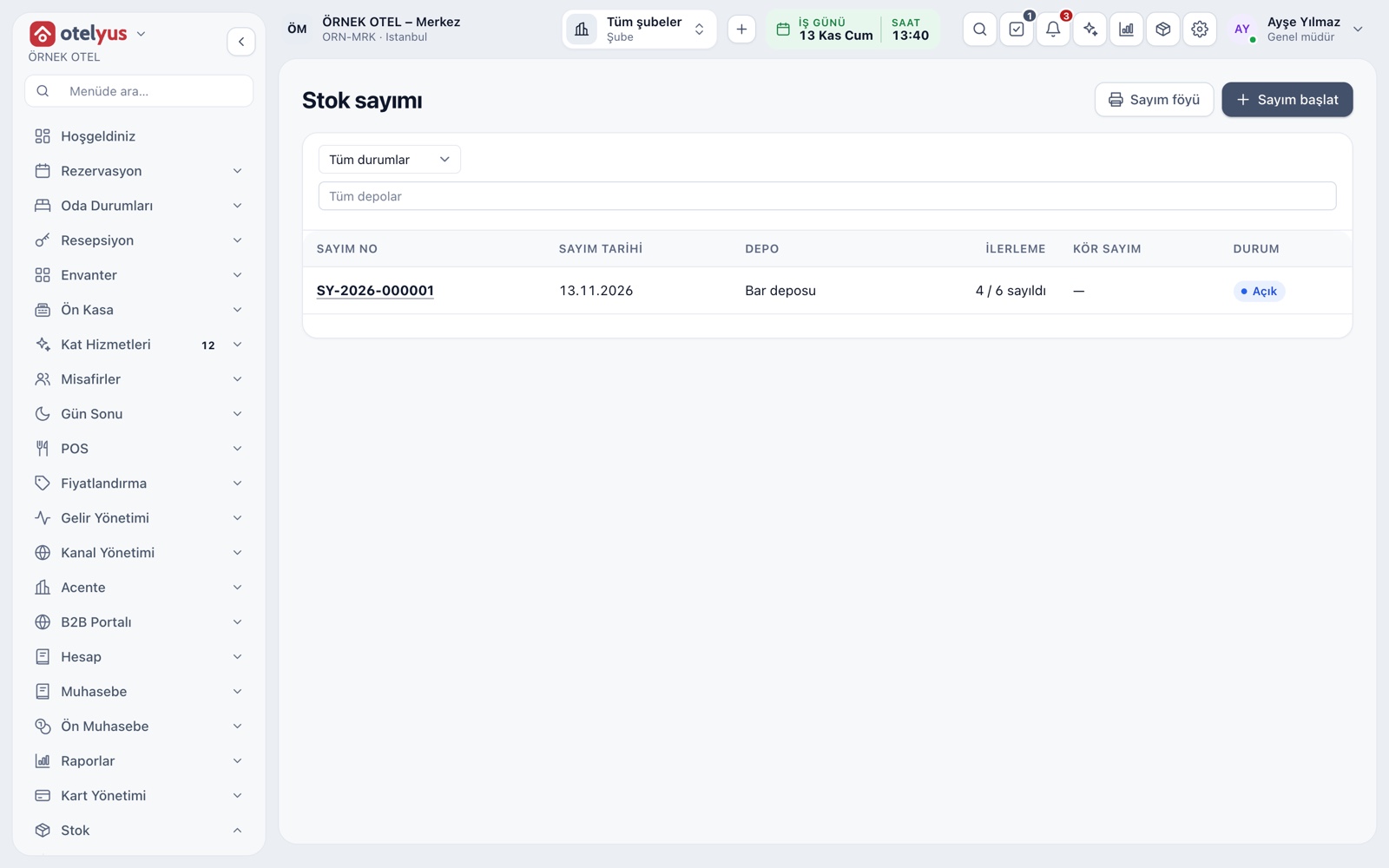
Stock counts
A count is started for one warehouse and counted quantities are entered. In a blind count the expected quantity stays hidden until approval. On approval, the gap between counted and recorded is posted as a surplus or shortage movement. A count sheet can be printed for paper counting.
- If sales happened during the count, the screen tells you
- Treating uncounted cards as zero needs a separate confirmation
- Differences are tracked in reports
Cost reports and accounting
Stock status, consumption cost, count differences and accounting reconciliation sit in separate tabs. Consumption cost groups the cost of sales, comps and waste by product, branch or ingredient. The stock movements of a chosen period turn into one accounting entry.
- Items with unknown cost are flagged separately
- Read the same data by product, branch or ingredient
- Set up account mapping together with your accountant
Modules used together
Waste and Spoilage
Waste reasons, responsible staff and cost impact
Learn moreSupply and Goods Receipt
Low-stock alerts, goods receipt by delivery note, incoming e-invoices and supplier accounts
Learn moreCost and Profitability Analysis
Product and menu profitability, report wizard
Learn moreUnits and Portions
Full, half, one and a half, piece, kilogram
Learn moreMenu and Product Management
Categories, products, photos, favorites and sales status
Learn moreFrequently Asked Questions
Can I track stock without recipes?
Yes. Recipes are optional. With them off, stock cards, warehouses, goods receipt, transfers, counts and reports work as usual.
I only have a hotel. Can I use the stock module?
Yes. Stock is a shared module and works with the same menu and data across hotel, POS and events.
How is cost calculated?
At goods receipt approval, the purchase price joins the weighted average and freight is added. Recipe cost draws on that average.
Does selling stop when stock runs out?
That is a setting. When on, sales continue and a warning appears. When off, an item without enough balance cannot be added to a check.
Can servers see the stock screens?
In the default roles, stock screens are open to the POS manager. Permissions are granted per role.
Meet Stock and Recipe Costing
Let us call you for a live walkthrough, or try it free for 1 month.