
Phone System and Caller ID
Caller ID recognition brings the calls on your phone system into the software: the number appears in a notification, is matched to a registered guest and is written to the call log. It works with Netgsm Netsantral.
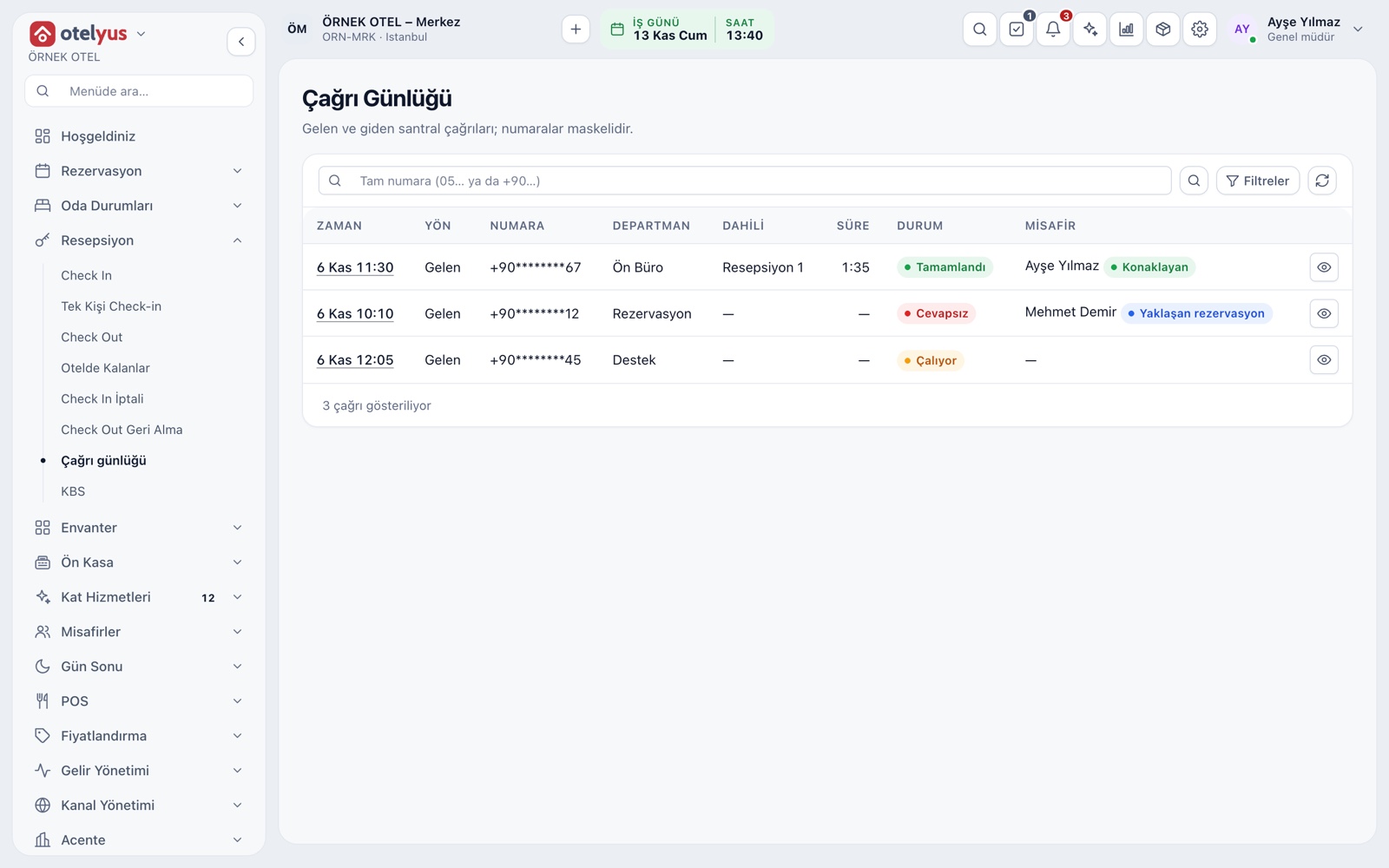
Call log
Incoming, outgoing and internal calls are collected in one log: time, number, department, extension, duration and status. Ringing, Talking, Completed and Missed states are tracked. If the number matches a guest, the name shows on the row too.
- Date range, direction and status filters are available.
- The search box works with the number.
- Call details show talk time and wait time.
Incoming call notification
While a call rings, a notification opens on screen. If the number matches a registered guest, the name and match type show; otherwise only the number appears. You can go from the notification to the call details. Only users with permission to view calls see it.
- The match type is stated in the notification.
- If there is no registered guest, the notification says so.
- Users without the permission do not get the notification.
Works with your phone system
Your Netgsm Netsantral account connects to the software. Queues on the phone system are mapped to departments and extensions to staff, so the log shows which call reached whom.
- Phone number and queue-to-department mapping are set in settings.
- The Netsantral (voice) package must be active on the Netgsm side.
- The phone system module is added to your plan as an extra module.
Masked numbers and data protection
A phone number is personal data. Numbers are masked in the list and in the notification; viewing the full number needs a separate permission and every view leaves an audit record. You set how long call records are kept.
- Records past the retention period are deleted every night.
- The audio recording itself is not downloaded or stored.
- State in your privacy notice that call records are kept.
Modules used together
Delivery and Takeaway Orders
Track the order flow on a kanban board
Learn moreCustomers and House Accounts
Account customers, balances and open account tracking
Learn moreUsers and Permissions
Waiter, kitchen, cashier and manager roles with a permission matrix
Learn moreRestaurant Settings
Business day start/end, notifications, display and general settings
Learn morePayments and Collections
Cash, card and split payments; fiscal cash register (ÖKC) integration
Learn moreFrequently Asked Questions
Which phone systems does it work with?
The integration works with Netgsm Netsantral. The phone number and queue mapping are set in the settings.
How is a caller matched to a guest?
The calling number is compared with registered guest phone numbers. If there is a match, the name and match type appear in the notification.
Can everyone see the caller's full number?
No. Numbers are masked in the list and notification. The full number is shown only to users with the right permission, and it leaves an audit record.
How long are call records kept?
You set the retention period. Records past it are deleted every night.
Meet Phone System and Caller ID
Let us call you for a live walkthrough, or try it free for 1 month.