
Purchasing
Incoming e-invoices are gathered in one inbox: you accept or reject them, match the supplier, turn the invoice into a draft and post it to accounting through an approval flow. A purchase invoice can also be entered by hand.
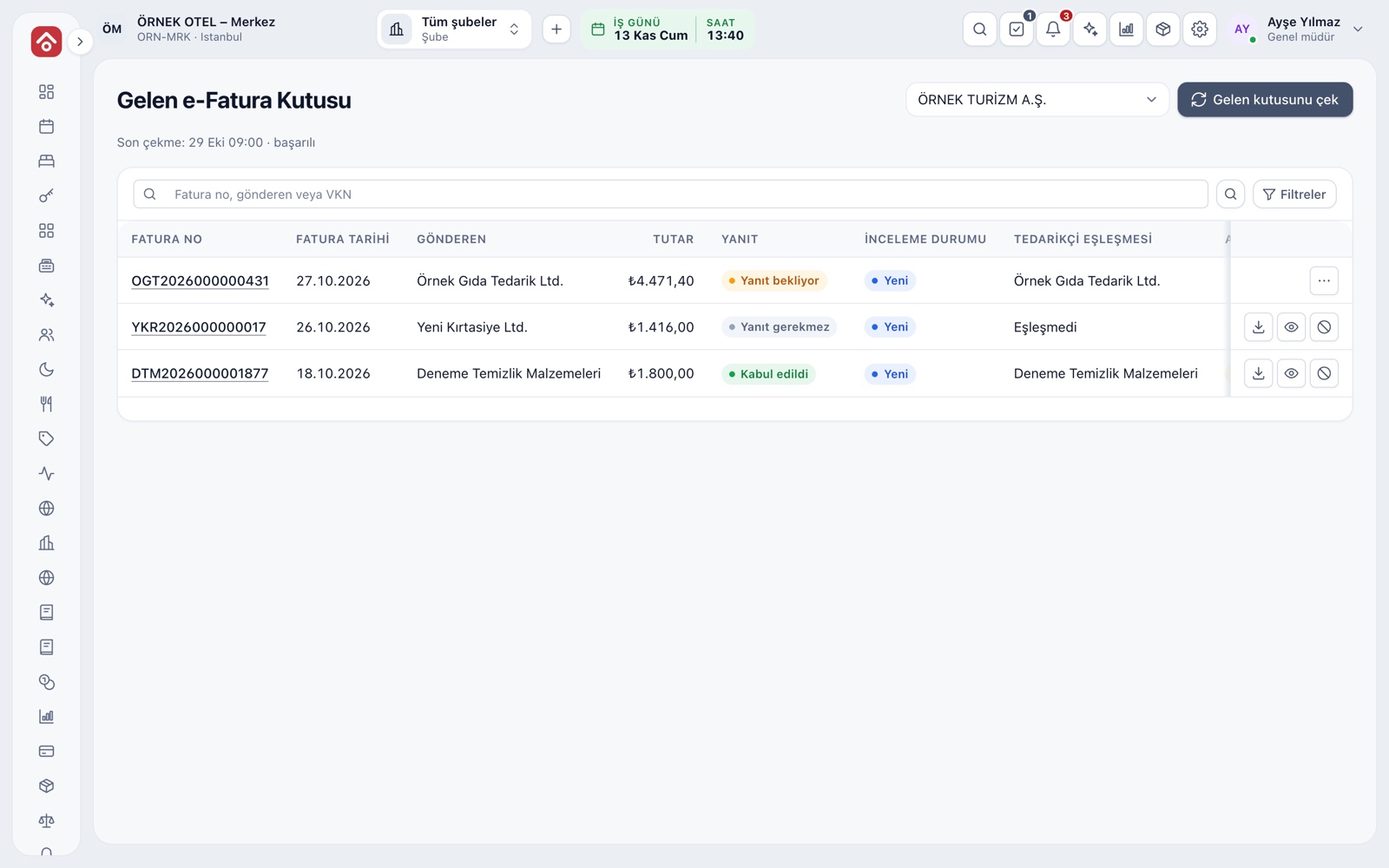
Incoming e-Invoice Inbox
The e-invoices your suppliers issue to you are gathered in one list. Each row shows invoice number, date, sender, amount, reply status and supplier match. The inbox is pulled from the connected e-document provider, by hand or automatically at an interval you set.
- Search by invoice number, sender or tax number.
- A document is viewed as PDF or sent by email.
- A document you will not act on is set aside with Disregard.
Accept, Reject and Return
Commercial invoices get an accept or reject reply; the reply goes to the seller as an e-document and cannot be undone. A rejected document cannot become a purchase invoice. For returning an incoming invoice, a credit note draft is prepared.
- The reply deadline and days left are shown on the row.
- The reason for rejection is stored with the document.
- Please confirm reply deadlines with your accountant.
Supplier Matching and Draft Creation
If the sender's tax number matches no supplier card, you pick a card first. A purchase invoice draft is created from the matched document, with lines, taxes and withholdings read from it. If the document cannot be read, or the buyer's tax number does not match the selected legal entity, no draft is created and the screen says why.
- Once a draft exists, you go from the document row to the invoice.
- The invoice states which document each draft came from.
Purchase Invoice
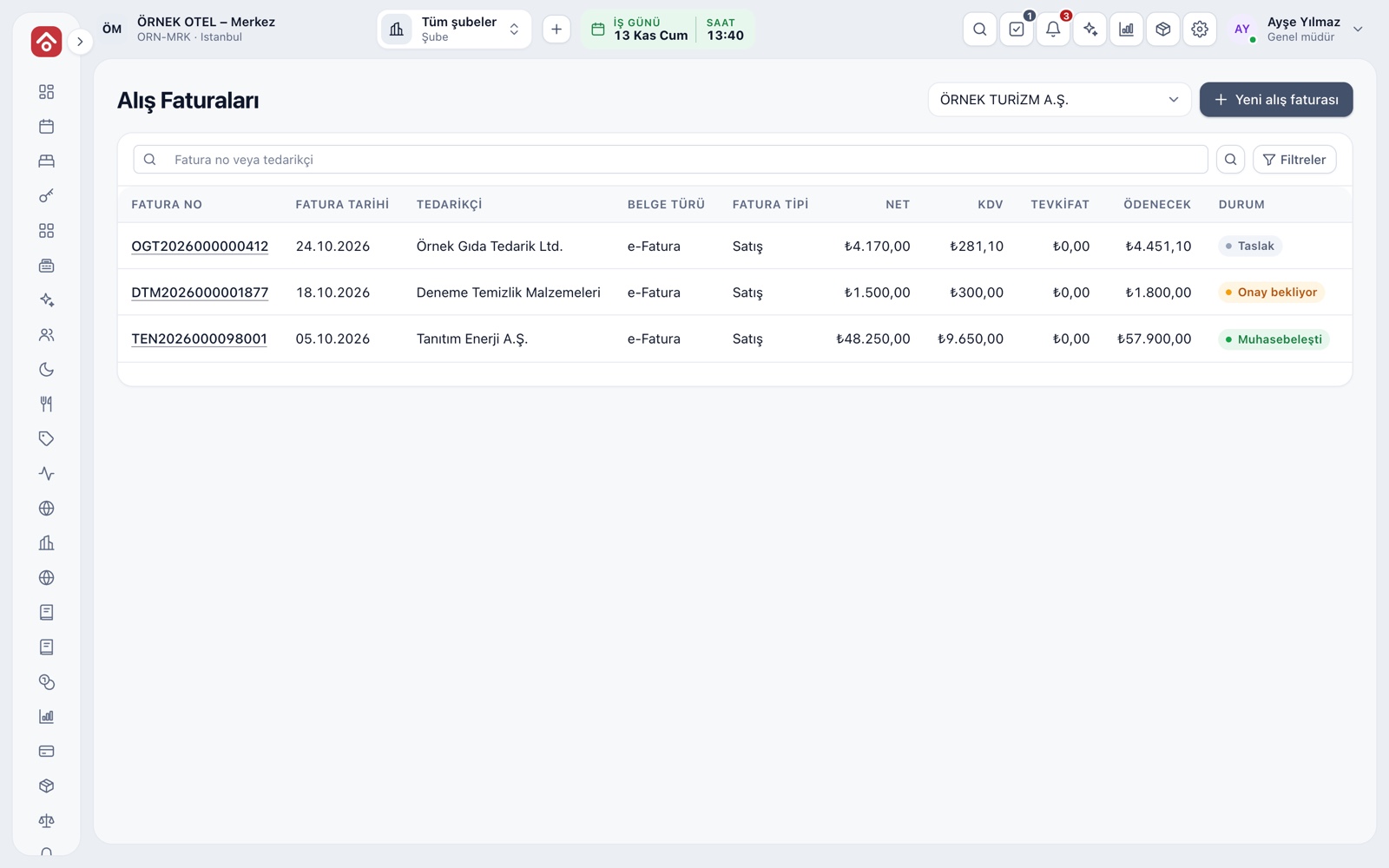
A purchase invoice can also be entered by hand. You enter the supplier, document type, number, date, due date, currency and invoice total; the total is compared with the calculated amount and a mismatch is flagged. The invoice date cannot be in the future.
- Search the list by invoice number or supplier.
- Net, VAT, withholding and amount payable have separate columns.
- Statuses: draft, awaiting approval, posted.
Tax, Withholding and Foreign-Currency Invoices
On a line you choose the expense or stock account, the VAT rate and whether the VAT is deductible. A zero-rated line takes an exemption code, and a withholding line takes a code and rate. On a foreign-currency invoice, the rate on the invoice date is entered and the TL equivalent calculated. Please confirm the rules with your accountant.
- Withholding is posted as VAT on a separate journal line.
- A foreign-currency invoice cannot be saved without a rate.
- A rounding difference is shown on its own line.
Approval Flow and Accounting Preview
An invoice starts as a draft. It is sent for approval and an authorised person approves it; on approval the journal entry and the supplier's account credit are posted and the invoice can no longer be changed. By default, the person who prepared the invoice cannot approve it. Before approval, the accounting preview shows the entry.
- An invoice awaiting approval can be returned to draft with a reason.
- An unposted invoice can be cancelled.
- The history tab lists who created, submitted and approved it.
Stock, Goods Receipt and Supplier Payables
If an invoice line is linked to a stock card, the account comes from the card's class. The invoice is matched to a goods receipt by number and supplier. An approved invoice creates a supplier payable, and due dates are followed in ageing.
- An expense account cannot be chosen on a line linked to a stock card.
- A sales invoice does not affect stock; stock changes only on the purchase side.
Modules used together
e-Invoice and e-Archive
Electronic documents sent through an integrator
Learn moreSales and Purchase Invoices
Issue invoices, purchase invoices, cancellations and returns
Learn moreSupplier Payables
Supplier balances and payment plans
Learn moreGoods Receipt and Warehouse Transfers
Receiving and transfers between warehouses
Learn moreInventory Management
Stock cards, warehouses, critical stock and movements
Learn moreFrequently Asked Questions
Do I have to accept or reject every incoming invoice?
Documents that need no reply are marked separately. For commercial invoices, please confirm reply deadlines and obligations with your accountant.
Can I approve a purchase invoice I prepared myself?
By default no; the person who prepares an invoice cannot approve it. Small businesses with a single accountant can turn this on deliberately.
Which books is an incoming invoice posted to?
To the uniform books in a business using uniform accounting, and to pre-accounting in a business using that module.
What if an invoice issued to another company lands in my inbox?
If the buyer's tax number does not match the selected legal entity, no draft is created and the screen tells you why.
Meet Purchasing
Let us call you for a live walkthrough, or try it free for 1 month.