
Inventory Management
Your stock cards, warehouses and movements in one place. Balances, cost and low-stock alerts are always in view, and sales deduct stock from the check. All departments and sales points share the same stock data.
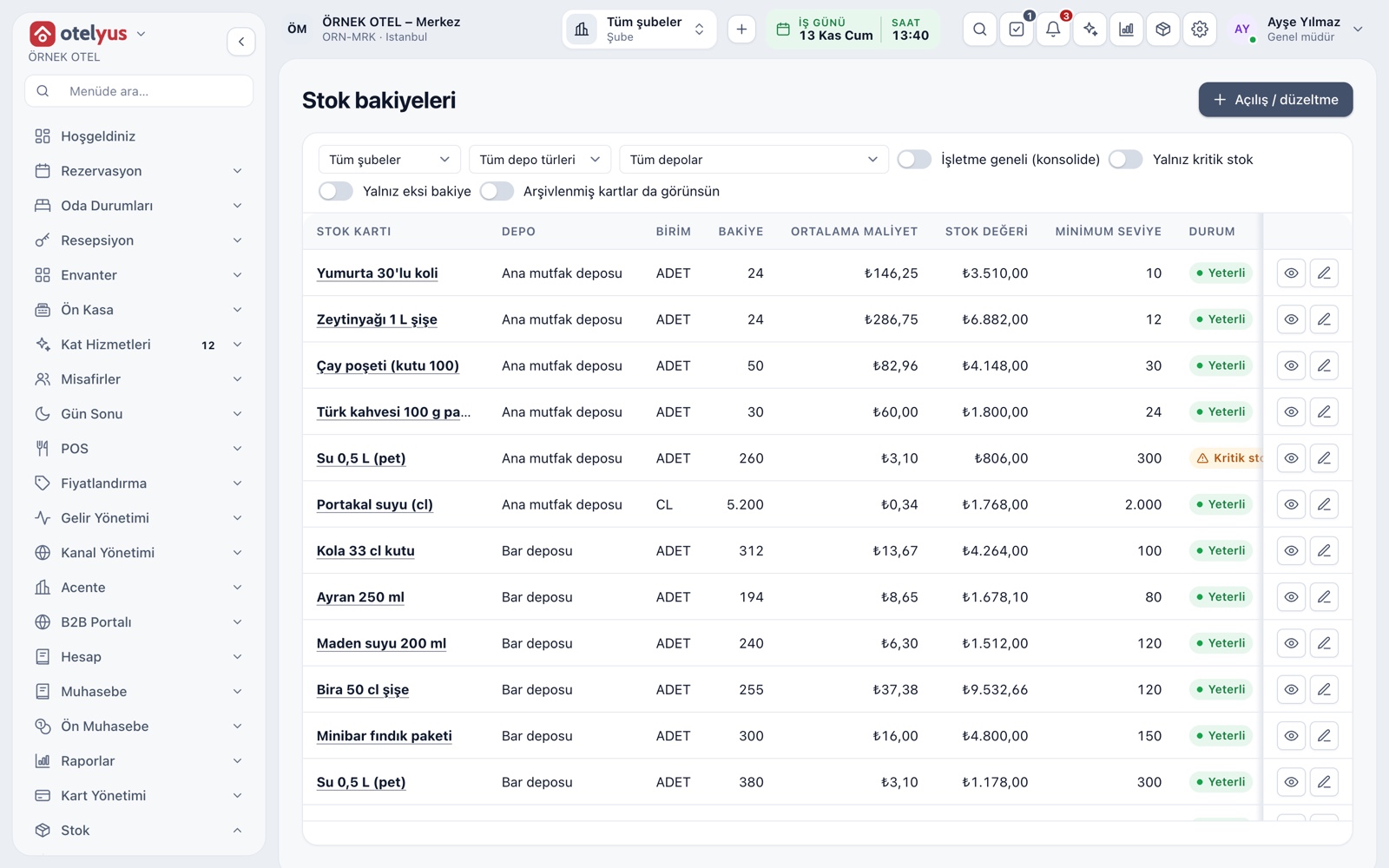
Every warehouse at a glance
The balances screen shows quantity, average cost and stock value by warehouse and item. A status badge separates healthy, low and negative balances, and one switch filters down to the low ones. The business-wide view adds all warehouses into a single line.
- Combine branch, warehouse type and warehouse filters.
- Items below their minimum level raise an alert.
- Jump from a balance to its movements in one click.
Stock card
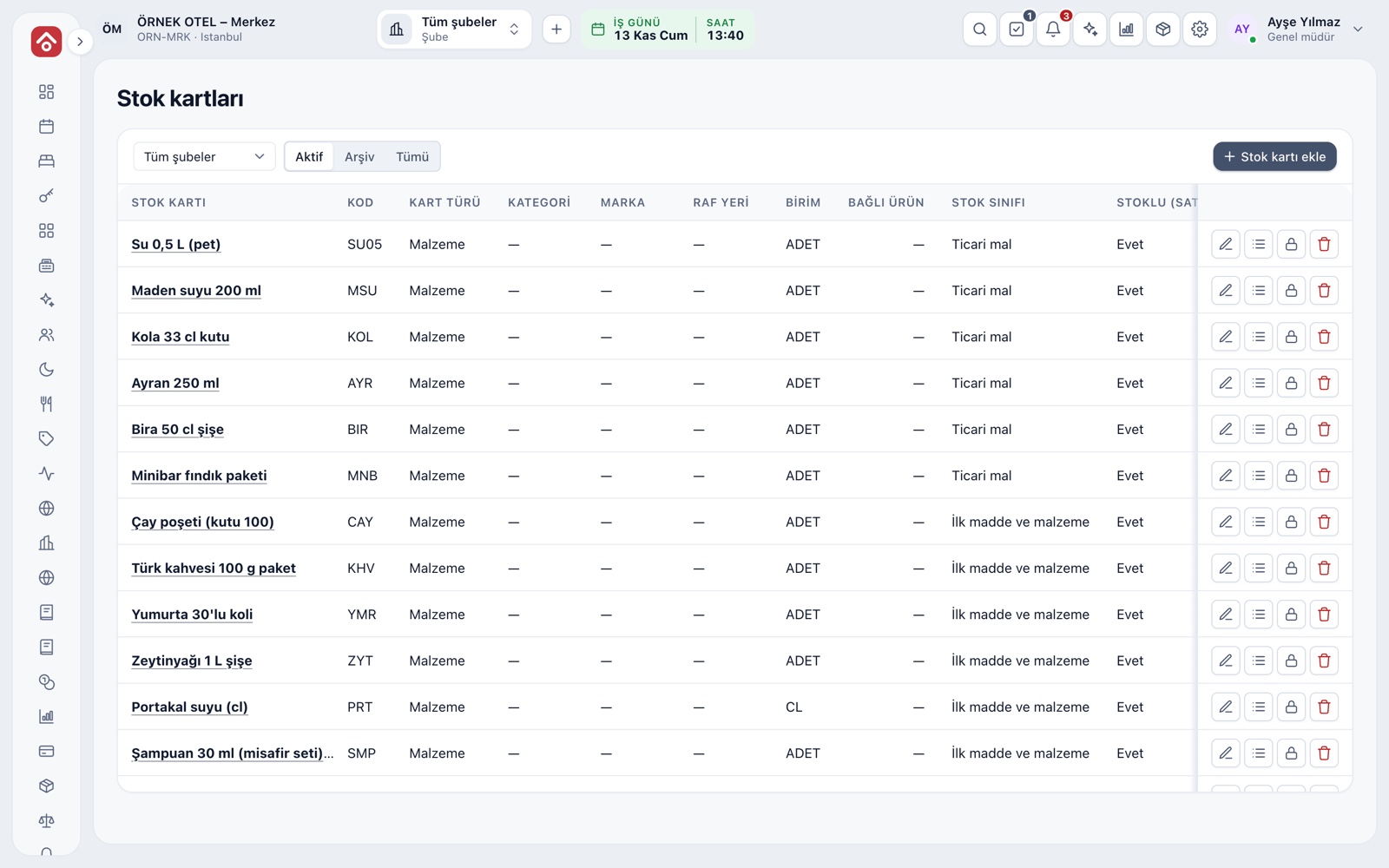
Raw materials and supplies get a material card, and the products you sell get a product card. Each card holds the category, brand, shelf location, unit and last purchase price. The unit is defined once, and recipes, goods receipt and sales all use it.
- The stock class decides the accounting mapping.
- Print barcode and shelf labels for selected cards as PDF.
- Used cards are archived, never deleted.
Warehouses and sales points
There are three kinds of warehouse: the main business warehouse, a branch warehouse and an optional preparation-station warehouse. Each point of sale is linked to a warehouse and sales deduct from it. A branch with no link does not deduct stock, and the screen warns you clearly.
- With a station warehouse, recipes deduct from it first.
- Negative stock on manual corrections is allowed per warehouse.
- Branches with missing links appear in one warning.
A ledger that cannot be altered
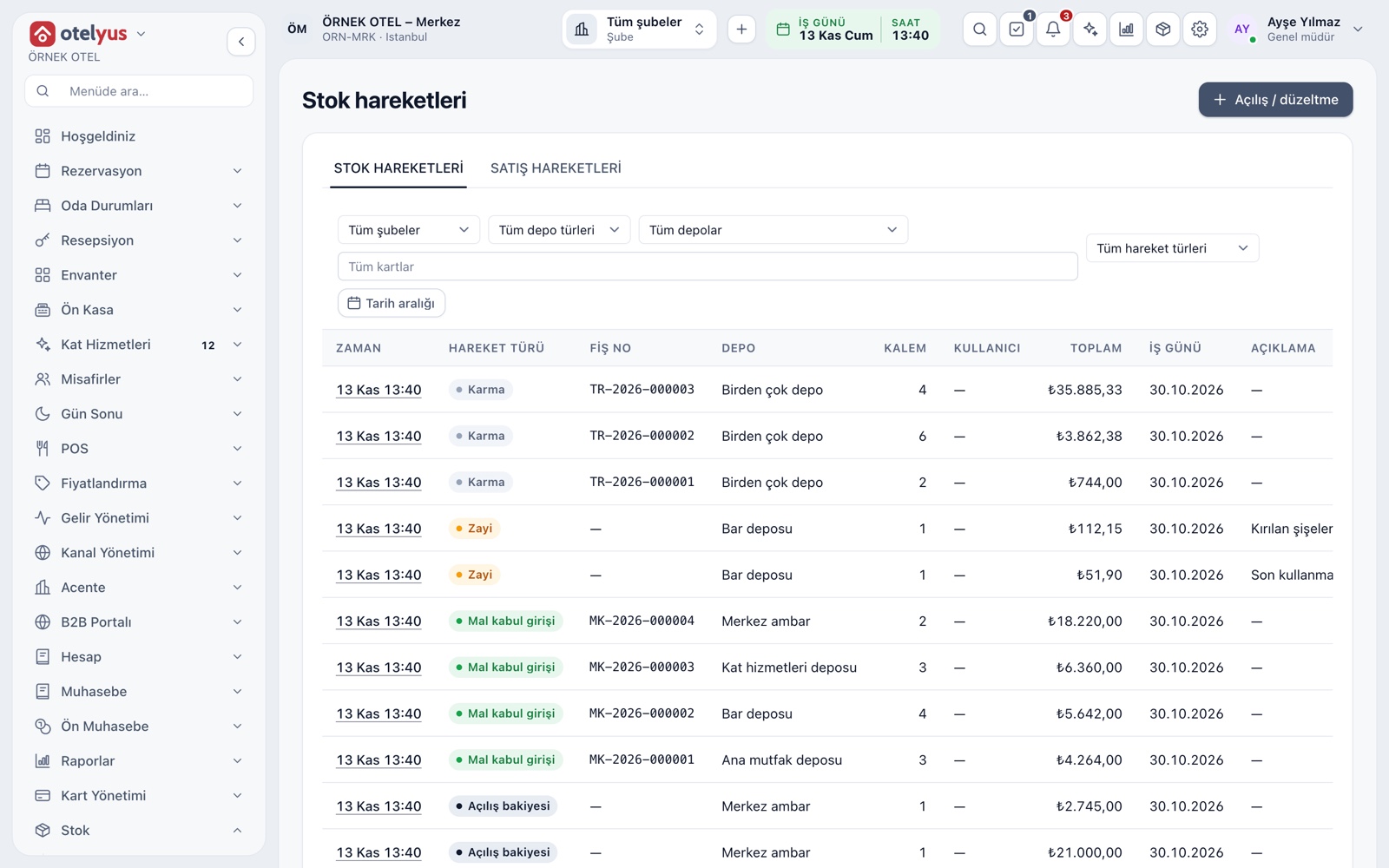
Balances are built from movements, and movements are never edited. Sales, complimentary items, waste, returns, goods receipt, transfers, count differences and corrections are each a movement type. Every line shows the time, voucher number, warehouse and amount.
- Filter by type, warehouse, item and date range.
- A correction adds a new movement instead of erasing the old one.
- Manual openings and corrections ask for a reason.
Where stock comes off
In sales, stock comes off the check, and you choose the timing in settings: when the order goes to the kitchen or when the check closes. For venue events, delivered items are deducted. A sales invoice never touches stock on its own, so nothing is deducted twice.
- For non-check items, the invoice has an explicit Deduct from stock option.
- That option is off by default.
- Cancelling the invoice reverses the deduction.
Quick entry, waste and spoilage
Quick entry adds many items to a chosen warehouse on one voucher, with no invoice needed. A waste entry records quantity, reason and a note. Normal spoilage goes into cost, while waste is booked as a loss; complimentary items are their own movement type.
- Only the lines you fill in go onto the voucher.
- Waste reasons are yours to define, each with an accounting class.
- The waste list exports to Excel, CSV or PDF.
Cost and reports
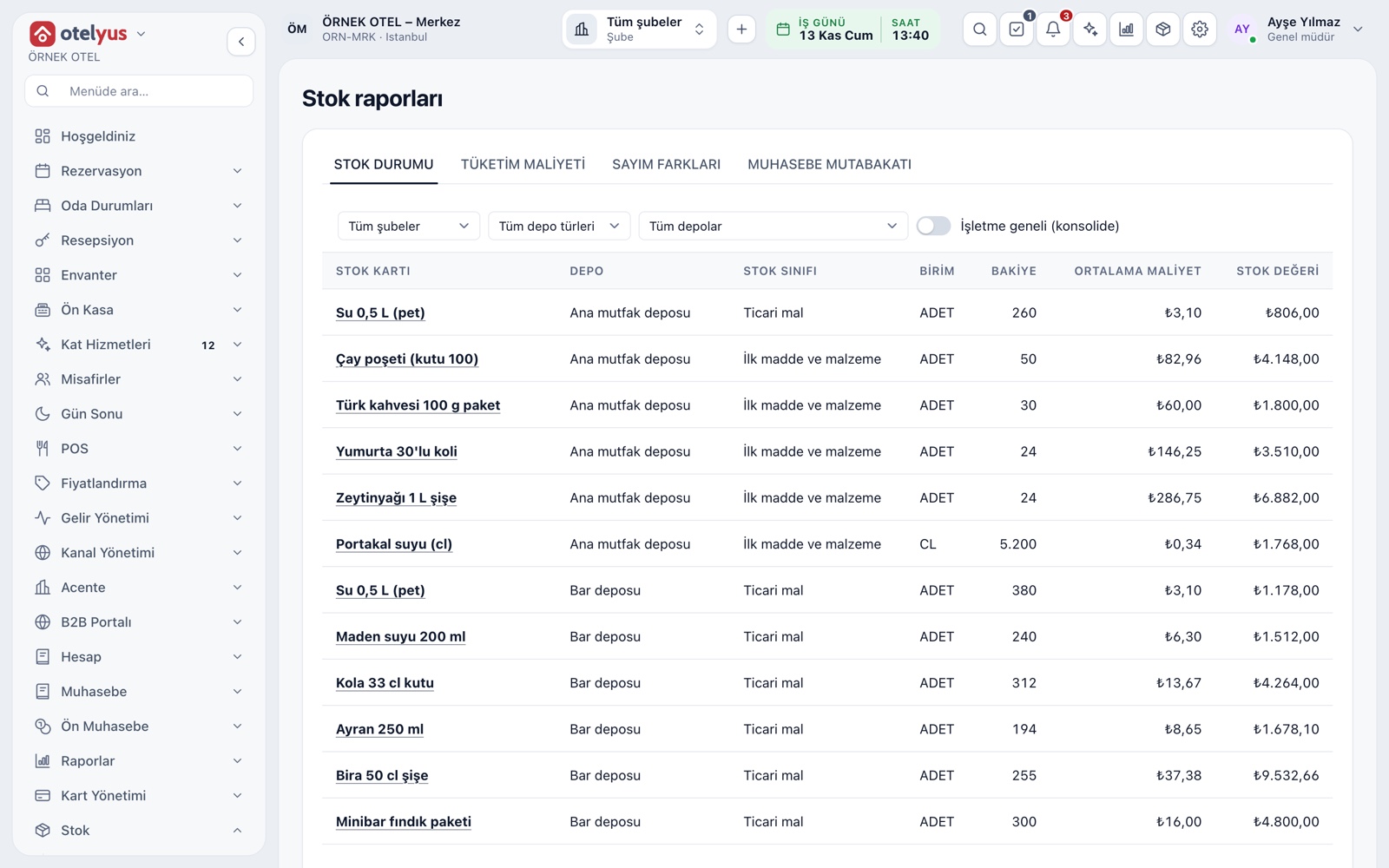
Cost follows a weighted average. The stock status report shows quantity and value, and consumption cost shows what sales, complimentary items and waste cost you. Costed movements for a date range post to accounting as one period voucher; confirm account mapping with your accountant.
- Run reports for the whole business or one warehouse.
- Reconciliation compares stock value with the ledger.
- Items with unknown cost stay out of valuation and are counted separately.
Modules used together
Goods Receipt and Warehouse Transfers
Receiving and transfers between warehouses
Learn moreRecipes and Production
Recipe definition and recipe production voucher
Learn moreStock Count and Excel Import
Stock counts and bulk Excel import
Learn morePurchasing
Requests, orders and receiving
Learn moreReports and Analytics
Occupancy, revenue, sales, stock cost and tax support summaries sit in one centre, each as a report tied to its own permission. Reports can be filtered, exported and scheduled by email.
Learn moreFrequently Asked Questions
Does a sales invoice deduct stock?
No. In sales, stock comes off the check. For items that did not come from a check, the invoice has a Deduct from stock option that applies only to lines you mark.
Can stock go negative?
Manual corrections can go negative if the warehouse setting allows it. Sales are never blocked, so a balance can drop below zero, and the screen flags it.
What is deducted when a recipe item is sold?
With recipes turned on, the ingredients are deducted rather than the item itself. An item without a recipe is deducted directly.
Does stock only work for hotels?
No. Stock is a shared module; it works with the same menu and the same data whether you run a restaurant, an event venue or a hotel. A business that only has a restaurant can keep stock too.
How is stock value calculated?
With a weighted average cost. The price at goods receipt feeds the average, and movements with unknown cost stay out of valuation.
Meet Inventory Management
Let us call you for a live walkthrough, or try it free for 1 month.