
Supply and Goods Receipt
Brings the restaurant's supplier side into one place: a critical-stock alert shows what is running out, deliveries are received against the delivery note, supplier e-invoices land in an inbox and supplier accounts are tracked.
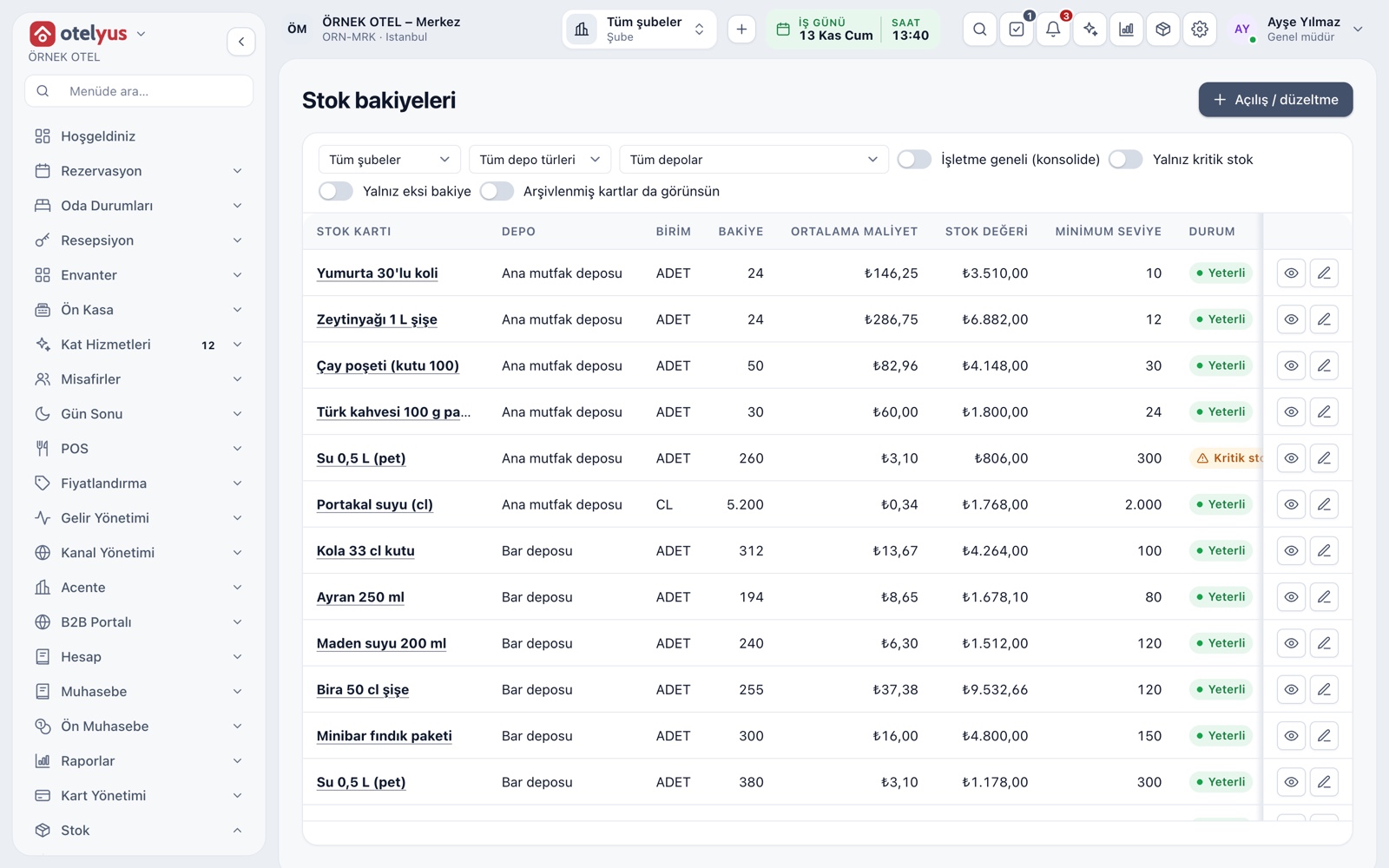
See what is running out
You enter a minimum level on the stock card. When the balance falls below it, the card is flagged with a Critical stock badge. The balance screen filters only critical or negative items, so you see at a glance what to ask your suppliers for.
- The minimum level is entered per card.
- Balance is marked Sufficient, Critical stock or Negative balance.
- Across the business, totals of all warehouses are shown.
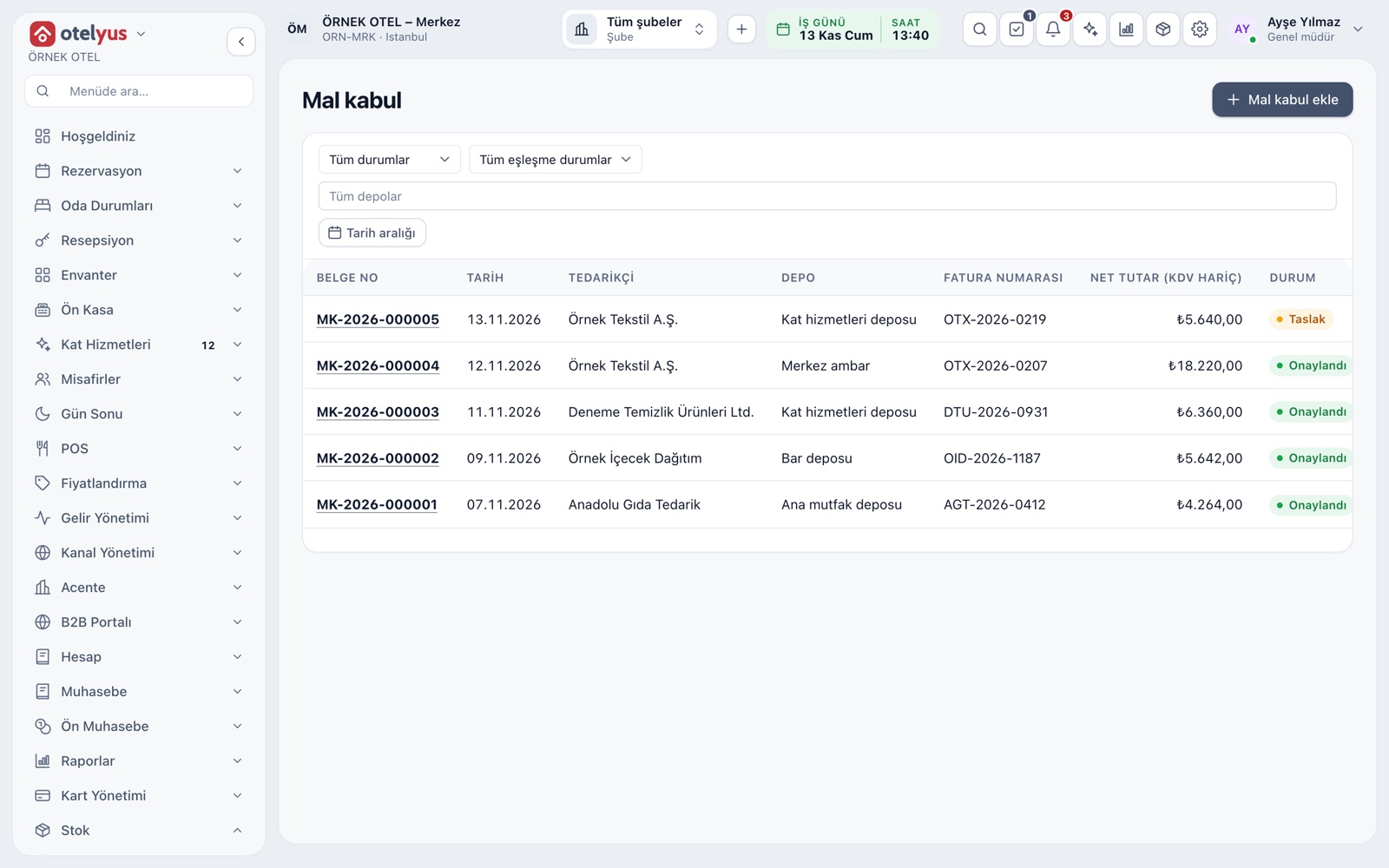
Goods receipt with delivery notes
Goods from a supplier are recorded against the delivery note. On approval the stock entry and weighted average cost are written. The document is matched to the purchase invoice by the supplier's invoice number; if totals differ it is flagged Invoice difference.
- An approved document cannot be changed.
- Freight is allocated across lines and added to cost.
- A difference can come from a short delivery or a price gap.
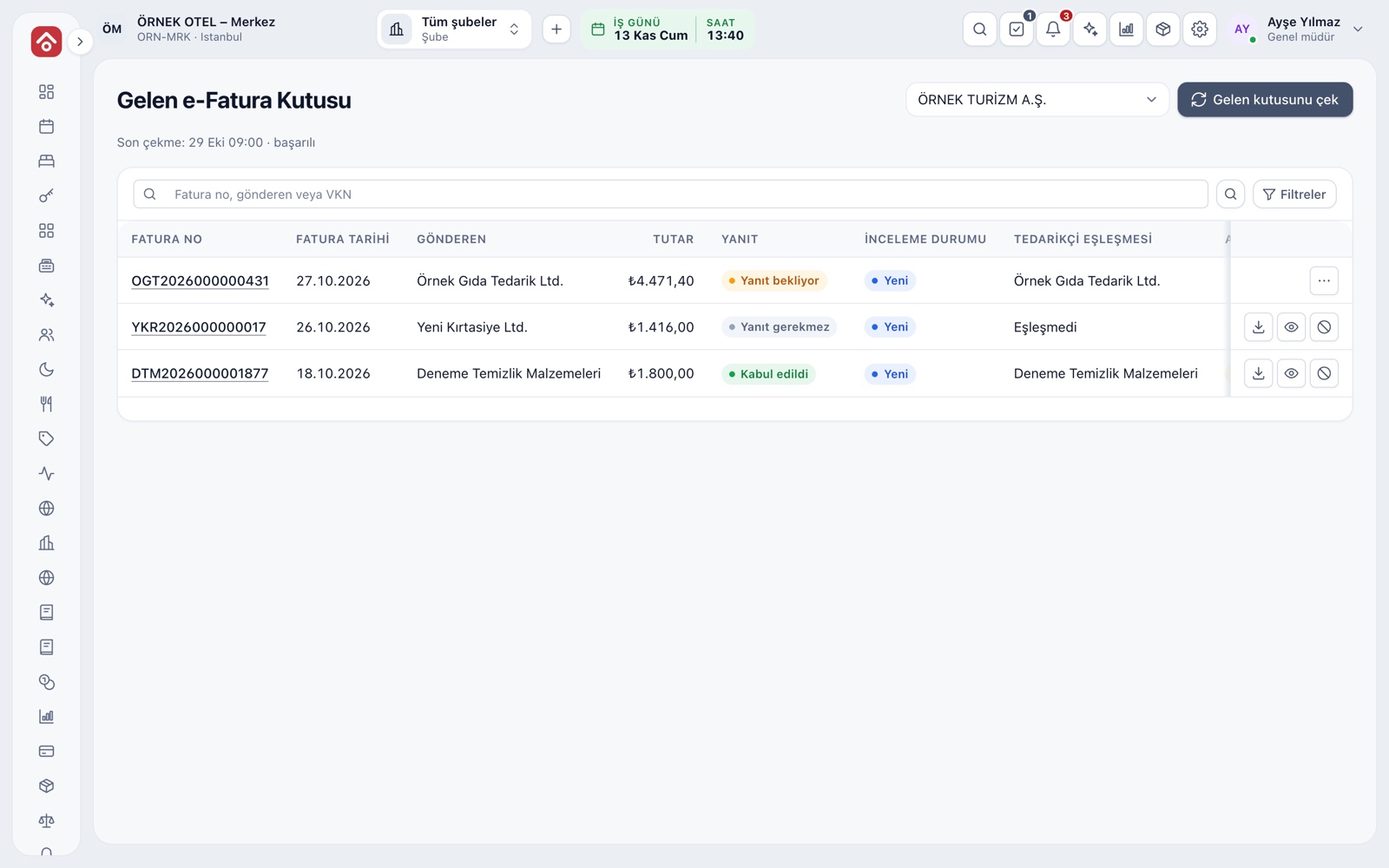
Incoming e-invoice inbox
When a supplier sends an invoice, it drops into the Incoming e-Invoice Inbox, listed with sender, amount, response status and supplier match. You accept it, reject it or turn it into a return invoice draft. An accepted document produces a purchase invoice draft.
- The supplier match shows by account name in the list.
- The response deadline is shown in the list.
- Accept and reject replies go to the seller and cannot be undone.
Supplier accounts
Your suppliers are kept in the account ledger as vendor accounts. When a purchase invoice is approved, a journal entry and the vendor payable are written. Balance and ageing are followed on the account screens. Confirm which documents are required with your accountant.
- Goods receipt, purchase invoice and e-invoice use the same account card.
- The person who prepares an invoice cannot approve it; the setting can be turned off.
Modules used together
Stock and Recipe Costing
Recipe-based costing, stock counts and waste tracking
Learn moreWaste and Spoilage
Waste reasons, responsible staff and cost impact
Learn moreExpense Tracking
Cashier expenses and expense types
Learn moreCustomers and House Accounts
Account customers, balances and open account tracking
Learn moreCost and Profitability Analysis
Product and menu profitability, report wizard
Learn moreFrequently Asked Questions
How does the critical-stock alert work?
You enter a minimum level on the stock card. When the balance drops below it, the card is flagged Critical stock. If the level is left empty, no alert shows.
Can I define my suppliers?
Yes. Suppliers are kept in the account ledger as vendor accounts and used in goods receipt, purchase invoices and e-invoice matching.
What happens if I reject an incoming e-invoice?
The rejection goes to the seller as an e-document and cannot be undone. A purchase invoice cannot be created from a rejected document.
Is this the same as the hotel-side B2B Portal?
No. The hotel-side B2B Portal is a separate portal where agencies and companies book at contracted prices. This page covers the restaurant's supplier work.
Meet Supply and Goods Receipt
Let us call you for a live walkthrough, or try it free for 1 month.