
Delivery and Takeaway Orders
Delivery and takeaway orders are taken on the same check screen as table orders and followed on the kanban board of the Orders tab. Kitchen, payment and reports run through the same flow as table orders.
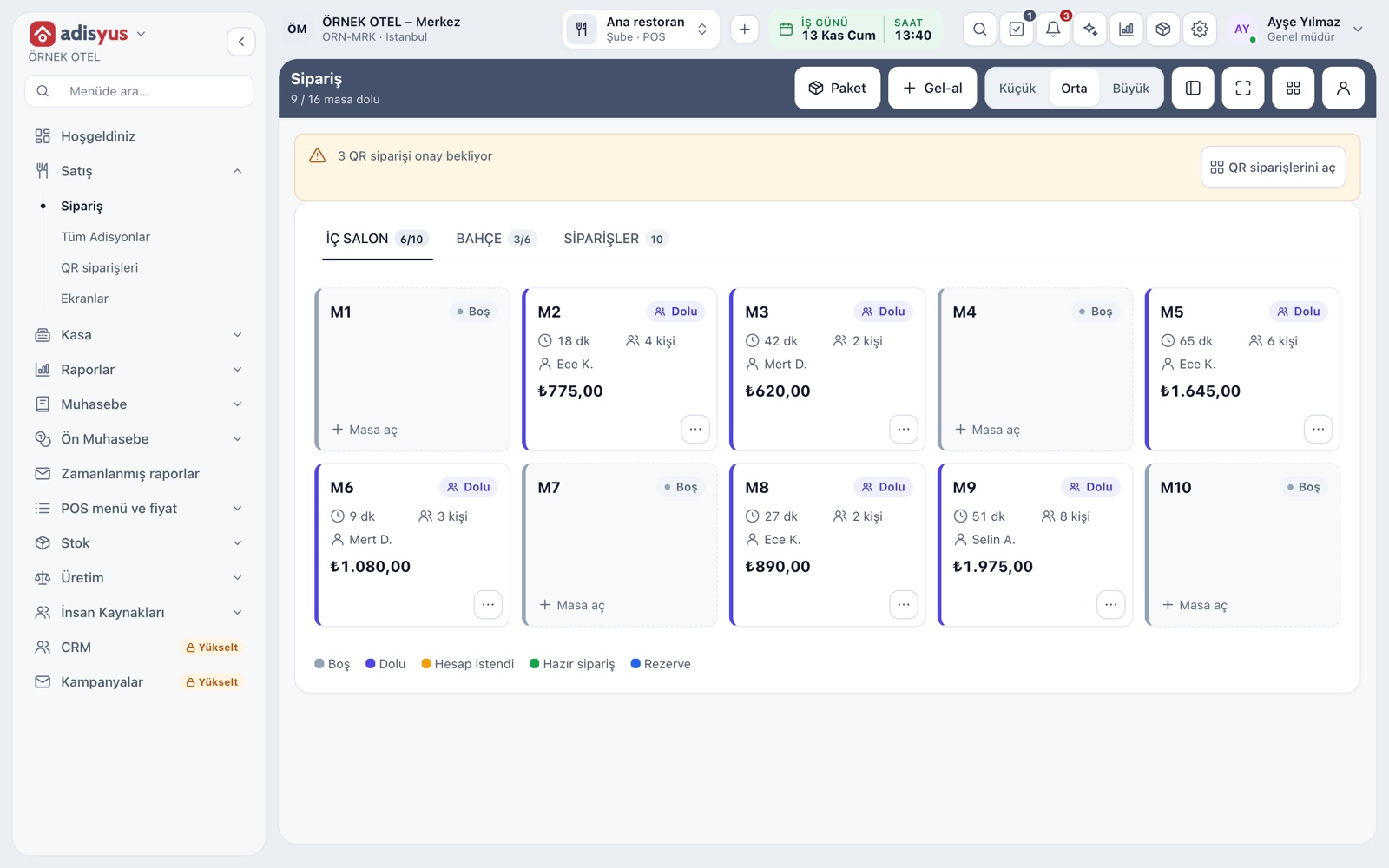
Delivery and takeaway on the service screen
The top bar of the service screen has Delivery and Takeaway buttons; they open a new check without choosing a table. The buttons show according to the sales point's service modes. In a delivery kitchen exit type you work without defining zones or tables.
- On a phone screen the buttons gather under the More actions menu.
- A blank check opened by mistake is closed with Close empty check.
- Opening a new check needs the order creation permission.
The same check screen as table orders
A delivery or takeaway check is not a separate screen: menu on the left, check on the right, and Save, Quick pay and Pay at the bottom. Required option groups, portions and item notes are asked as in table orders. Servers, cashiers and the delivery lead learn one flow. Customer details travel in the check name and order note.
- Item search works by name or barcode.
- A price list can be defined separately for the Delivery channel.
- The name given to the check also shows on its kanban card.
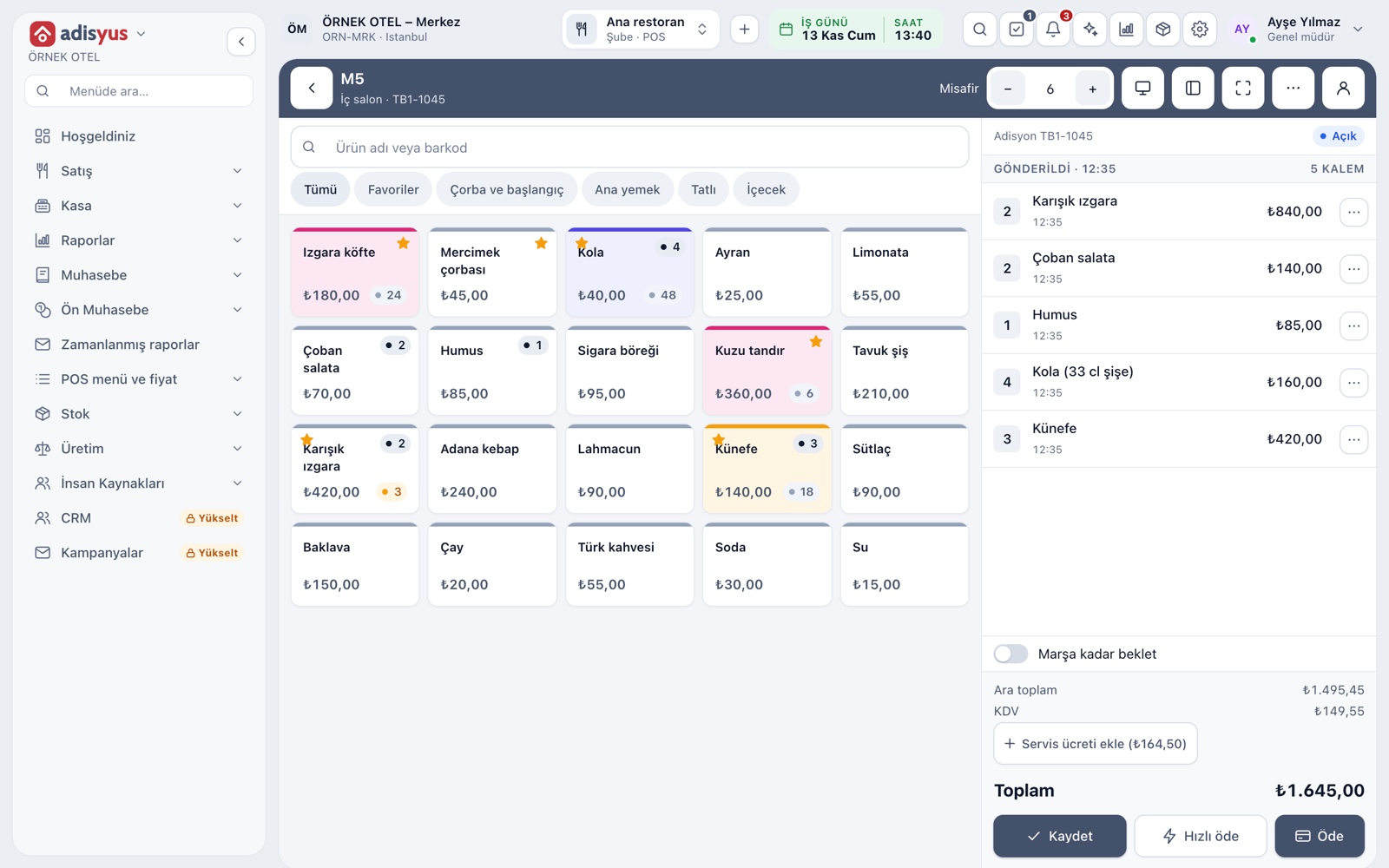
Sending to the kitchen and the ready notice
Save sends new lines to the item's prep station: the slip prints or a ticket opens on the kitchen display. When the kitchen ticket is marked Ready, the order moves to the Ready column on the kanban board; the team sees it at a glance while the takeaway guest waits.
- If a packing stage is on at the station, a Packing stage shows.
- With the ready bell on, an alert sounds on server and till screens.
- Cancelling a sent line needs a reason and permission.
Orders tab: the kanban board
The Orders tab gathers open checks in three columns: New with no lines, In progress with lines entered, and Ready once the kitchen reports it. Each card shows the order number, type, name, elapsed time and amount. Table, delivery and takeaway orders share one board, so the whole flow is followed from one place in a rush.
- Type filter: All, Table, Delivery and Takeaway.
- Search by order number or table name.
- Cards have shortcuts to view the check, print an interim bill and go to payment.
Taking payment
Payment is taken from the same window as on a table check. You can enter a free amount or split by items or by guest group. Quick pay collects the whole remaining balance in one tap. Once payment is complete the check closes by itself according to the setting.
- Cash, card, meal card, house account and other types are in the same window.
- Cash collection needs an open till session.
- In a mixed payment the remaining balance is completed with another type.
All checks and history
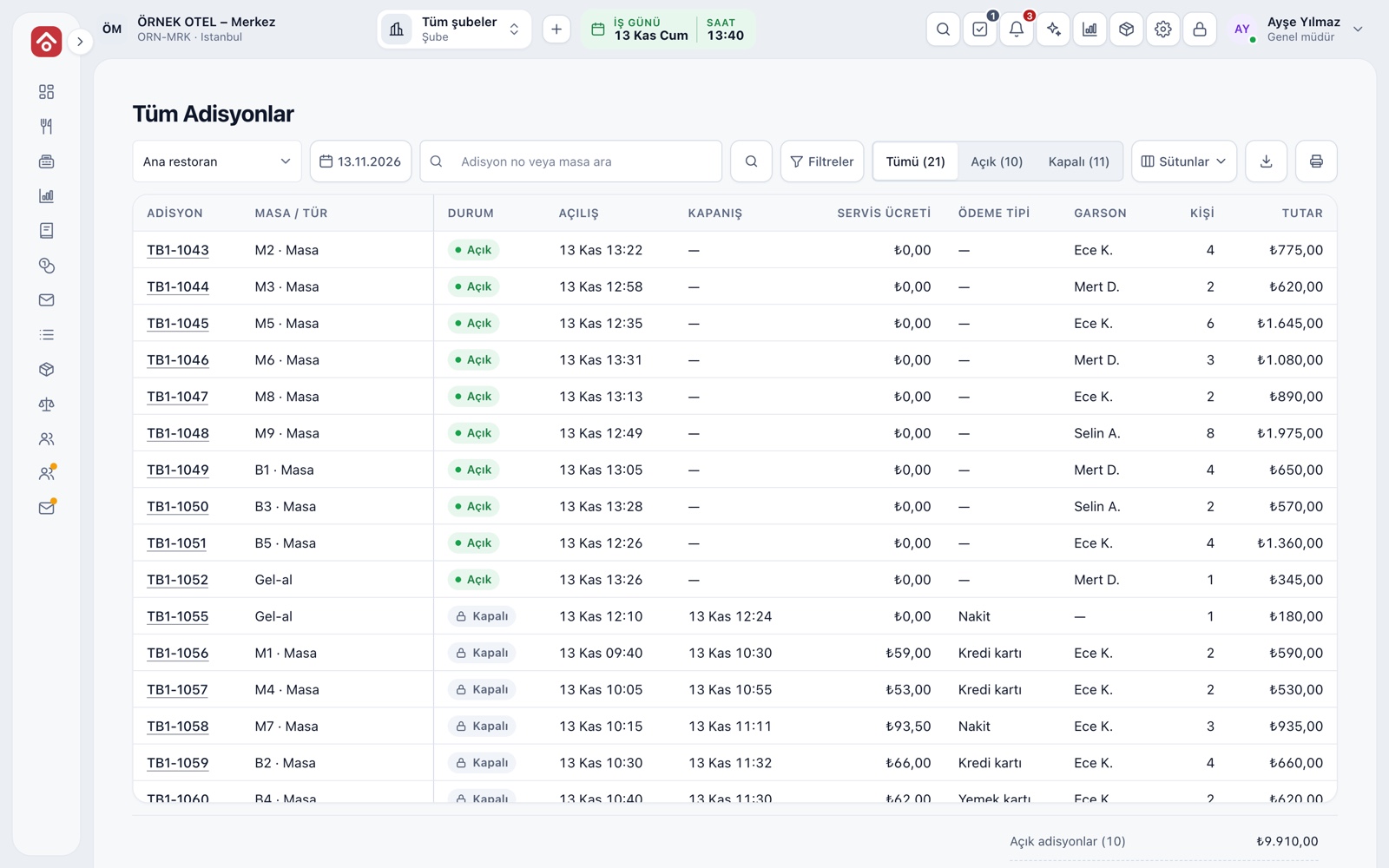
The All Checks list gives the open and closed checks of the selected business day in one table; delivery and takeaway orders appear with tables. Opening a check lists line additions, kitchen sends, cancels and payments with who did them and when.
- Search by check number or table name.
- An authorized user can reopen a closed check by writing a reason.
- The list can be downloaded and printed.
Modules used together
Checks and Order Entry
Item entry, options, comps, split and merge bills
Learn moreKitchen Display and Kitchen Groups
Station-based kitchen display (KDS) and preparation times
Learn moreDelivery Platform Orders
Platform orders are handled as delivery orders with a separate price list
Learn morePayments and Collections
Cash, card and split payments; fiscal cash register (ÖKC) integration
Learn morePhone System and Caller ID
Incoming calls appear as notifications, match a guest and are logged
Learn moreFrequently Asked Questions
How do I know a takeaway order is ready?
When the kitchen marks the ticket ready, the order moves to the Ready column on the Orders tab kanban. With the ready bell on, an alert also sounds on server and till screens.
Can delivery and dine-in prices differ?
Yes. Price lists can be defined by order channel; the Delivery channel covers takeaway and delivery. An order-type price applies before the price entered for all types.
How do I keep delivery details on the check?
You write details such as customer name, phone or address in the check name and order note. The name also shows on the kanban card.
Do I need the hotel module for delivery orders?
No. adisyus is a product that can be used on its own; the delivery and takeaway flow works without hotel management.
Meet Delivery and Takeaway Orders
Let us call you for a live walkthrough, or try it free for 1 month.