
Customers and House Accounts
Corporate customers, companies and agencies are kept in one account directory. When you post a check to a house account, the amount lands on the account statement at once; payment terms, credit limit and ageing are followed from the same record.
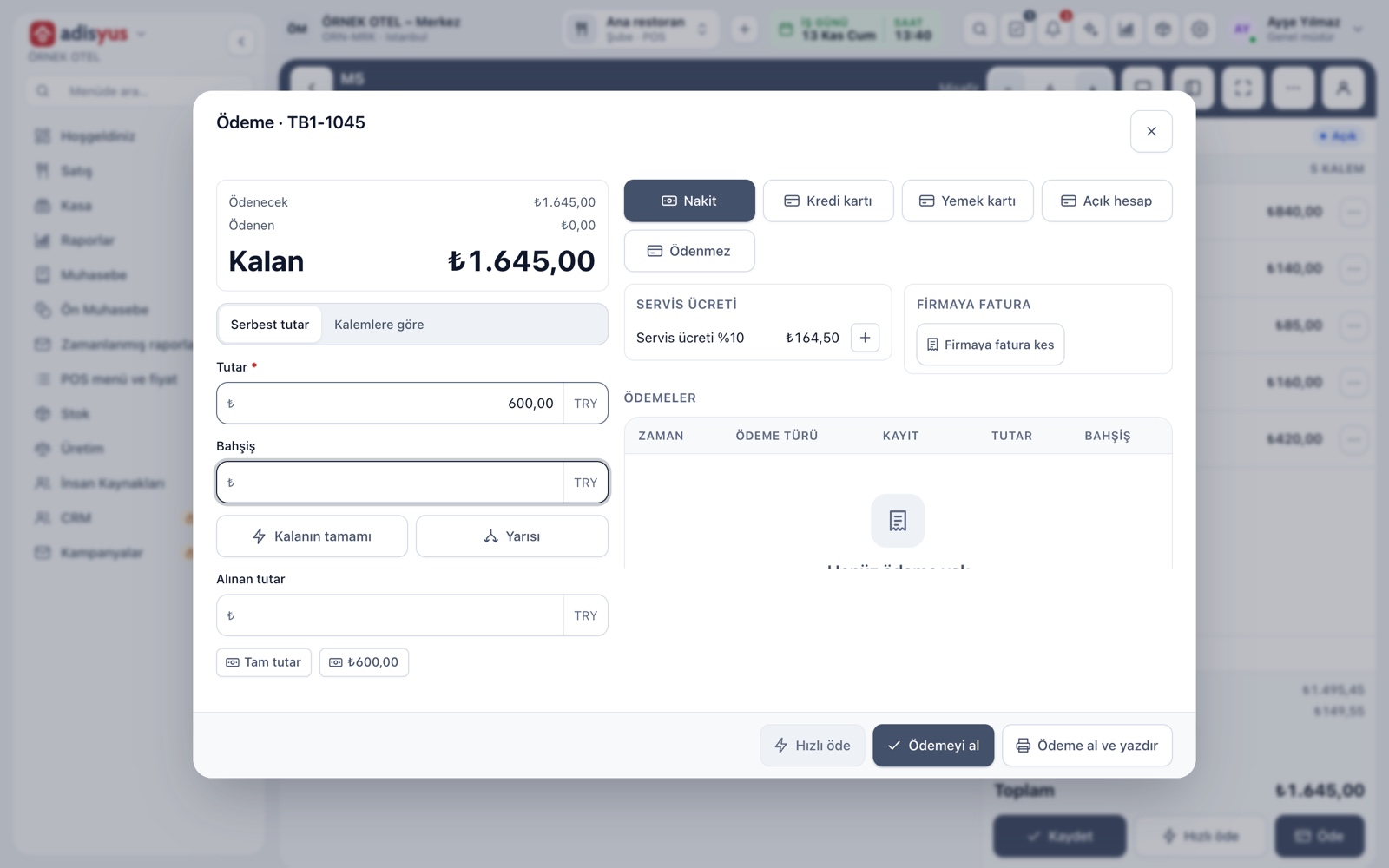
Posting a check to a house account
At payment you choose House account in the payment window and pick the customer from the account directory. The amount is written to the account's balance and no cash goes into the till. Part of a check can go to the account and the rest be paid by cash or card. The moment a check is closed to an account, it shows on the account statement.
- A house-account payment cannot be taken without choosing an account.
- POS does not copy customer details; personal data stays on the account card.
- Posting to a house account needs its own permission.
Account directory: customers, companies, agencies
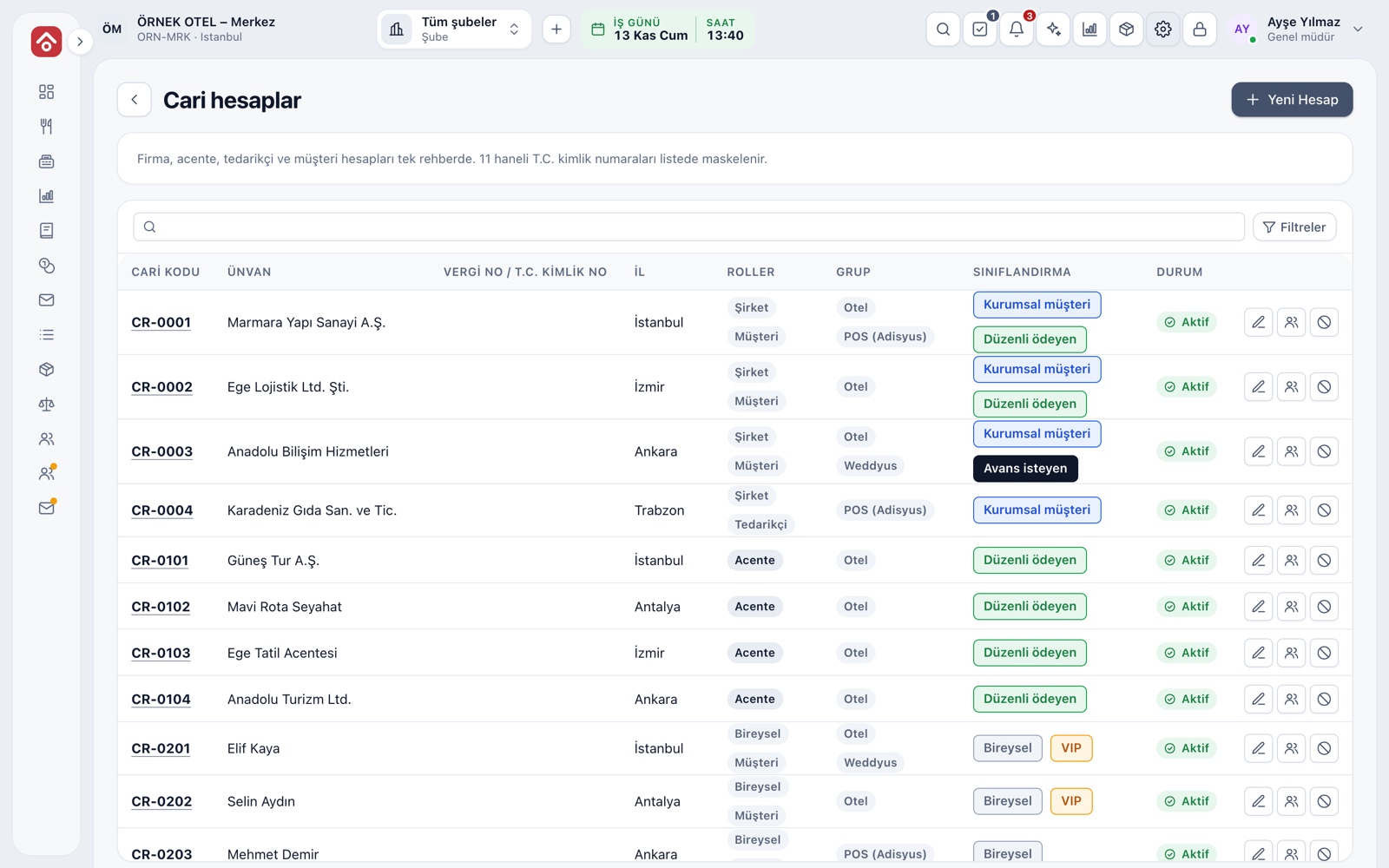
Everyone you run a house account with is first an account card. The accounts screen gathers company, agency, supplier and individual customer accounts in one directory. The card holds the legal name, tax office and number, address, currency and e-invoice taxpayer information.
- The same tax number cannot appear in two accounts.
- National ID numbers are masked in the list.
- A deactivated account is closed to new movements; its history is kept.
- Colored labels such as Corporate, Agency and VIP classify accounts.
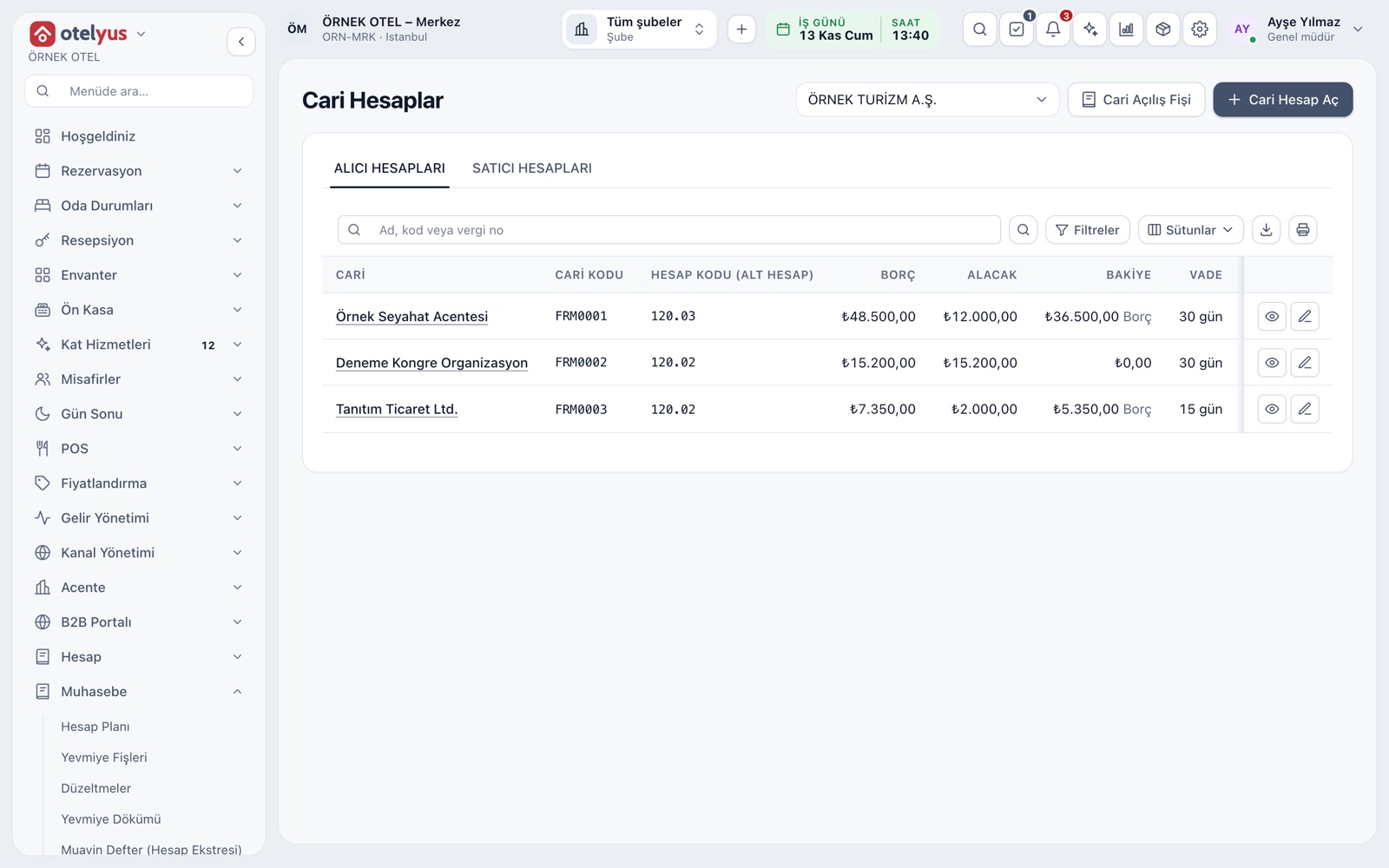
Statement and open items
An account's detail page has Statement and Open items tabs. The statement gives the opening balance, debit and credit movements and document numbers for the date range you choose. In open items, overdue and current amounts are shown apart.
- The journal entry is posted at day-end; until then rows carry a Waiting for day-end label.
- Movements are never deleted; corrections are made with a reversal.
Payment terms and credit limit
Each account gets payment terms in days and an optional credit limit. The term is the number of days added to the document date. When the credit limit is exceeded, the account is flagged Limit exceeded in the list. The currency is chosen when the account is opened.
- Receivable accounts hold customer, company and agency receivables; payable accounts hold supplier debts.
- Limit breaches are gathered on a separate tab in due-date alerts.
Ageing and due-date alerts
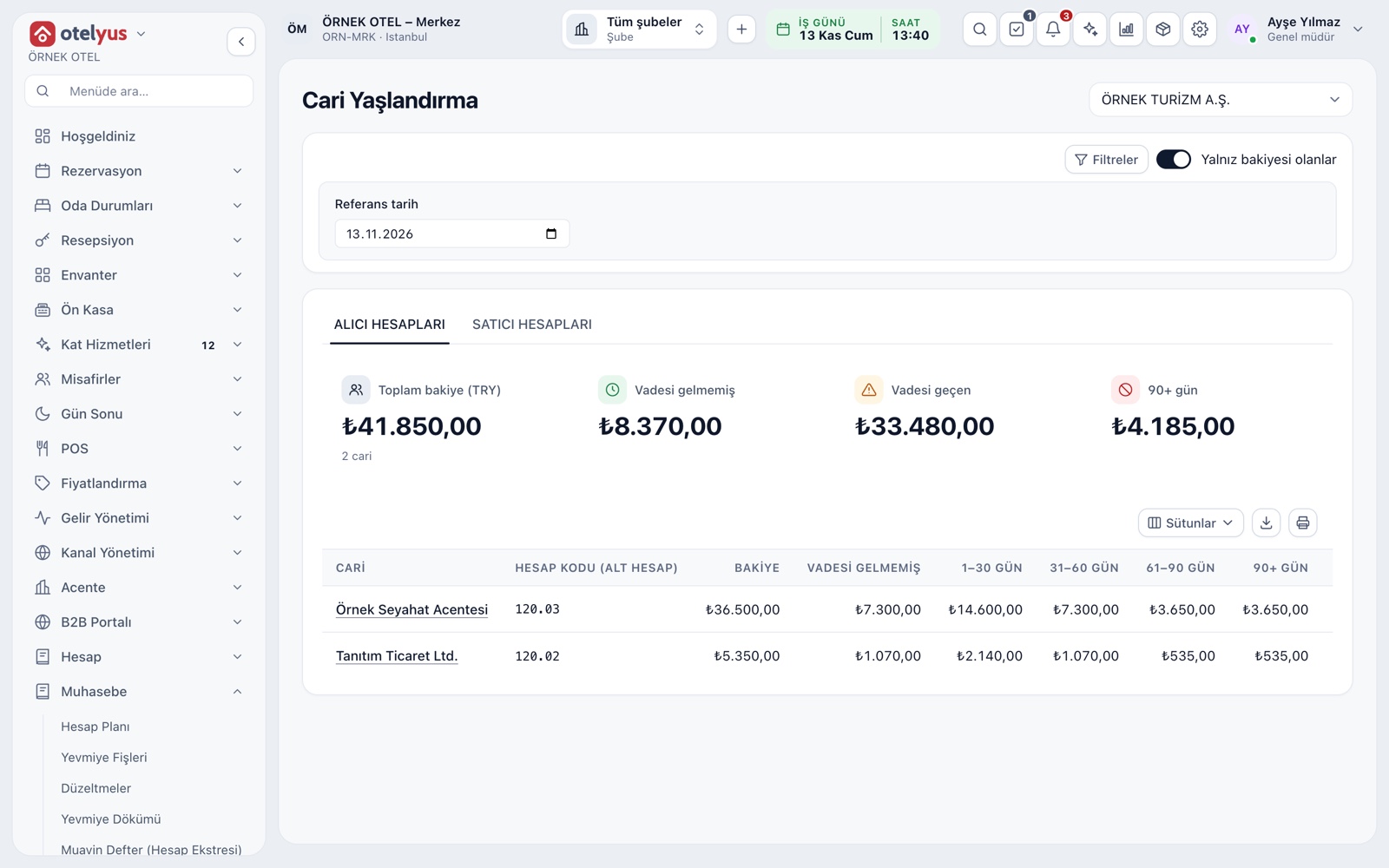
Account ageing shows the age band a receivable is sitting in: current, 1-30, 31-60, 61-90 and over 90 days. The due-date alerts page turns the same information into a work list: overdue, coming due and limit breaches.
- Receivable and payable ageing are on separate tabs.
- The report can be downloaded and printed.
- From each row you go to the account's statement.
Collections, offsetting and corrections
A payment received from an account is matched to its open items. A match can be undone; movements are not deleted. If one account is both customer and supplier, the receivable and payable balances are offset with a single entry. A wrong movement is fixed with a reversal.
- Every correction needs a reason and stays traceable.
- A check posted to the wrong account is reversed and posted again to the right one.
Day-end and accounting
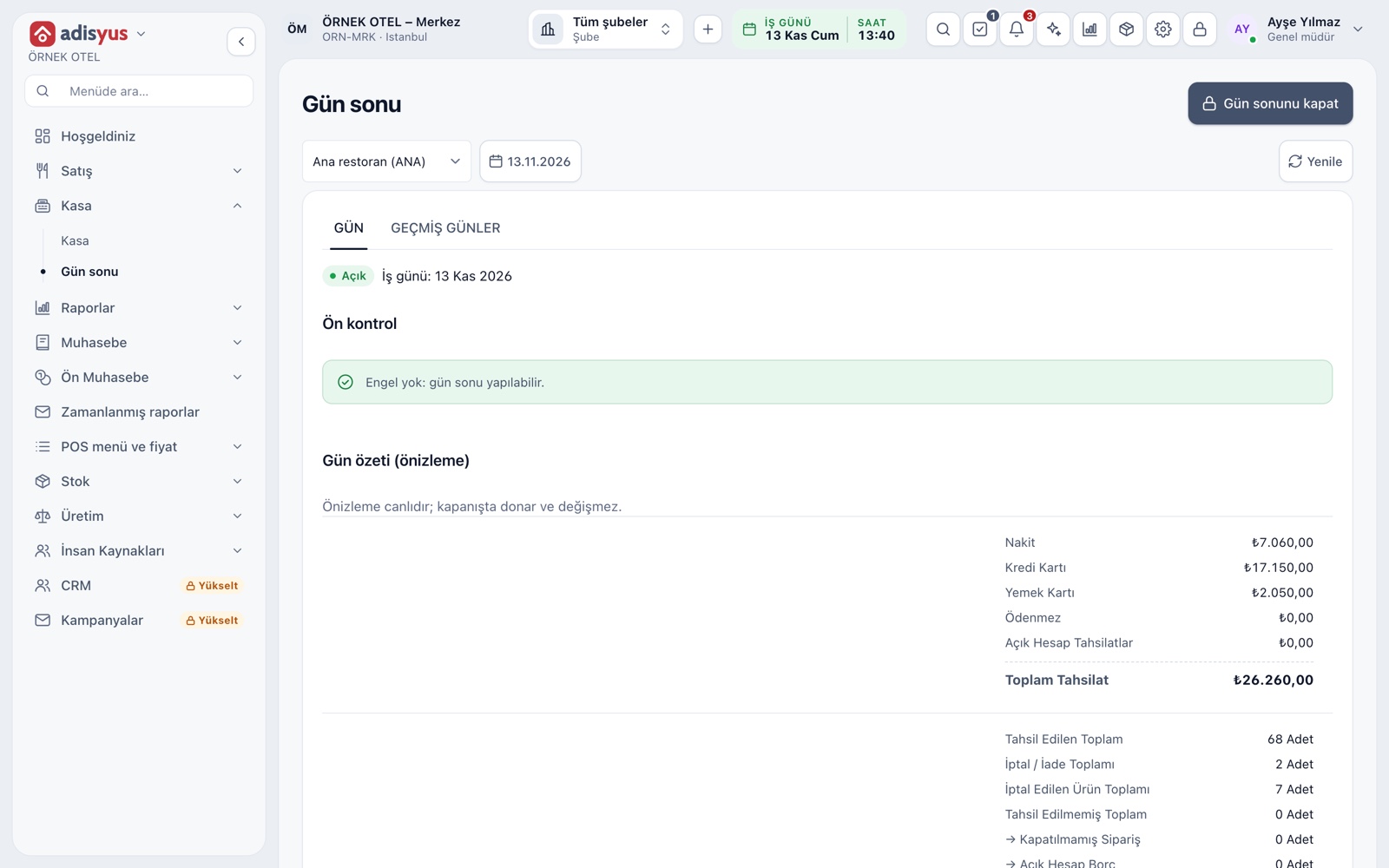
The day-end summary shows house-account collections on their own lines. When the day closes, an accounting entry is posted for house-account amounts; if the account mapping is missing, the day-end screen states the reason and offers Retry. The path from check to statement to entry stays traceable.
- The preview is live and the summary freezes when the day closes.
- You enter account codes as your accountant maps them.
- A doubtful receivable file moves ahead with a second approver.
Modules used together
Payments and Collections
Cash, card and split payments; fiscal cash register (ÖKC) integration
Learn moreDiscounts and Comps
Predefined discounts and non-payable (comp) bills
Learn morePost to Room Account
The restaurant bill is posted to the hotel folio
Learn morePOS Reports
Product sales, end of day, shift, statistics, stock status and waste reports
Learn moreUsers and Permissions
Waiter, kitchen, cashier and manager roles with a permission matrix
Learn moreFrequently Asked Questions
I use only adisyus; do I need the hotel module for accounts?
No. The account directory is shared across products. A POS-only business links its cards to the POS group and manages them under Settings > POS > Accounts.
Does POS store customer details itself?
No. POS keeps only the account card's reference code; legal name, tax number and contact details stay on the account card. Personal data is managed in one place.
What happens if a customer exceeds the limit?
The account is flagged Limit exceeded in the account list and appears on the Limit breaches tab of due-date alerts. How you respond to the alert is up to you.
How do I correct a check posted to the wrong account?
Account movements are not deleted. The movement is reversed with a written reason and posted again to the right account; both actions stay in the audit trail.
Meet Customers and House Accounts
Let us call you for a live walkthrough, or try it free for 1 month.