
AI Connection
You connect AI apps such as Claude to your business with read-only access and ask about occupancy, bookings, sales and reports in plain language. The connection is off by default and you manage every step.
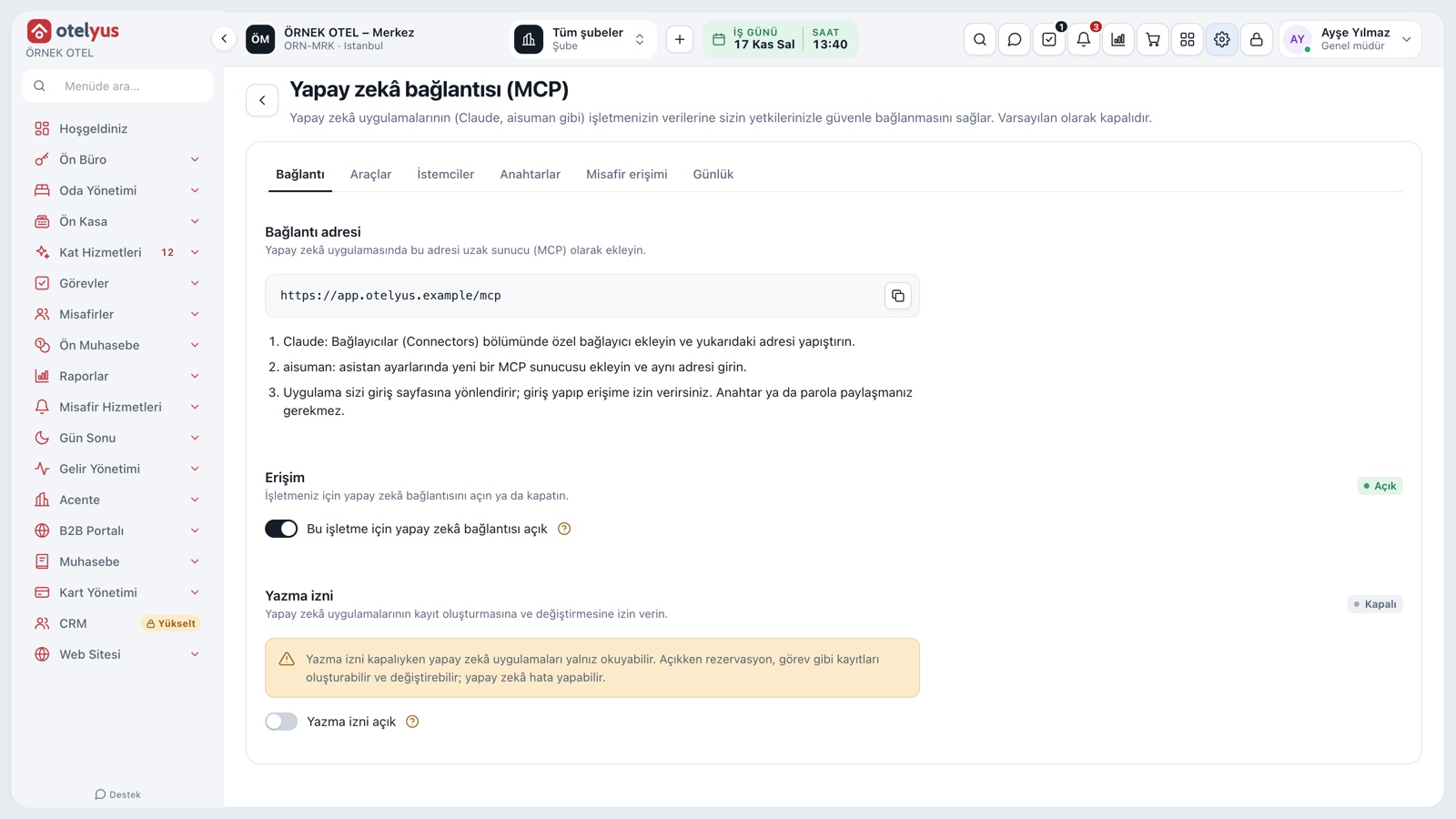
Connect an AI assistant to your business
You connect an AI app such as Claude to your business data with your own permissions. Then you ask about occupancy, reservations, room status, sales and reports in plain language. The business administrator turns the connection on.
- No password is shared; each user grants access in their own name.
- The administrator can switch it off at any time.
- Connected apps are listed on the settings page.
What you can ask
You can ask about today's arrivals and departures, availability, room status, reservation and folio balances, reports, restaurant sales and the venue calendar. Only the products you own are visible.
- Who is arriving today, and what was last month's revenue?
- Which room types are free this weekend?
- What were yesterday's restaurant sales and best sellers?
- Which venues are booked in November?
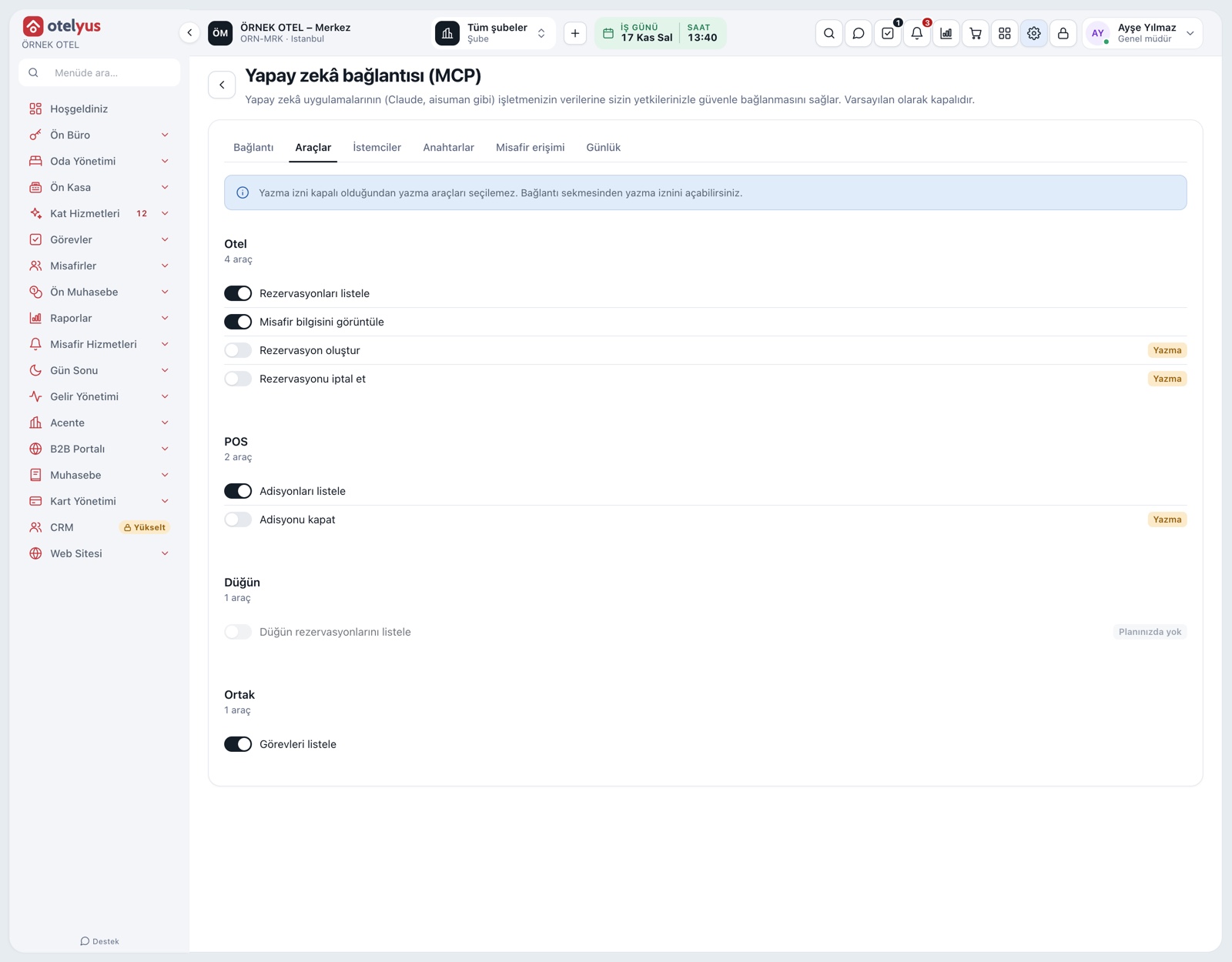
Works with your permissions
The assistant sees only what the connected user can see. Personal details such as ID number, phone and e-mail are masked, and payment details never come through. Another business's data cannot be reached.
- A report you cannot see in the panel is not visible to the AI either.
- Guest search works by name only.
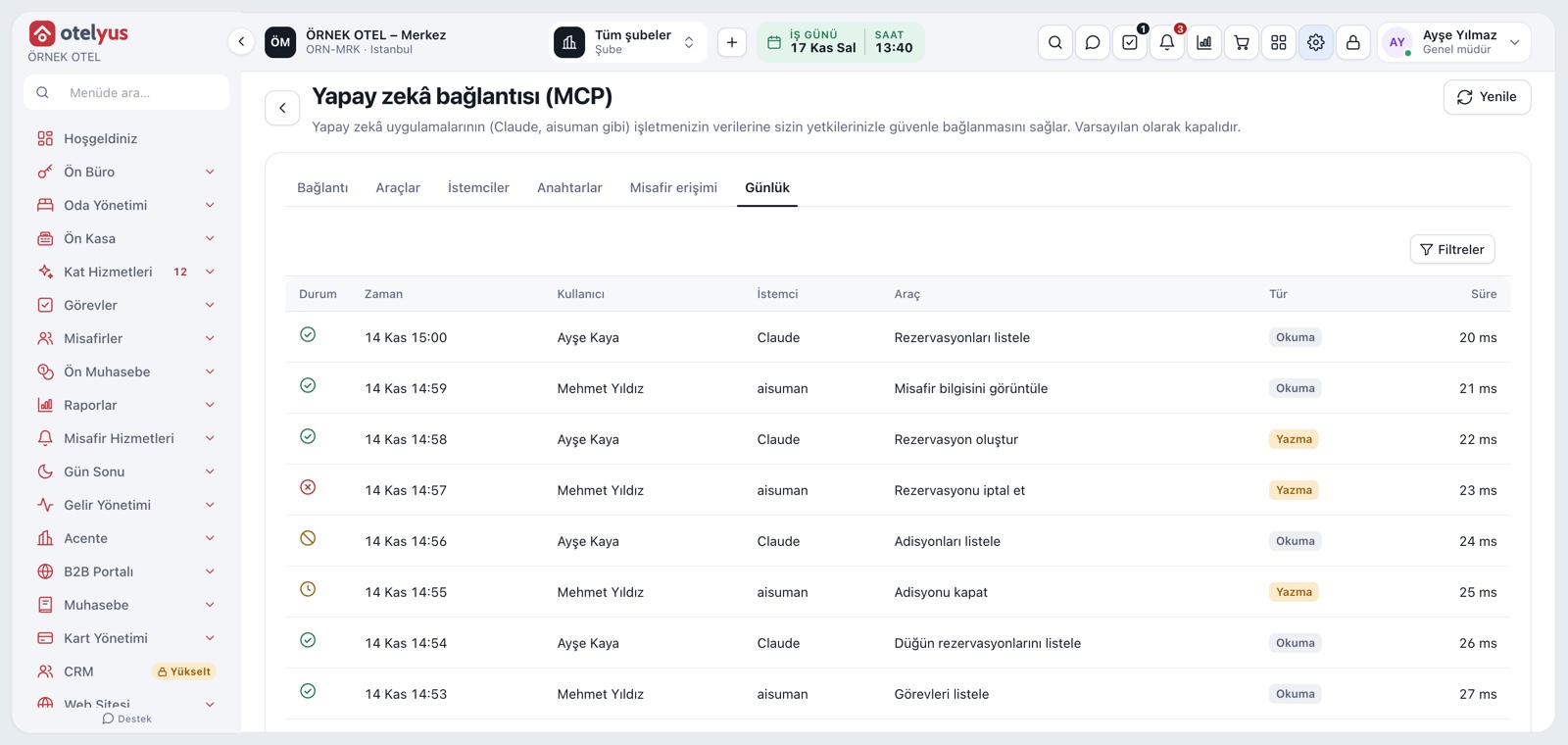
Read-only by default
By default the assistant only reads. If the administrator turns on write access separately, records such as reservations and tasks can be created; for risky actions a preview is shown first and your approval is awaited. Taking payments, refunds and changing prices are not possible.
- Write access is off by default.
- AI can make mistakes; only allow apps you trust.
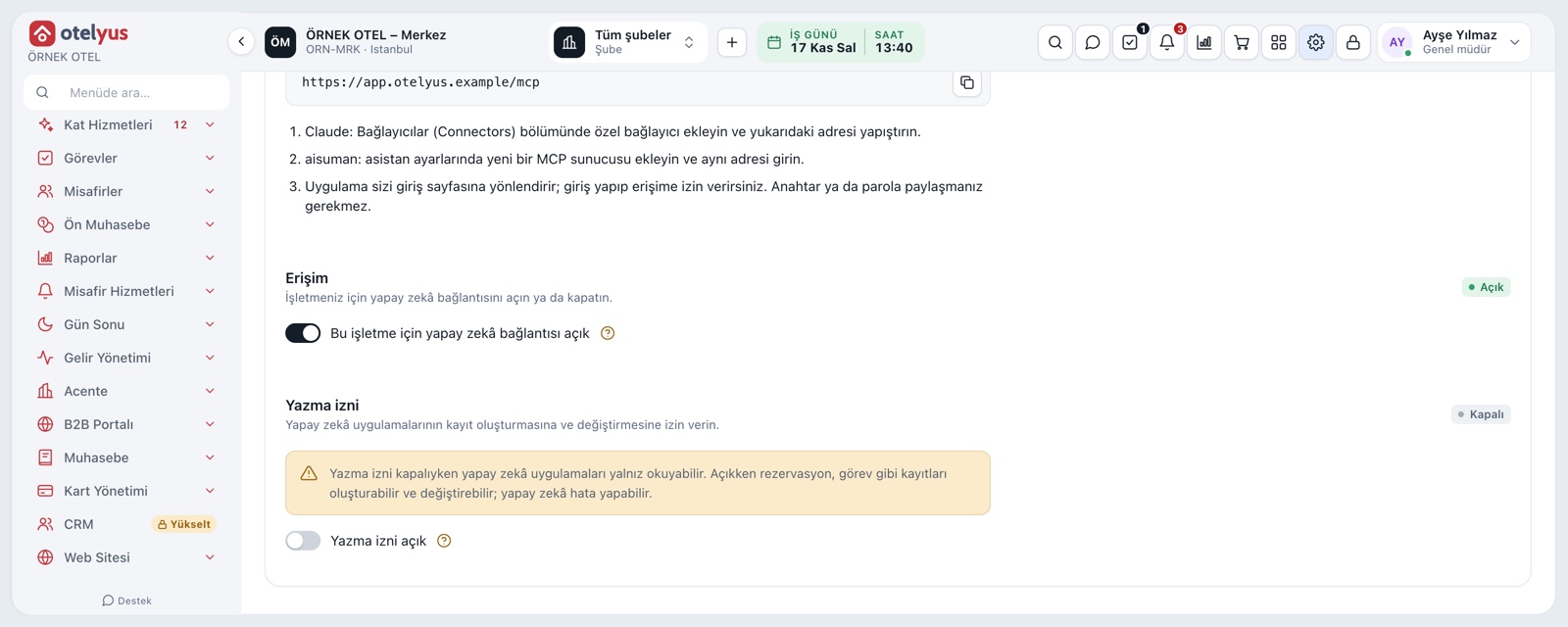
Separate access for guest-facing assistants
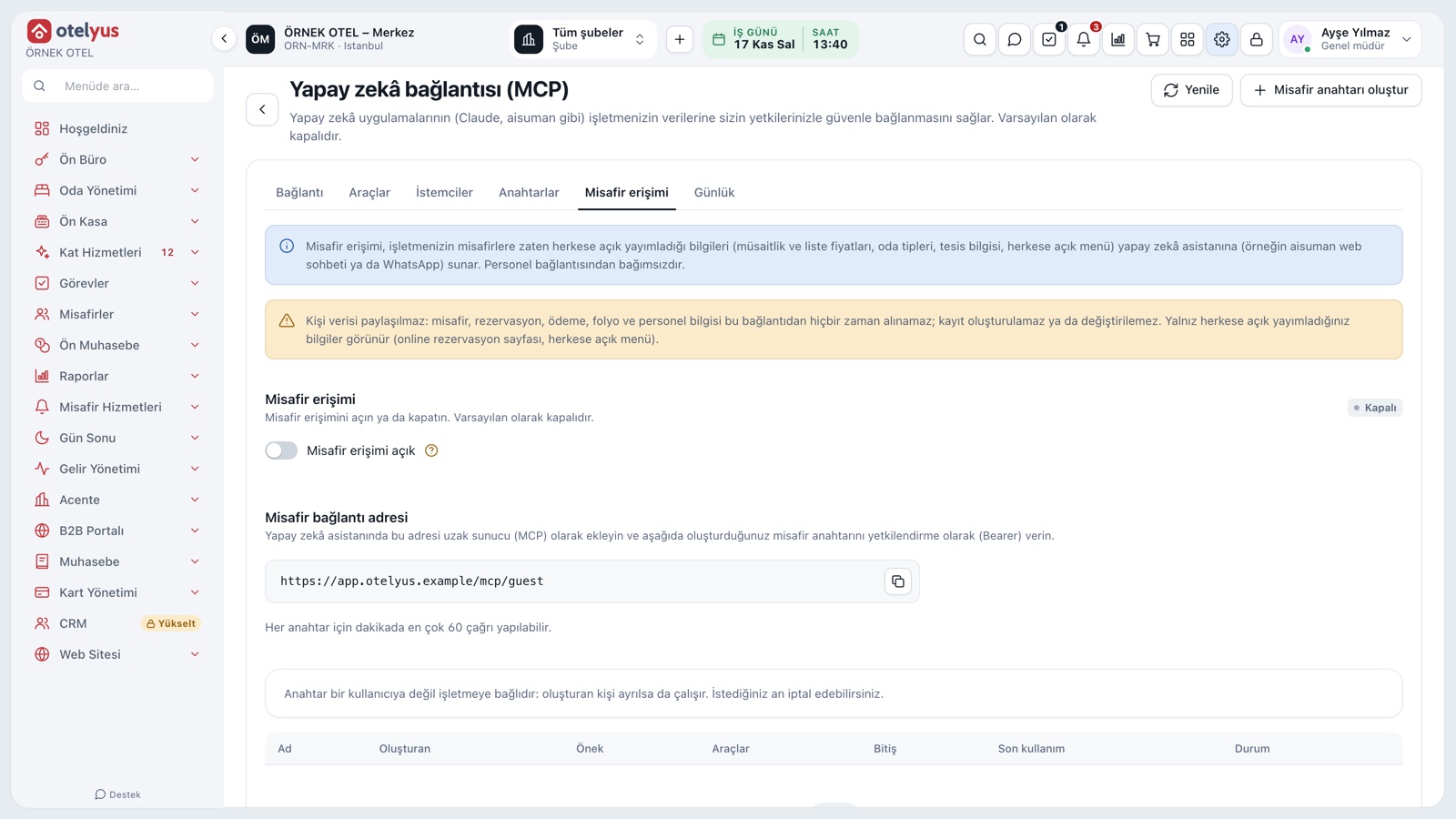
Guest-facing assistants such as aisuman have their own access that reads only what you publish openly: availability and list prices, room types, property details and the public menu. There is no personal data and no writing.
- It is off by default.
- The administrator chooses what is opened.
- Access can be switched off at any time.
Modules used together
AI Assistant
aisuman: web chat, voice chat and WhatsApp assistant
Learn moreAPI and Developer Portal
API keys and REST access
Learn moreIdentity and Access Management
Users, roles, two-factor sign-in, sessions and API keys
Learn moreData Security and KVKK
Separate data per business, encryption and KVKK (Turkish data protection law) compliance
Learn moreFrequently Asked Questions
Which AI apps can be connected?
AI apps that support remote connections, such as Claude, and aisuman.
Does my data go to the AI app?
The records needed to answer your question, with personal details masked, are passed to the AI app you use. Which app you allow is your decision, and you can remove access at any time.
Can the assistant change my records?
Not by default; it only reads. Write access is given only if the business administrator turns it on, and risky actions wait for your approval.
Who can turn the connection on?
The business administrator turns the setting on. Each user grants the app access in their own name and sees only what their own permissions allow.
Meet AI Connection
Let us call you for a live walkthrough, or try it free for 1 month.