
Cloud Infrastructure and Backup
Each business's data is kept apart; the database is backed up and files are stored in cloud storage in an area set aside for your business. The System Health screen shows infrastructure and data checks.
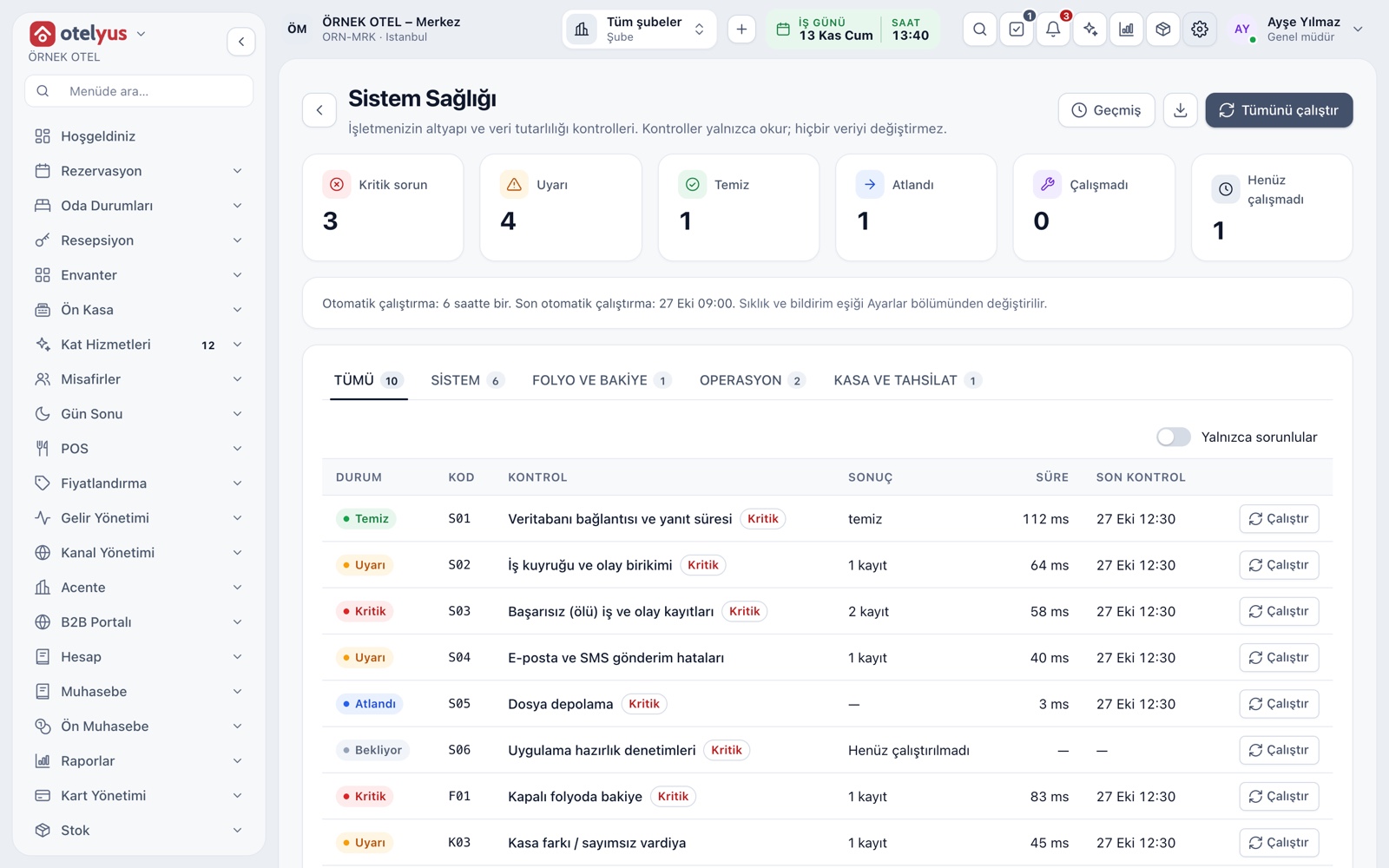
System Health screen
The System Health screen under Settings shows infrastructure and data-consistency checks for your business. The checks only read and never change data. Summary cards give the number of critical issues, warnings and clean checks, and each check says what it examines and what to do.
- Checks cover system, folio and balance, accounting, operations, cashier and audit trail.
- Run them all or one by one; filter to show only those with issues.
- Run history is kept; the summary and findings list can be downloaded.
- A suggested fix is only a suggestion; the system never changes data on its own.
Every business's data kept apart
Each business's data is separated by its own business identity, and database rules stop one business from reaching another's records. So an action, deletion or reset in one business never affects the others.
- One business cannot see another's data.
- Deleting and resetting affect only that business's own data.
Files in a separate area per business
Logos, documents and images your business uploads are kept in cloud object storage in an area set aside for your business, independent of the database and the application server. The storage quota depends on your plan and usage is tracked on the System Health screen.
- No other business can reach your files.
- A warning appears before the quota is full; extra space can be purchased.
- The file manager bulk-deletes by module, folder and date; documents under legal retention are not deleted.
Backup and restore
The database is backed up daily and changes are archived continuously, so it can be returned to a specific moment. A restore point is taken before every release. The platform team performs a restore at your request, with a stated reason.
- A daily backup and a continuous change archive are kept.
- The platform team performs restores; businesses do not restore on their own.
- Businesses are handled independently of one another during a restore.
Modules used together
Frequently Asked Questions
Is my data backed up?
Yes. The database is backed up daily and changes are archived continuously, so it can be returned to a specific moment.
Can I restore from a backup myself?
No. The platform team performs the restore at the business's request and with a stated reason.
Where are my files kept?
In cloud object storage, in an area set aside for your business. The quota depends on your plan; you can buy extra space.
Does the System Health screen change my data?
No. The checks only read; you apply any suggested fix yourself.
Meet Cloud Infrastructure and Backup
Let us call you for a live walkthrough, or try it free for 1 month.